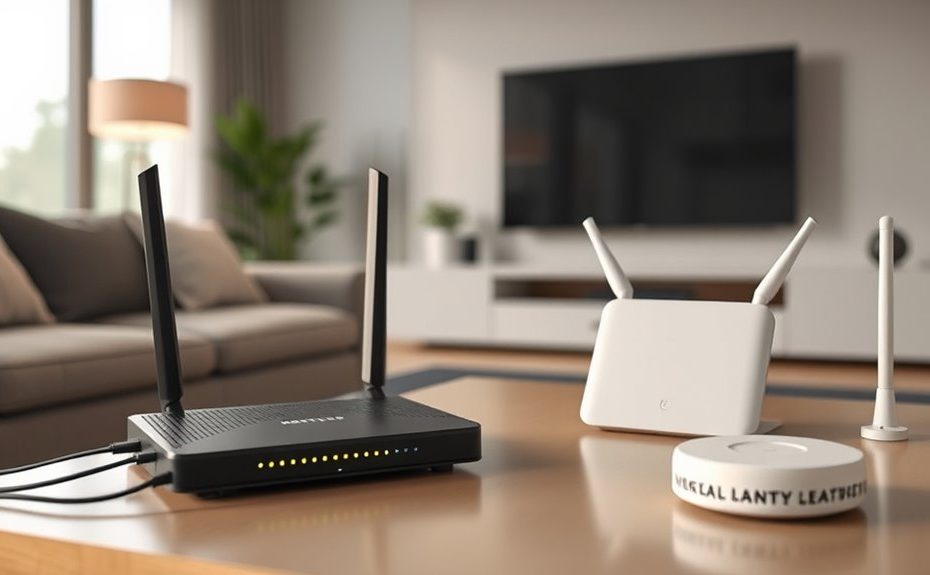
Your home network starts with a modem, which connects you to your internet service provider. The router directs internet traffic and creates your local network. To extend coverage, you can add access points or use a mesh system, where multiple devices work together to provide seamless Wi-Fi throughout your home. Understanding how these components connect and work helps you optimize your setup. Keep exploring to discover ways to make your network more reliable and efficient.
Key Takeaways
Modem connects your home to the ISP, converting signals into usable internet for your network.
Router manages local device connections, assigns IPs, and often provides Wi-Fi access point functionality.
Access Points extend wireless coverage, connecting via wired links to improve Wi-Fi signal strength in dead zones.
Mesh systems use multiple nodes for seamless, scalable Wi-Fi coverage across large or multi-story homes.
Proper topology ensures reliable, high-speed internet, easy management, and adaptability for future network expansions.
Understanding the Role of the Modem in Your Home Network
Your home network begins with the modem, which acts as the gateway to the internet. It’s the device that connects your home to your internet service provider (ISP). The modem converts the signals from your ISP into a format your devices can understand. There are different types, like cable, DSL, and fiber, depending on your ISP’s technology. Usually, the modem has a single Ethernet port to connect directly to a router or a device. Note that modems don’t have built-in Wi-Fi, so you’ll need a separate router if you want wireless connectivity. Basically, the modem is the point where your home’s network meets the wider internet, controlling data flow and ensuring your devices get online smoothly.
How Routers Manage and Distribute Internet Connections
Routers play a crucial role in managing and distributing your home’s internet connection by directing data traffic between the modem and connected devices. They assign local IP addresses, guaranteeing each device has a unique identity within your network. Using Network Address Translation (NAT), routers allow multiple devices to share a single public IP address from your ISP. They prioritize traffic with features like Quality of Service (QoS), which helps gaming or streaming stay smooth. Many routers also include built-in Wi-Fi, acting as wireless access points. By managing data flow efficiently, routers prevent congestion and guarantee each device gets the bandwidth it needs. They automatically route data packets to their destination, seamlessly connecting your devices to the internet and each other for smooth, reliable connectivity. Additionally, understanding the importance of HEPA filtration can help you choose routers with better air quality management features, especially useful in smart home integrations. Properly designed network topology ensures that your home network remains resilient and scalable as your connectivity needs grow.
Extending Wireless Coverage With Access Points
When a single router can’t provide sufficient coverage across a large home or building, adding access points (APs) can effectively extend your wireless network. APs connect to your existing wired network, creating additional Wi-Fi zones that improve coverage and stability. They are ideal for eliminating dead spots in areas where the signal weakens or drops entirely. Unlike wireless extenders, APs offer faster, more reliable connections because they use a wired connection back to the router or switch. You can deploy multiple APs throughout your space, each configured to work seamlessly together. This setup ensures devices stay connected with strong signals as you move around. Proper placement and configuration are key to maximizing performance and coverage with your access points. Incorporating network topology concepts helps optimize the placement and scaling of your access points for better overall coverage. Additionally, understanding wireless signal propagation can assist in achieving optimal placement for your APs to minimize interference and maximize coverage. A well-planned wireless network setup ensures consistent performance and reduces troubleshooting efforts.
Creating Seamless Wi-Fi With Mesh Systems
Mesh systems make setting up your Wi-Fi simple with user-friendly apps and minimal wiring. They deliver consistent signal coverage across your entire home, eliminating dead zones. Plus, you can easily add more nodes to expand your system as your needs grow. Additionally, integrating smart home automation solutions can further enhance your connected living experience. To optimize your network, consider the home environment and how different devices interact within your space. Understanding the role of network topology is essential for creating a reliable and efficient home network. Furthermore, employing AI security techniques can help detect and respond to potential cyber threats, safeguarding your connected devices. Recognizing the impact of Bitcoin IRA strategies can also influence how you prioritize security and diversification within your connected home ecosystem.
Simplified Setup Process
Setting up seamless Wi-Fi with a mesh system is straightforward because most modern systems are designed for easy installation and management. Typically, you connect the main node to your modem using an Ethernet cable, then power it up. Download the system’s app on your smartphone, which guides you through the setup process step-by-step. The app automatically detects other nodes and helps you place them around your home for ideal coverage. You’ll name your network, create passwords, and customize settings—all within minutes. Mesh systems often feature automatic updates and network management tools, making ongoing maintenance simple. Proper network topology optimizes performance and coverage, which can improve overall network stability and speed. Having a well-designed topology also helps prevent dead zones and ensures consistent connectivity throughout your home. Additionally, understanding the importance of network topology can help you troubleshoot issues more effectively. Regularly checking your network’s security measures enhances protection against potential vulnerabilities. This user-friendly approach guarantees quick, hassle-free installation, so you’re connected and protected with minimal effort.
Consistent Signal Coverage
To achieve consistent signal coverage throughout your home, a mesh Wi-Fi system automatically creates a unified network that eliminates dead zones. The main router connects to your modem, while satellite nodes communicate with each other to extend coverage seamlessly. As you move around, your devices automatically switch to the node with the strongest signal, ensuring stable, high-speed connections everywhere. Unlike traditional extenders, mesh systems maintain performance by using multiple nodes that work together, not separate repeaters. They’re easy to set up and manage via a mobile app, reducing the need for manual configurations. Whether you have a multi-story house or a large apartment, mesh systems deliver reliable Wi-Fi throughout, providing a smooth, consistent experience without constant adjustments. The use of multiple nodes also helps prevent issues like signal interference, ensuring optimal performance across your entire home. Additionally, mesh networks can adapt to changing network demands, optimizing bandwidth distribution for various devices.
Flexible System Expansion
Flexible system expansion allows you to adapt your Wi-Fi network as your needs grow, ensuring consistent coverage across larger or multi-story homes. With a mesh Wi-Fi system, adding nodes is straightforward, often through a mobile app, without complicated wiring. These nodes communicate seamlessly, creating a single, unified network that covers every corner. As your home expands or your device count increases, simply place additional satellite units where needed. Mesh systems automatically connect your devices to the strongest signal, maintaining speed and stability. This scalability means you don’t have to replace your entire setup when expanding; instead, you grow your network gradually. Whether you’re upgrading for better coverage or accommodating more devices, mesh systems offer a flexible, user-friendly solution that evolves with your home. Understanding AI’s potential helps in designing smarter, more adaptable network systems that can optimize performance dynamically.
Comparing Traditional Routers and Mesh Networks
When choosing between traditional routers and mesh networks, coverage and range are key factors to contemplate. Traditional routers work well in smaller spaces but can leave dead zones in larger homes, while mesh systems provide seamless coverage across multiple floors and rooms. Setting up and managing these systems also varies, with mesh networks often offering simpler, app-based control for users. Additionally, understanding the value of home security systems can inform decisions about network security and monitoring options.
Coverage and Range
Traditional routers are suitable for small to medium-sized homes, where their limited coverage area can often be sufficient. However, in larger or multi-story homes, they may leave dead zones or weak signals. The main router connects to your modem, and satellite nodes communicate seamlessly, providing consistent coverage everywhere. Devices automatically switch to the strongest signal as you move around, eliminating dead spots. Unlike extenders that can reduce speed, mesh systems maintain high performance across their coverage area. Additionally, mesh networks are designed to be scalable and adaptable, allowing you to add more nodes as your needs grow. This flexibility makes mesh systems a long-term solution for evolving home networks. They are also recognized for their ease of setup and management, making them accessible even for those less tech-savvy. While traditional routers are cost-effective and simple, mesh systems prioritize comprehensive coverage and ease of use, making them ideal for larger, complex spaces.
Setup and Management
Setting up and managing your home Wi-Fi network varies considerably between traditional routers and mesh systems. With a router, you typically connect it to your modem, access its web interface or app for configuration, and manage settings like security, SSID, and QoS. Mesh systems simplify this process by offering a unified app that guides setup and ongoing management. Additionally, understanding privacy policies and cookie management options can help you make informed decisions about your network security and data sharing.
Factors to Consider When Choosing Network Equipment
Choosing the right network equipment depends on your home’s size, the number of connected devices, and your performance needs. For small spaces with few devices, a basic router might suffice. Larger homes or those with many gadgets benefit from mesh systems or multiple access points to avoid dead zones and maintain speed. Consider your internet plan’s speed and whether wired connections are feasible for maximum stability.
Factor
Recommendation
Home size
Small: Router; Large: Mesh or multiple Access Points
Device count
Few: Basic router; Many: Mesh or high-performance router
Performance needs
Gaming/Streaming: High-speed, low-latency equipment
Emerging Trends and Future-Proofing Your Home Network
As home networks become more integral to daily life, staying ahead of technological advancements is essential for future-proofing your setup. To do this, focus on three key trends:
Support for Wi-Fi 6 and Wi-Fi 6E, which offer faster speeds, lower latency, and better device capacity.
Incorporating multi-gigabit Ethernet ports for wired connections that handle increasing data demands.
Choosing security features like WPA3 and automatic firmware updates to protect your network from evolving threats.
Frequently Asked Questions
Can I Use Multiple Routers Without a Mesh System?
Yes, you can use multiple routers without a mesh system. To do so, connect the second router to the first via Ethernet, configure it as an access point or a secondary router, and assign different IP addresses to avoid conflicts. This setup extends your network coverage and enhances performance. Just make sure they’re properly configured to prevent issues like double NAT, which can cause connectivity problems.
What Is the Difference Between a Switch and an Access Point?
A switch connects multiple devices within your network, allowing them to communicate directly and share data efficiently. An access point, on the other hand, extends your wireless network by providing Wi-Fi coverage in areas where the signal is weak or unavailable. While a switch uses wired connections to link devices, an access point creates wireless access, making your network more flexible and expanding coverage without adding extra wires.
How Do I Set up a Wired Backhaul for Mesh Networks?
To establish a wired backhaul for your mesh network, first connect an Ethernet cable from your main router or primary node to the Ethernet port on each satellite node. Make certain the nodes support wired backhaul. Then, configure the mesh system through its app or web interface, selecting the wired backhaul option if available. This setup improves speed and stability by reducing wireless congestion between nodes.
Are Wi-Fi 6 Routers Compatible With Older Devices?
Nearly 60% of new Wi-Fi devices support Wi-Fi 6, making it a smart upgrade. Wi-Fi 6 routers are backward compatible, so your older devices will still work, just at their original speeds. You won’t lose connectivity, but you won’t get Wi-Fi 6’s improvements either. It’s like using a new car with older tires—you keep moving, but miss out on the latest features and faster speeds.
Do All Modems Have Built-In Routing Capabilities?
Not all modems have built-in routing capabilities. Many basic modems only connect your home to the internet without managing traffic between devices. If your modem lacks routing features, you’ll need a separate router to handle device connections, security, and Wi-Fi distribution. Some advanced modems combine both functions, acting as a gateway and router, but it’s crucial to verify your device specifications to know what features it offers.
Conclusion
Did you know that nearly 80% of households experience Wi-Fi dead zones? Understanding your home network’s components—modem, router, access points, and mesh systems—can dramatically improve your connectivity. By choosing the right setup, you’ll enjoy seamless streaming, gaming, and working from home. Take control of your network today and avoid frustrating interruptions. A well-designed home network isn’t just a luxury, it’s essential for staying connected in today’s digital world.