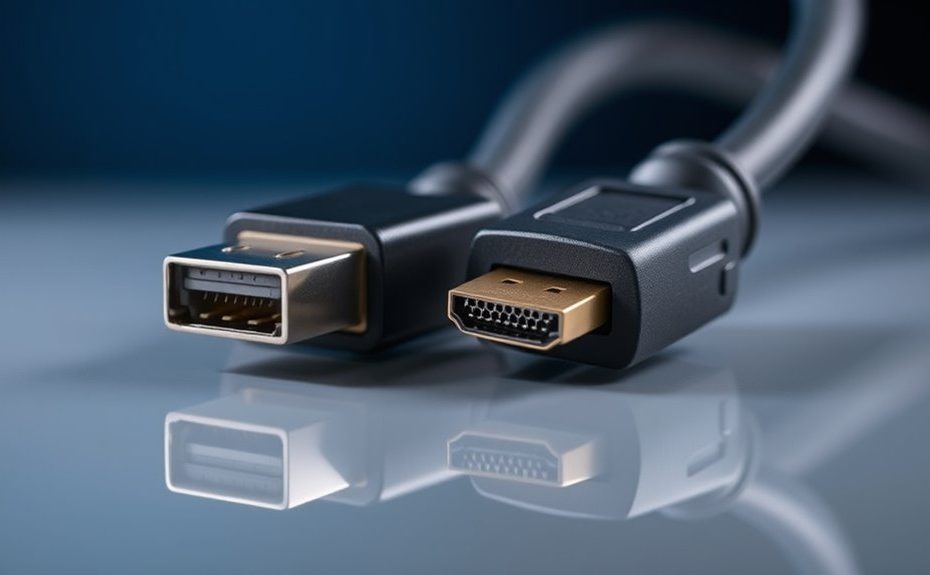
DisplayPort 2.1a offers higher bandwidth—up to 80 Gbps—thanks to more efficient encoding, making it ideal for high-resolution, multi-monitor setups and high-refresh gaming. HDMI 2.1 supports up to 48 Gbps and is more common for home entertainment and gaming consoles. Your choice depends on your needs—whether you prioritize multi-screen displays or mainstream compatibility. Exploring further will reveal detailed differences to match your specific use case.
Key Takeaways
DisplayPort 2.1a offers higher bandwidth (up to 80 Gbps) and better efficiency than HDMI 2.1’s 48 Gbps, supporting higher resolutions and refresh rates.
DisplayPort 2.1a supports multi-monitor setups, including three 4K displays or 8K at 60Hz, while HDMI 2.1 primarily targets two 4K displays or 8K at 60Hz.
HDMI 2.1 is more widely used in consumer electronics and gaming consoles, whereas DisplayPort 2.1a is favored for professional and high-end gaming setups.
DisplayPort uses DP 40/80 cables with limited length; HDMI 2.1 requires Ultra High Speed HDMI cables reliable up to 5 meters.
Compatibility and backward support are broader with DisplayPort, but HDMI 2.1 remains dominant in home entertainment and consumer devices.
Comparative Analysis of Bandwidth and Data Transfer Efficiency
When comparing bandwidth and data transfer efficiency, DisplayPort 2.1a clearly outperforms HDMI 2.1 due to its higher maximum bandwidth and more effective encoding scheme. DisplayPort 2.1a supports up to 80 Gbps using UHBR20 mode, while HDMI 2.1 tops out at 48 Gbps. Its 128b/132b encoding achieves approximately 96.7% efficiency, translating to a usable data rate of around 77.37 Gbps. In contrast, HDMI 2.1 employs 8b/10b encoding, which results in only about 80% efficiency and a usable data rate of roughly 42 Gbps. This means DisplayPort 2.1a can transfer more data more efficiently, enabling higher resolutions, faster refresh rates, and better performance for demanding applications like multi-monitor setups and high-refresh gaming. Additionally, bandwidth capacity plays a critical role in supporting the latest advancements in display technology. Moreover, data transfer efficiency influences overall performance, especially in high-bandwidth scenarios, and the choice between these standards can impact device compatibility in various configurations. As technology progresses, the importance of interoperability between different devices becomes increasingly crucial for seamless user experiences.
Compatibility, Resolution Support, and Cable Requirements
DisplayPort 2.1a and HDMI 2.1 differ significantly in compatibility, resolution support, and cable requirements, affecting how you connect your devices. You’ll need new certified cables: DisplayPort 2.1a uses DP 40 or DP 80 cables, with DP 80 limited to about 1 meter and DP 40 up to 2 meters; HDMI 2.1 requires Ultra High Speed HDMI cables, which can reach up to 5 meters reliably. DisplayPort supports backward compatibility with older versions, ensuring broader device integration. In terms of resolution, DisplayPort 2.1a can handle 8K at 60Hz, 4K at 240Hz, and three 4K HDR displays simultaneously, while HDMI 2.1 supports 8K at 60Hz, 4K at 120Hz, and two high-refresh-rate 4K screens. Your choice depends on device compatibility and intended use cases. Additionally, bandwidth capacity plays a crucial role in determining the maximum resolution and refresh rates supported by each standard. It’s also important to consider device compatibility, as certain devices may only support one of these standards, influencing your setup options. Moreover, video quality can be affected by the quality of the cables used, so opting for certified cables ensures optimal performance.
Practical Applications and Market Adoption Trends
Although HDMI 2.1 remains the dominant choice for home entertainment, DisplayPort 2.1a is gaining traction among high-end gamers and professional users due to its superior bandwidth and multi-monitor capabilities. Its advanced features support demanding setups like multi-4K displays and high-refresh-rate gaming. Market adoption trends show that AMD’s latest GPUs, such as RX 7800 XT, favor DisplayPort 2.1a, emphasizing its role in professional and gaming environments. Meanwhile, HDMI 2.1 continues to dominate consumer electronics, especially with consoles like PS5 and Xbox Series X/S. The table below highlights key application differences:
Use Case
Preferred Technology
Supporting Devices
Multi-monitor setups
DisplayPort 2.1a
High-end PCs, professional workstations
Home theater
HDMI 2.1
TVs, gaming consoles
High-refresh gaming
Both
Gaming PCs, consoles
Additionally, the ongoing advancements in display interface technologies are shaping the future of visual connectivity, influencing how devices communicate and display high-quality content effectively. As these technologies evolve, they are driving innovation in how visual data is transmitted and processed across various devices, especially with the increased demand for higher bandwidth in modern applications. Furthermore, understanding the compatibility of these standards with existing hardware can help users optimize their setups for performance and reliability.
Frequently Asked Questions
How Does Displayport 2.1a Handle Multi-Monitor Setups Compared to HDMI 2.1?
You’ll find DisplayPort 2.1a handles multi-monitor setups better than HDMI 2.1. It can drive three 4K HDR displays simultaneously, making it ideal for multi-monitor configurations and high-refresh gaming. HDMI 2.1, on the other hand, typically supports only two 4K displays at high refresh rates. With higher bandwidth and better multi-display support, DisplayPort 2.1a offers greater flexibility for professional and gaming setups.
Are There Any Backward Compatibility Issues With Older Devices Using These Standards?
Like a classic novel, both DisplayPort 2.1a and HDMI 2.1 are designed with backward compatibility in mind. You won’t face major issues connecting older devices, as most systems include adapters or fall back to lower standards. However, to enjoy full features and bandwidth, you’ll need compatible cables and devices. Keep in mind, some advanced functions might be limited or unavailable when pairing with older hardware.
What Are the Real-World Differences in Cable Length and Signal Quality?
You’ll notice that HDMI 2.1 cables can reach longer distances—up to 5 meters—while DisplayPort 2.1a cables are limited to about 1 meter for 80 Gbps and 2 meters for 40 Gbps. Signal quality remains high over shorter runs, but longer HDMI cables can sometimes experience slight degradation. To guarantee peak performance, use certified cables and avoid excessive length, especially with DisplayPort.
How Does Each Standard Support Gaming Features Like VRR and Low Latency?
You’ll find both standards support gaming features like VRR and low latency, but HDMI 2.1 offers broader compatibility with consoles and TVs, providing features like VRR, ALLM, and eARC for smooth gameplay and audio. DisplayPort 2.1a also supports VRR and low latency, especially suited for PC gaming and multi-monitor setups. Your choice depends on your gaming setup — HDMI for consoles and home theater, DisplayPort for high-performance PC gaming.
Which Standard Is More Future-Proof for Upcoming High-Resolution Displays?
Think of the future like a vast horizon—DisplayPort 2.1a is your best ship for steering it. Its higher bandwidth and advanced encoding make it more prepared for upcoming high-resolution displays, like 8K and beyond. You’ll benefit from better multi-monitor setups and higher refresh rates. While HDMI 2.1 is strong for now, DisplayPort 2.1a offers more headroom for future innovations, making it the smarter choice to stay ahead.
Conclusion
While both DisplayPort 2.1a and HDMI 2.1 excel in delivering impressive features, subtle differences might influence your choice. As technology continues to evolve, staying informed helps you make the most of these advancements without feeling rushed. Embrace the flexibility each offers, and you’ll find your setup seamlessly supporting your creative and entertainment needs. Ultimately, selecting the right connection becomes a journey of discovery, guiding you toward a more immersive and satisfying experience.