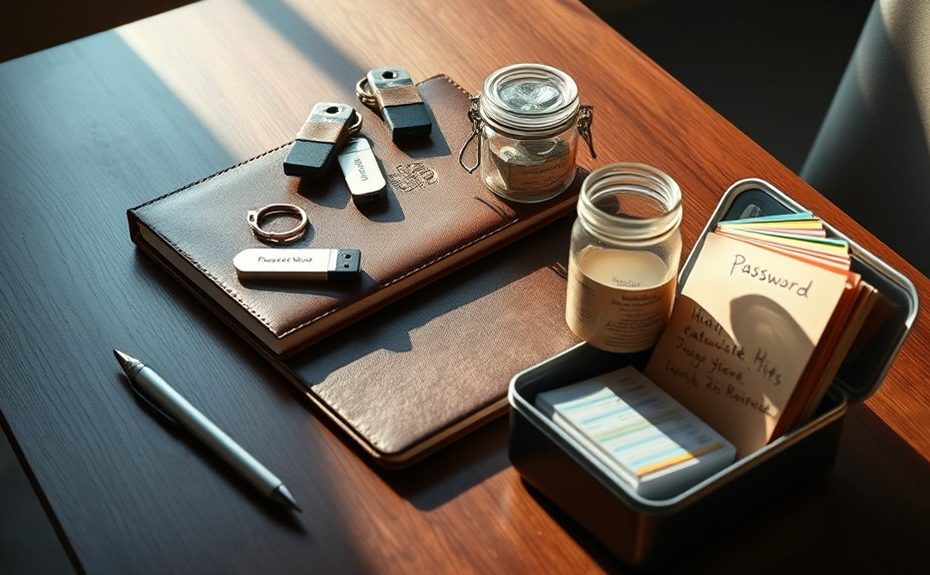
To create a family password-recovery kit, gather all essential login information, including passwords and recovery questions, and store it securely using encrypted digital vaults or sealed physical documents in a safe place. Include a list of trusted emergency contacts and step-by-step instructions for resetting key accounts. Regularly update the kit to reflect password changes and contact info. If you keep exploring, you’ll discover more ways to keep your family’s digital life protected and accessible.
Key Takeaways
Use encrypted digital vaults and physical safes to securely store all passwords and sensitive recovery information.
Compile a list of trusted emergency contacts, including relatives and customer support numbers, and keep it updated.
Include step-by-step instructions for resetting passwords and accessing accounts, with clear contact info for support services.
Designate a responsible family member to maintain and regularly review the kit’s contents and security protocols.
Ensure quick and easy access to the kit during emergencies while maintaining strong security measures against unauthorized access.
Losing access to important passwords can cause frustration and disrupt your family’s daily routines. Whether it’s the password for your email account, streaming services, or online banking, not being able to log in can throw everything off balance. To avoid this chaos, creating a family password-recovery kit is essential. This kit serves as a centralized resource, ensuring everyone knows where to find critical information during an emergency. A key part of this kit involves implementing security measures that protect your sensitive data while keeping it accessible when needed. You should include secure methods for storing passwords, such as encrypted digital vaults or password-protected physical documents, and make sure everyone in the family understands how to use them properly. It’s essential to strike a balance between security and accessibility, so unauthorized individuals can’t access your accounts but trusted family members can retrieve passwords quickly during emergencies.
Another important aspect of your kit involves maintaining updated emergency contacts. In case of urgent situations, such as a family member being unable to communicate or a device being lost or stolen, emergency contacts become critical. Make sure to include a list of trusted individuals, such as close relatives, friends, or even your primary bank’s contact number, who can assist in verifying your identity or helping recover your accounts. Keep this list in a secure but accessible location, like a sealed envelope labeled “Emergency Contacts,” or store it digitally in a password-protected file accessible only to trusted family members. Regularly review and update this information to ensure it remains accurate, particularly if phone numbers or relationships change. Additionally, staying informed about AI-driven insights can help optimize your password management and security protocols.
In your family password-recovery kit, include instructions on how to reset or recover passwords for essential accounts, along with the contact information for customer service or technical support. This way, if a family member forgets a password, they have a clear, step-by-step guide on what to do next. It’s also wise to designate a primary person responsible for maintaining the kit, updating passwords, and managing emergency contacts, so critical information stays current. Doing so not only streamlines the recovery process but also provides peace of mind, knowing that your family is prepared for unexpected access issues. Remember, the goal is to create a reliable, easy-to-follow plan that minimizes frustration and keeps your family’s digital life secure and accessible at all times.
Frequently Asked Questions
How Often Should I Update the Recovery Kit?
You should update your family password-recovery kit regularly, ideally every six months, to stay prepared for emergencies. Regular updates make certain that all passwords, security questions, and contact information are current, reducing the risk of access issues during an emergency. Making this a routine part of your emergency preparedness helps your family stay secure and ready for unexpected situations, giving you peace of mind knowing your recovery plan is always up-to-date.
Who Should Have Access to the Recovery Kit?
Think of your recovery kit as a secret treasure chest—you only want trusted contacts and emergency contacts holding the key. Keep it accessible to those who need it most in case of an emergency. Only share the kit with individuals you trust implicitly, ensuring they can access crucial information quickly. Limit access to prevent leaks, but make sure trusted contacts know how to use it when necessary.
What if a Family Member Forgets Their Part?
If a family member forgets their part of the recovery kit, you should maintain open family member communication to resolve the issue quickly. Remind them to update passwords regularly, following the recommended password change frequency, to keep accounts secure. Encourage them to reach out for help or review the kit together, ensuring everyone stays on the same page and can access important information when needed.
Can Digital Tools Enhance the Recovery Process?
Did you know 81% of hacking breaches start with compromised passwords? Digital tools definitely enhance recovery—password managers securely store your family’s passwords, making them easy to access when needed. Multi-factor authentication adds extra security, ensuring only authorized family members can retrieve sensitive info. These tools streamline the process, reduce stress, and keep your family’s accounts safe, especially if someone forgets their password.
How to Securely Store Physical Copies of the Kit?
You should store physical copies of your kit in secure, discreet locations that prioritize physical security. Choose storage spots like a locked safe, a fireproof box, or a secure deposit box at your bank. Avoid obvious places such as drawers or under the mattress. Regularly update and review these locations to make certain they remain safe, accessible only to trusted family members, and protected from theft, fire, or water damage.
Conclusion
Creating a family password-recovery kit keeps everyone’s accounts secure and easily accessible when needed. Did you know that 81% of data breaches happen because of weak or stolen passwords? By organizing your keys and recovery info now, you can save time and avoid frustration later. Keep it simple, update regularly, and guarantee all family members know where it’s stored. A little effort today can save you from bigger headaches tomorrow.