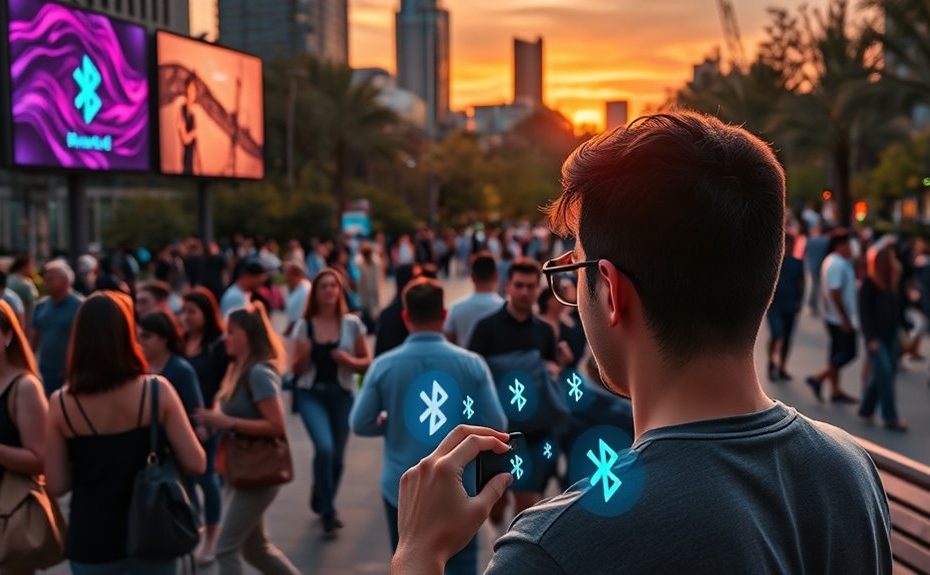
Bluetooth Auracast in public spaces enables you to receive high-quality audio streams directly to your device from a single broadcast source, like a speaker or TV. Institutions set up transmitters supporting Bluetooth LE Audio to send different content simultaneously. When you enter, your device scans for available broadcasts, and you can connect easily to enjoy personalized sound without bulky equipment. Curious how this seamless audio experience will impact venues? Keep exploring to find out more.
Key Takeaways
Public spaces will deploy compatible Bluetooth LE Audio transmitters to broadcast audio streams to multiple user devices simultaneously.
Devices detect broadcasts via Bluetooth LE, allowing users to easily connect and receive high-quality, personalized audio content.
Connection is simple, similar to Wi-Fi, with users selecting available broadcasts on their devices within a 10-meter range.
Enhanced accessibility features enable hearing aids and earbuds to stream directly, improving inclusivity for diverse audiences.
Security protocols ensure privacy and prevent unauthorized access to broadcasts in shared public environments.
Understanding Auracast Technology in Public Settings
Auracast technology transforms how public spaces deliver audio by enabling wireless, one-to-many broadcasting with Bluetooth Low Energy (LE) Audio. It allows a single audio source, like a speaker or TV, to stream sound to multiple devices simultaneously. This system uses the LC3 codec to guarantee high-quality audio while conserving power, making it ideal for extended use in busy venues. The key is the Public Broadcast Profile (PBP) standard, which manages how broadcasts are advertised and discovered. You don’t need special equipment; compatible devices can connect easily, making audio more accessible and flexible. Auracast streamlines audio delivery, reducing clutter and enhancing user experience in crowded or noisy environments. It’s a significant step forward in making public spaces more inclusive and technologically advanced. Understanding the privacy and data implications is also important as this technology becomes more widespread.
How Devices Communicate With Auracast Broadcasts
Devices connect to Auracast broadcasts through a straightforward process that relies on Bluetooth Low Energy (LE) technology. First, your device scans for available broadcasts using its Bluetooth radio. Once it detects an Auracast advertisement, it displays the options on your screen. You select the desired broadcast, and your device establishes a connection, joining the audio stream. This process is quick and seamless, similar to connecting to Wi-Fi networks. Your device then receives high-quality audio directly from the transmitter. The connection range generally stays within 10 meters, ensuring reliable communication in most public venues. This technology enhances the art of Italian espresso experience by enabling better communication and ambiance at cafes and homes. Additionally, improved Bluetooth connectivity standards help maintain a stable connection even in busy environments. The use of wireless audio streaming further optimizes the experience by reducing lag and interference, which is especially important for maintaining audio quality during live or dynamic content playback. Incorporating secure connection protocols also ensures privacy and prevents unauthorized access during broadcasts.
Setting Up Auracast Infrastructure in Venues
To establish Auracast infrastructure, you need to select compatible devices like transmitters, assistants, and receivers that meet Bluetooth LE Audio standards. Next, you’ll install broadcast equipment such as transmitters and guarantee they’re properly connected to your venue’s audio sources. Additionally, configuring the system for maximum range and coverage helps provide a seamless experience for all users. Incorporating Bluetooth LE Audio standards ensures compatibility across various devices and enhances overall performance. Additionally, ensuring that your setup aligns with existing retail hours can facilitate smoother installation and maintenance schedules. It’s also important to consider the shelf life of equipment to maintain long-term functionality and reliability. Furthermore, selecting equipment with a proven trustworthiness can help ensure consistent operation and support ongoing performance. Considering the technological advancements in Bluetooth can help future-proof your setup and incorporate new features as they become available.
Selecting Compatible Devices
Setting up Auracast infrastructure in public venues begins with choosing compatible transmitters and receivers that support the Bluetooth LE Audio and Public Broadcast Profile (PBP) standards. You need devices that can broadcast and receive high-quality audio over Bluetooth, guaranteeing they support the LC3 codec for efficiency and clarity. Verify that transmitters can handle multiple concurrent streams and are compatible with your existing audio systems. For receivers, look for headphones, hearing aids, or assistive listening devices labeled as Auracast-enabled. Confirm these devices can connect seamlessly within the typical 10-meter range, providing stable, reliable audio. Compatibility is essential for a smooth user experience, so double-check device specifications and guarantee they support the latest Bluetooth LE Audio standards before making your choices. Additionally, regular maintenance of the Bluetooth infrastructure ensures consistent performance and minimizes interruptions during public broadcasts. Maintaining device firmware up-to-date is crucial for supporting the newest standards and features, thereby enhancing overall reliability. Incorporating robust security protocols helps protect user privacy and prevents unauthorized access to broadcast streams. Regularly testing the system for interoperability issues ensures all devices work harmoniously and reduces potential disruptions. As the industry advances, integrating AI detection methods can further improve system security and performance.
Installing Broadcast Equipment
Installing broadcast equipment begins with selecting the right Auracast-enabled transmitters that can seamlessly integrate with your venue’s existing audio infrastructure. You’ll want to verify compatibility with your current sound systems and consider placement for maximum coverage. Once chosen, you can focus on setup:
Mount transmitters in central locations for even signal distribution
Connect them to your main audio sources, like microphones or speakers
Configure network settings to enable Bluetooth broadcasting
Test broadcast range and audio quality across the venue
Label transmitters clearly for easy management during events
Understanding auracast technology can help optimize broadcast performance and ensure reliable connections throughout your space. Additionally, ensuring your venue has appropriate power supply is essential for maintaining consistent operation of the transmitters. Proper venue layout planning can further enhance signal coverage and reduce dead zones during broadcasts. Being aware of support hours for technical assistance can help resolve issues quickly and minimize disruptions.
Connecting to Auracast: A Step-by-Step Guide for Users
Connecting to Auracast is straightforward and similar to connecting to Wi-Fi networks. First, verify your device has Bluetooth enabled and is Auracast-compatible. When you’re in a supported public space, open your Bluetooth settings or the dedicated audio app. Your device will scan for nearby broadcasts and display available options, often with details like venue or content. Tap the broadcast you want to join. You may see a prompt asking for confirmation or to select audio preferences. Once connected, you’ll hear the audio directly through your headphones, hearing aids, or earbuds. If needed, adjust volume or audio settings within your device. Connecting is quick, and once done, you’ll enjoy clear, personalized audio experiences in busy public environments. Additionally, maximizing space and organization can help keep your devices and accessories easily accessible, making the connection process smoother. Being aware of Auracast technology and its capabilities can further enhance your experience and ensure seamless connectivity. Familiarizing yourself with the Bluetooth standards can also improve compatibility and connection stability. Understanding wireless audio transmission can help you troubleshoot connection issues more effectively.
Enhancing Accessibility With Auracast in Public Spaces
Auracast makes public spaces more accessible by improving hearing experiences for everyone. It simplifies device connections, so users can easily access audio without hassle. This technology promotes inclusive communication, ensuring all visitors can stay informed and engaged. Additionally, integrating natural techniques like clear audio signal management can further enhance user experience.
Improved Hearing Accessibility
Auracast dramatically improves hearing accessibility in public spaces by allowing users with hearing aids or other auditory assistance devices to receive clear, direct audio streams wirelessly. This means you can enjoy enhanced clarity and reduce background noise interference. With Auracast, you no longer need bulky, specialized equipment; your existing hearing aids can connect seamlessly, providing a personalized listening experience. This technology supports multiple users simultaneously, making it ideal for crowded venues. You can easily select and tune into broadcasts through your device, adjusting volume and preferences without disrupting others. It’s a game-changer for those with hearing challenges, offering independence and confidence.
Connects directly to hearing aids for clearer sound
Minimizes background noise interference
Eliminates need for physical assistive devices
Supports multiple users at once
Offers customizable audio settings
Simplified Device Connection
By simplifying the way devices pair and join audio streams, Auracast makes it easier for you to access public broadcasts without hassle. Instead of manually connecting via Bluetooth menus, your device automatically detects available streams through broadcasts’ advertisements. You can select the desired audio directly from a familiar interface, similar to connecting to Wi-Fi networks. This process requires minimal effort—just a tap or click. Devices like smartphones, tablets, or hearing aids act as assistants or receivers, making the connection seamless. You don’t need multiple steps or technical knowledge to join a broadcast. Auracast’s streamlined approach guarantees you spend less time troubleshooting and more time enjoying content, whether in noisy airports, theaters, or conference rooms.
Inclusive Public Communication
Enhanced public communication leverages Auracast’s capabilities to make audio content more accessible for everyone. It guarantees that people with hearing difficulties or language barriers can fully engage in public spaces. With Auracast, you can enjoy clear, personalized audio streams without bulky equipment or invasive setups. This technology supports:
Seamless access to public announcements and information.
Compatibility with hearing aids and personal earbuds.
Multilingual audio options for diverse audiences.
Custom volume and audio preferences for individual comfort.
Reduced need for traditional assistive listening systems.
Limitations and Challenges of Implementing Auracast
Implementing Auracast faces several challenges that can hinder its widespread adoption. First, the infrastructure demands may be high, requiring venues to install compatible transmitters and upgrade existing audio systems. Not all public spaces currently support Auracast, limiting its reach. Device compatibility is another hurdle; users need smartphones or accessories that support the Bluetooth LE Audio standard, which isn’t universal yet. Range limitations, especially in large or outdoor venues, can affect signal quality and user experience. Additionally, managing multiple streams and ensuring seamless connectivity without interruptions can be complex. Privacy and security concerns also arise, as broadcasters need safeguards against unauthorized access. These challenges require careful planning and investment, potentially slowing down the rollout of Auracast in many public environments.
Practical Applications of Auracast in Various Venues
Auracast’s practical applications span a wide range of venues, transforming how audio is delivered and experienced in public spaces. You can enjoy personalized sound in busy environments or access multiple audio streams simultaneously. For example:
Attend movies or performances with tailored audio, avoiding distractions.
Participate in conferences with real-time translation or specific audio feeds.
Hear clear instructions and announcements at airports or train stations.
Enhance classroom learning with direct audio for students with hearing aids.
Explore museums using multilingual audio guides without disturbing others.
These applications improve accessibility, reduce noise interference, and make public spaces more inclusive. By connecting your device easily, Auracast ensures you receive the audio experience you need, exactly when and where you want it.
Future Developments and Potential of Auracast Technology
As Auracast technology gains traction in public spaces, its future promises exciting advancements that could redefine how you experience shared audio. Expect wider device compatibility as manufacturers integrate Auracast into more gadgets, making setup effortless. Enhanced range and stability are likely, allowing larger venues to benefit without signal drops. Future updates may include smarter content management, enabling dynamic audio streams tailored to user preferences or real-time events. AI integration could personalize audio experiences further, like automatic translation or adaptive volume levels. With ongoing developments, Auracast might support encrypted, secure broadcasts, boosting privacy. As technology evolves, you’ll see more seamless, immersive audio sharing in everyday settings, transforming communal experiences and accessibility for all users.
Frequently Asked Questions
Can Auracast Support Multiple Audio Streams Simultaneously for Different Users?
Yes, Auracast can support multiple audio streams simultaneously for different users. As you connect to a broadcast, the system allows the transmitter to send separate audio streams to various receivers. You’ll see available options on your device, and you can select the specific stream you want. This setup makes it easy for multiple users to enjoy personalized audio experiences without interference or needing multiple devices.
Is There a Limit to the Number of Devices That Can Connect to One Broadcast?
You can connect multiple devices to one Auracast broadcast, but there’s a practical limit. Typically, the system supports dozens of simultaneous connections, depending on the venue and device capabilities. However, the exact number varies based on factors like network management and device performance. Keep in mind, as more devices join, there might be slight delays or quality reductions, so it’s best to check specific venue or equipment limits.
How Does Auracast Ensure the Privacy and Security of Transmitted Audio?
Think of Auracast like a secure conversation in a crowded room. It guarantees privacy by encrypting the audio streams, so only authorized devices can decode and listen. You’re protected from eavesdroppers because the data is scrambled, and devices need to be paired or authorized beforehand. This way, your personal audio remains a secret between you and the broadcast, keeping your listening experience private and safe.
What Happens if a Device Moves Out of the Broadcast Range During Use?
If your device moves out of the broadcast range, it will disconnect from the Auracast stream automatically. You’ll lose audio access until you move back within range and reconnect. This happens because the system relies on proximity for a stable connection. To continue listening, just return within the transmitter’s effective range, and your device should re-establish the connection quickly, allowing seamless access again.
Are All Bluetooth-Enabled Devices Compatible With Auracast Technology?
Not all Bluetooth-enabled devices are compatible with Auracast technology. Your device needs to support Bluetooth LE Audio, specifically the Public Broadcast Profile (PBP), and have the right hardware and software updates. Check your device’s specifications or update its firmware to guarantee compatibility. Without this support, you won’t be able to discover, connect to, or enjoy Auracast broadcasts, limiting your access to seamless, synchronized audio experiences in public spaces.
Conclusion
As Auracast technology begins to transform public spaces, you’ll soon experience seamless, personalized connectivity like never before. But what’s next for this innovative system? Will it open new opportunities or introduce unforeseen challenges? Stay tuned—this is just the beginning. As Auracast evolves, you’ll want to be ready for the surprises it holds. How will it reshape your interactions in public venues? The future of Auracast is about to unfold—are you prepared to discover it?