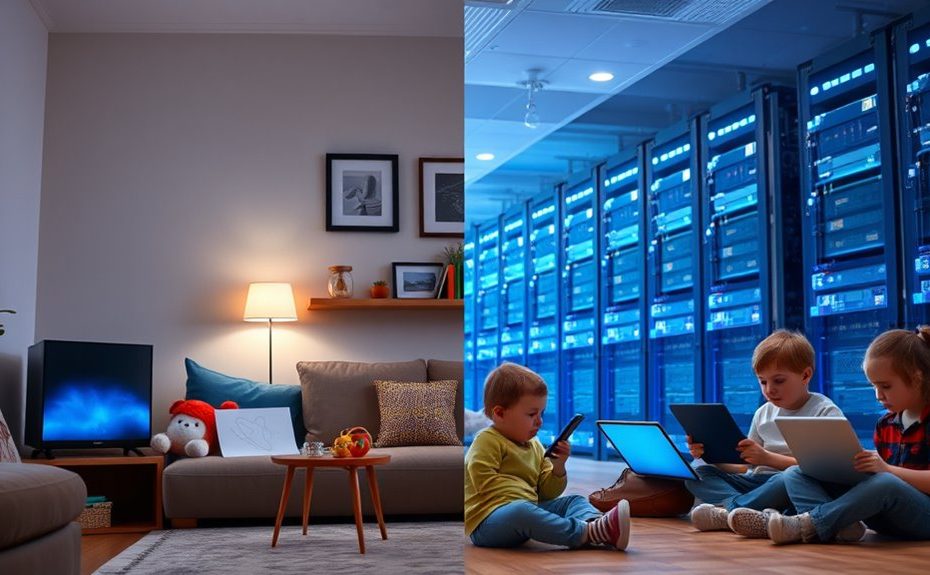
When choosing between a private cloud or a large public cloud for your family’s needs, consider security, control, and cost. Private clouds offer direct control over data, enhanced privacy, and compliance with regional laws, but they can be pricier and require more management. Public clouds are scalable and budget-friendly but may raise privacy concerns. If you’re concerned about family data security and easy management, understanding your options can help you make the best choice—more details will guide you through the process.
Key Takeaways
Private clouds offer enhanced control, customization, and data privacy suitable for families managing sensitive information.
Big public clouds provide scalable, cost-effective solutions with easy access for family members and low upfront costs.
Private clouds support regional privacy laws and compliance, ideal for families prioritizing data residency and security.
Public clouds enable quick resource scaling during peak usage, beneficial for family activities like media sharing and backups.
Hybrid models combining both options give families flexible, secure, and cost-efficient cloud management tailored to their needs.
Understanding the Basics of Cloud Infrastructure
To understand cloud infrastructure, it’s essential to know that it comprises the hardware, software, networks, and storage systems that deliver cloud services. Whether it’s a private or public cloud, these components work together to provide computing resources over the internet. Hardware includes servers and data centers, while software manages operations and resource allocation. Networks connect these systems, allowing data to flow seamlessly. Storage systems hold your data securely and enable quick access. Public clouds share these resources among multiple users managed by providers like AWS, Azure, or Google Cloud, offering flexibility and scalability. Private clouds, on the other hand, are dedicated to a single organization, giving you more control and security. Both models abstract the physical infrastructure, making it easier for you to access and manage cloud services without dealing with hardware directly. Understanding cloud components helps clarify how these systems work together to deliver reliable and efficient services. Additionally, hardware plays a vital role in ensuring the performance and reliability of the entire cloud system, especially in private cloud setups where dedicated resources are essential. Recognizing the organization-specific needs can guide you in choosing the most suitable cloud model for your family or business requirements. Moreover, understanding resource management is crucial for optimizing cloud operations and ensuring cost-effectiveness. Knowing how cloud architecture is designed can also help you better understand its strengths and limitations.
Ensuring Data Privacy and Security in Family-Friendly Environments
You need to guarantee that family-friendly environments keep data private and secure by using isolated storage solutions that prevent sharing with outsiders. Implementing custom security measures, like encryption and firewalls, helps protect sensitive information from unauthorized access. Additionally, controlling access protocols ensures only trusted users can view or modify data, maintaining a safe digital space for your family. Incorporating proper headphone jacks and connection methods can also enhance secure communication and media sharing within trusted environments. Using encryption techniques can further strengthen data protection by making information unreadable to unauthorized parties. Regularly updating security protocols and staying informed about the latest data privacy practices are essential for maintaining a robust security environment. Employing security policies aligned with industry standards can help ensure consistent and comprehensive protection across your family’s digital devices. Developing a clear understanding of privacy regulations can also guide you in implementing compliant security measures.
Isolated Data Storage
Ensuring data privacy and security in family-friendly environments requires isolated data storage solutions that prevent unauthorized access and protect sensitive information. Private clouds offer dedicated storage environments where your data remains separate from other users, reducing exposure to breaches. This isolation guarantees that only authorized family members or trusted devices can access specific data, maintaining privacy. You can implement encryption, firewalls, and virtual private networks tailored to your needs, further safeguarding your information. Unlike public clouds, where data is stored on shared infrastructure, private cloud storage keeps your family’s data within a controlled environment. This setup minimizes risks associated with multi-tenant environments and ensures compliance with privacy standards, giving you peace of mind that your family’s sensitive data stays private and secure. Proper storage methods, such as airtight containers, help preserve data integrity and prevent corruption or loss. Additionally, selecting secure storage solutions designed specifically for family use can enhance overall data protection, especially when combined with access controls to regulate who can view or modify stored data. Understanding the role of dedicated environments can further improve the safety of your data management practices. Incorporating regular backups into your storage strategy is also essential to recover data quickly in case of accidental loss or cyber threats.
Custom Security Measures
Implementing custom security measures in a private cloud environment allows you to tailor protections specifically for your family’s needs. You can design security settings to control access, encrypt sensitive data, and monitor activity closely. This level of customization helps guarantee privacy and prevents unauthorized access. Use the following table to visualize key security components:
Security Feature
Purpose
Implementation Example
Firewalls
Block unwanted traffic
Custom rules for family devices
Virtual Private Networks (VPN)
Secure remote access
Encrypted connections for remote use
Data Encryption
Protect stored data
End-to-end encryption for backups
API Keys
Limit application access
Unique keys for family apps
Additionally, incorporating Dog names can help personalize device profiles or user accounts, further enhancing security measures. For example, assigning device profiles based on popular dog breeds can make management more intuitive. Implementing security protocols and regularly updating them ensures ongoing protection against emerging threats. Staying informed about current cybersecurity practices can also help reinforce your defenses and adapt to new challenges.
Controlled Access Protocols
Controlled access protocols are essential for maintaining privacy and security within family-friendly private cloud environments. They regulate who can access your data, ensuring only authorized family members or users can view or modify information. You can implement strong authentication methods like multi-factor authentication, requiring multiple verification steps before granting access. Role-based access control (RBAC) assigns specific permissions based on user roles, limiting what each person can do. Data encryption during transfer and at rest adds an extra layer of security, preventing unauthorized interception or access. Regular audits and activity logs help you monitor access patterns, quickly identifying suspicious activity. By customizing these protocols, you maintain control over your family’s sensitive information, ensuring privacy while fostering a safe digital environment. Additionally, understanding anime movies and animated films that touch hearts can help create engaging and family-friendly digital content for all members. Incorporating somatic therapy techniques can also promote emotional well-being among family members, supporting a balanced digital lifestyle. Implementing privacy settings tailored to your family’s needs further enhances your control over shared data and digital interactions. Utilizing encryption protocols can further strengthen your data security measures, providing peace of mind for your family’s digital safety. Furthermore, educating family members about digital literacy helps them navigate online environments safely and responsibly.
Evaluating Cost-Effectiveness for Home and Family Use
When evaluating the cost-effectiveness of cloud options for home and family use, it’s important to contemplate both private and public cloud models. Public clouds operate on pay-as-you-go pricing, meaning you pay only for what you use—ideal for fluctuating needs. Private clouds require higher upfront costs for hardware and infrastructure but offer predictable expenses over time. Consider these factors:
Private clouds can lower long-term operational costs with proper setup.
Public clouds may incur hidden fees like data transfer charges.
Private clouds offer tailored security, reducing potential compliance costs.
Public clouds provide quick scalability without hardware investments.
Ensuring reliable backup power is essential to keep your data accessible during outages, highlighting the importance of planning for uninterrupted service.
Balancing initial investment against ongoing expenses helps you determine which model best fits your family’s needs and budget, ensuring cost-effectiveness over time.
Comparing Scalability and Performance for Family Needs
For families considering cloud solutions, scalability and performance directly impact how well your digital needs are met. Public clouds offer near-instant elasticity, allowing you to quickly add or remove resources as your family’s usage fluctuates, like during holidays or streaming binge sessions. This flexibility means you won’t experience delays or bottlenecks when accessing files, streaming videos, or gaming. Private clouds, on the other hand, provide consistent performance because resources are dedicated solely to your household, reducing lag and latency issues. However, expanding private cloud capacity involves purchasing new hardware, which takes time and planning. If your family’s needs are unpredictable, public cloud’s rapid scalability and adaptable performance might better serve your lifestyle, ensuring smooth, reliable access to your digital content whenever you need it.
Managing and Overseeing Cloud Resources at Home
Managing and overseeing cloud resources at home requires a clear understanding of your chosen setup, whether private or public. You need to stay organized and regularly monitor your system’s health, security, and performance. For private clouds, you’ll handle hardware, updates, and security configurations yourself, giving you full control. With public clouds, management shifts to the provider, but you still oversee access and data. To stay effective, consider these key points:
Regularly review security settings and access controls
Monitor resource usage and adjust as needed
Keep firmware and software up to date
Maintain clear documentation of your setup and changes
Privacy and Compliance: Protecting Family Data
Keeping your family’s data private and compliant with regulations is essential in today’s cloud landscape. You have to decide whether to control your data security directly or trust a provider to handle it. Understanding how private and big clouds manage privacy and meet compliance standards helps you protect your family’s sensitive information effectively.
Data Privacy Control
When it comes to protecting your family’s sensitive data, choosing the right cloud environment is essential for maintaining control and ensuring compliance. With a private cloud, you keep data within your own environment, giving you direct control over access, encryption, and security policies. This setup ensures that only trusted individuals can view or modify family information, reducing risks of unauthorized access. To strengthen your data privacy, consider:
Implementing tailored firewalls and virtual private networks (VPNs)
Using data encryption both at rest and in transit
Managing access with strict authentication and API keys
Regularly monitoring and auditing activity logs
These measures help you stay in charge of your data, adapt security policies as needed, and prevent breaches. A private cloud offers the privacy control necessary for safeguarding your family’s most sensitive information.
Regulatory Compliance Standards
Regulatory compliance standards play a crucial role in how you protect and handle family data within your chosen cloud environment. These standards verify your data management aligns with laws like GDPR, HIPAA, or COPPA, depending on your location and needs. Private clouds offer the advantage of customizing security measures to meet strict regulations, giving you control over data residency and access controls. You can tailor encryption, audit logs, and security policies to stay aligned with industry-specific requirements. Public clouds also follow compliance standards, but because they share infrastructure, you’re responsible for configuring your environment properly. Ultimately, understanding the applicable regulations helps you choose a cloud setup that safeguards family data and avoids legal complications. Staying compliant isn’t just about security; it’s about protecting your family’s privacy and peace of mind.
Secure Family Data
Protecting your family’s data requires careful attention to privacy and compliance, especially as digital threats and legal standards evolve. You need a strategy that guarantees sensitive information stays secure and meets legal requirements.
A private cloud offers a controlled environment where you can implement:
End-to-end data encryption to safeguard information
Custom firewalls and access controls to restrict unauthorized access
Data residency choices to meet regional privacy laws
Regular security audits to identify vulnerabilities
These measures help you maintain privacy, prevent data breaches, and ensure compliance with regulations. By choosing a private cloud, you retain full control over your family’s data, reducing risks associated with shared environments and external threats. It’s a proactive way to protect what matters most.
Practical Considerations for Choosing Between Private and Public Cloud
Choosing between private and public cloud depends on your organization’s specific needs, priorities, and resources. If security, data privacy, and regulatory compliance are top concerns, a private cloud offers control and customization, ensuring your data stays within your organization’s environment. However, it requires significant upfront investment and dedicated IT management. On the other hand, if flexibility, scalability, and cost-efficiency are essential, a public cloud provides rapid resource adjustment and lower initial costs, with minimal management overhead. Consider your growth plans, workload demands, and budget constraints. Private clouds suit organizations with sensitive data and strict compliance needs, while public clouds work well for scalable, less sensitive applications. Weigh these factors carefully to choose the option that aligns best with your operational goals.
Future Trends and How They Impact Family Cloud Options
As cloud technology evolves, future trends are set to reshape how families and small organizations leverage cloud options. Expect increased emphasis on hybrid models, combining private and public clouds for flexibility and control. Advancements in edge computing will bring data processing closer to home, reducing latency and enhancing privacy. Automation and AI will simplify management, making it easier for families to protect and optimize their data. Ultimately, evolving security protocols will focus on user-friendly privacy controls, empowering families to safeguard their information.
Hybrid clouds balancing control and accessibility
Edge computing reducing delays and enhancing privacy
AI-driven tools simplifying cloud management
Improved security features tailored for family needs
Frequently Asked Questions
How Secure Are Private Clouds for Family Data Compared to Public Clouds?
Private clouds are generally more secure for your family data because you control the environment, preventing unauthorized access. You can implement tailored security measures like firewalls, encryption, and restricted access, ensuring your personal information stays private. Unlike public clouds, where resources are shared and security depends on provider protocols, private clouds give you direct oversight, making them a safer choice for sensitive family data.
Can Private Clouds Be Easily Scaled for Growing Family Digital Needs?
Scaling private clouds can be challenging but manageable. You’ll need to plan, purchase, and install new hardware before expanding, which can delay growth. However, with dedicated resources and consistent performance, private clouds can support your family’s increasing digital demands over time. Just remember, the process requires patience, proactive planning, and often, a bit of patience to guarantee seamless expansion without sacrificing security or stability.
What Are the Maintenance Requirements for Private Family Cloud Setups?
You need to handle regular maintenance tasks like updating software, managing security patches, and monitoring hardware health. You’ll also need to back up data consistently and make certain your network is secure. While some maintenance can be automated, you’ll still need to stay on top of hardware upgrades and troubleshoot issues as they arise. Keeping your private family cloud running smoothly requires ongoing attention, but it gives you control and peace of mind.
Are Private Clouds More Cost-Effective Than Public Clouds for Home Use?
You’ll find private clouds can be a bit of a double-edged sword for home use. While they offer better security and customization, the upfront costs and maintenance can add up quickly—sort of like putting all your eggs in one basket. Public clouds, on the other hand, usually cost less and need less hands-on management, making them more budget-friendly and hassle-free for most families.
How Does Data Privacy Compliance Differ Between Private and Public Family Clouds?
You’ll find that private family clouds offer better data privacy compliance because you control security measures like encryption, firewalls, and access controls directly. Public family clouds, managed by providers, secure the infrastructure but leave you responsible for securing your data and permissions. This means private clouds let you tailor privacy policies to your family’s needs, ensuring sensitive information stays under your control, while public clouds depend on provider standards and shared environments.
Conclusion
Choosing between private and big clouds is like picking the right garden—each has its own terrain. Private clouds offer a cozy, secure space for your family’s data, while big clouds provide a bustling marketplace of resources. Think of it as planting your own safe orchard or shopping in a vibrant market. Whichever path you take, verify it fits your family’s needs like a well-tailored suit, keeping your digital home safe, simple, and ready to grow.