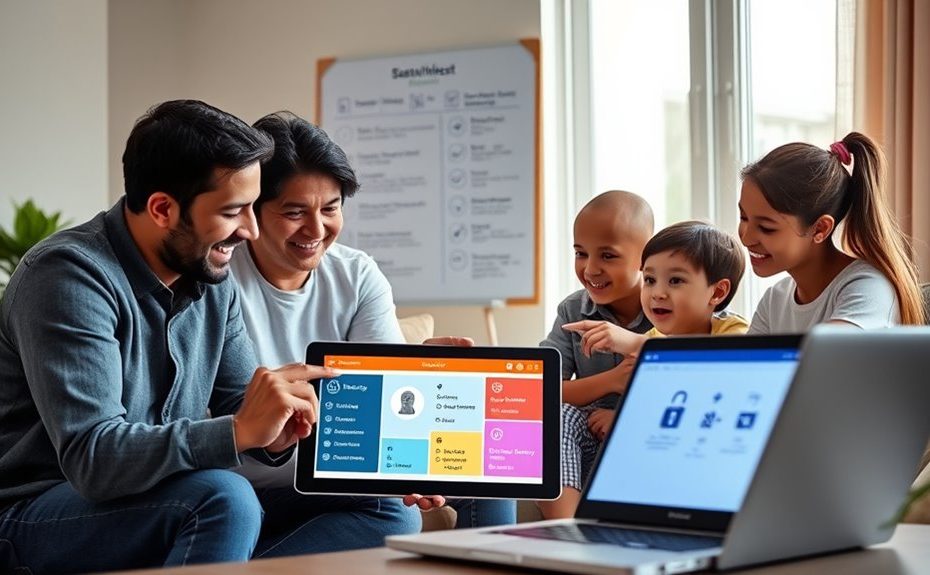
To create a family passwordless plan with recovery options, start by evaluating your devices and choosing suitable authentication methods like biometrics or security keys. Develop clear policies for enrollment, usage, and reporting issues. Implement a phased rollout with pilot testers, make sure device compatibility, and set up secure backup options such as recovery links or trusted contacts. Educate family members on procedures, monitor system performance, and update policies as needed—continue to explore these steps for a smooth, secure setup.
Key Takeaways
Evaluate family devices and applications to determine compatible passwordless authentication methods like biometrics and security keys.
Develop clear enrollment procedures, including biometric setup, device linking, and alternative backup methods.
Establish security and usage policies, including reporting protocols and device management responsibilities.
Implement a phased rollout with pilot testing, monitoring success, and gathering family feedback for adjustments.
Create secure recovery options such as backup codes, trusted contacts, and account recovery links to restore access if needed.
Assessing Your Family’s Authentication Needs and Infrastructure
Have you evaluated your family’s current authentication setup across all devices and services? It’s essential to understand how each family member logs in and what systems they use daily. Make a list of all devices—smartphones, tablets, computers—and note the applications and platforms involved. Identify whether they rely on passwords, PINs, or biometric options like fingerprint or facial recognition. Check if any accounts are linked through single sign-on services or managed by centralized systems. Also, consider any compliance requirements related to data protection or privacy regulations that might influence your choices. Mapping this infrastructure helps you spot vulnerabilities, overlaps, and opportunities for streamlining login processes. Additionally, reviewing authentication methods used across devices ensures you select the most secure and user-friendly options for your household. It’s also beneficial to evaluate the security infrastructure in place to support seamless and safe access. Incorporating multi-factor authentication strategies can further strengthen your security framework. It sets the foundation for planning a secure, effective passwordless authentication system tailored to your household’s needs. Exploring identity verification techniques can provide an extra layer of security and convenience for your family.
Selecting Suitable Passwordless Methods for Household Use
Choosing the right passwordless methods for your household depends on balancing security, usability, and compatibility. You need to consider each family member’s tech comfort, device types, and security needs. Biometric methods like fingerprint or facial recognition offer quick access but require compatible devices. Possession factors such as security keys provide strong protection, especially for critical accounts. Additionally, integrating protective styling techniques can help secure physical access to devices and reduce vulnerabilities. Employing multi-factor authentication options further enhances security by combining different methods. Evaluating these options based on your household’s devices and comfort level is essential to maximize security and convenience for all members to create an effective, secure passwordless plan.
Developing Clear Policies for Enrollment and Usage
Developing clear policies for enrollment and usage is essential to guarantee everyone understands how to adopt and operate the passwordless system securely. You need to specify who is responsible for enrolling devices and authenticating methods, ensuring consistency across family members. Clearly outline the steps for enrollment, including biometric setup or possession factors, and define acceptable usage guidelines to prevent misuse. Establish procedures for reporting issues or suspicious activity promptly. Make sure all family members are aware of recovery options and fallback procedures if authentication fails. Communicate policies in simple language, emphasizing security practices and privacy considerations. Regularly review and update these policies to adapt to new devices or threats, maintaining a shared understanding of safe and effective passwordless authentication. Additionally, understanding international security standards can help ensure your policies align with best practices globally. Incorporating security protocols from reputable sources can further enhance your system’s resilience against evolving threats. Ensuring ongoing education about security practices keeps everyone informed and vigilant. Staying informed about security best practices helps families adapt to the latest developments in digital safety. Moreover, familiarizing yourself with device-specific security features, such as biometric protections, can strengthen your overall security posture.
Planning a Phased Rollout With Pilot Testing
Start by selecting a diverse group of family members as your pilot participants to gather a range of feedback. Next, set a clear testing timeline, including key milestones to track progress and address issues promptly. Additionally, reviewing zoning laws and regulations can help ensure compliance during the phased deployment. To further refine your plan, consider analyzing performance tuning options to optimize the overall process and outcomes. Incorporating insights from beach destinations can also inspire creative approaches to your implementation. Moreover, integrating mindfulness techniques such as deep breathing exercises can help manage stress and promote focus during the rollout process. Finally, closely monitor the implementation results to identify any challenges or adjustments needed before expanding the rollout.
Select Pilot Participants
To guarantee a successful phased rollout of passwordless authentication, selecting the right pilot participants is crucial. You want a diverse group that represents your household’s different devices, ages, and tech proficiency. This ensures feedback covers various user experiences. Choose family members comfortable with trying new systems, but also include some who may need extra support. Incorporating insights from trusted sources can further enhance your planning process, especially when considering brand reputation and product reliability. Understanding aura variations among users can also help tailor support and improve adoption rates. Additionally, assessing user experience preferences can help identify potential hurdles early on. Engaging in dynamic communication exercises for couples can help improve team collaboration and problem-solving during the rollout process. This mix helps you identify potential issues early. Recognizing user feedback patterns can further streamline the deployment and address concerns promptly. Clear communication about expectations and support will encourage honest feedback, setting the stage for a smoother broader deployment.
Define Testing Timeline
Establishing a clear testing timeline is essential to guarantee a smooth phased rollout of passwordless authentication. You should set specific start and end dates for each testing phase, ensuring enough time for feedback and troubleshooting. Break down the timeline into milestones, such as initial deployment, feedback collection, issue resolution, and full implementation. Allocate time for onboarding family members, addressing questions, and adjusting workflows. Be realistic about the duration needed for each stage, considering device compatibility and user familiarity. Regularly review progress against your schedule, making adjustments as necessary. This structured approach helps identify problems early, minimizes disruptions, and guarantees everyone understands what to expect at each step. Incorporating security measures and trusted protocols can also enhance user confidence throughout the process. Ensuring device compatibility across different platforms is crucial for a seamless experience. Additionally, testing the system’s financial security features can prevent potential vulnerabilities. A well-planned timeline keeps your rollout organized and on track for success.
Monitor Implementation Results
Monitoring the implementation results during your phased rollout guarantees you catch issues early and measure progress effectively. To do this, focus on these key areas:
Track authentication success rates and identify patterns of failed attempts or support requests.
Collect feedback from pilot participants about their user experience, noting any frustrations or confusion.
Review security metrics, such as suspicious activity or unauthorized access attempts.
Evaluate how well the system integrates with existing devices and applications, noting compatibility issues.
Configuring Devices and Ensuring Compatibility
Ensuring devices are properly configured is vital before implementing passwordless authentication across your household. You need to verify that each device supports biometric options like Windows Hello or equivalent solutions. Join devices to the right identity providers, such as Entra ID or federation systems, to guarantee seamless access. Compatibility across different operating systems and device types is essential for a smooth experience. Test critical applications to confirm they work with passwordless methods. Use the following table as a quick reference:
Device Type
Compatibility Tips
Windows PC
Enable Windows Hello; join to Entra ID
MacBook
Use Touch ID; verify app support
Smartphones (iOS)
Enable Face ID or Touch ID
Android Devices
Set up fingerprint or facial recognition
Tablets
Confirm biometric options are supported
Proper configuration minimizes issues and guarantees smooth adoption.
Establishing Secure Recovery and Backup Options
To keep your household’s passwordless system secure and accessible, you need to set up reliable recovery and backup options. This ensures family members can regain access if they lose a device or face biometric issues. First, establish secure account recovery methods like trusted contacts or multi-factor recovery links. Second, create backup authentication options, such as hardware tokens or temporary passcodes. Third, document clear procedures for restoring accounts after device loss or biometric failure. Fourth, develop contingency plans for offline situations and network disruptions. These steps help maintain seamless access and security, preventing lockouts or vulnerabilities. Regularly review and update recovery options to adapt to evolving device setups and security needs, ensuring your family’s passwordless experience remains smooth and protected.
Training Family Members on New Authentication Processes
Training your family members on the new passwordless authentication processes is essential to guarantee smooth adoption and ongoing security. Begin by clearly explaining the benefits, such as enhanced security and convenience, to motivate participation. Demonstrate how to set up biometric methods like fingerprint or facial recognition on each device, assure everyone understands the steps involved. Show them how to use backup options, like recovery codes or alternative authentication methods, in case biometrics fail. Encourage questions and provide hands-on practice to build confidence. Emphasize the importance of safeguarding authentication devices and following established procedures. Regularly check in with family members to address issues, reinforce best practices, and keep everyone updated on system changes. Proper training guarantees everyone uses the new processes effectively and securely.
Monitoring and Maintaining the Passwordless System
To keep your passwordless system secure and reliable, you need to regularly perform security audits and system performance checks. Staying on top of updates and patches guarantees your devices remain protected against emerging threats. By maintaining a proactive approach, you’ll help your family’s authentication process stay smooth and safe.
Regular Security Audits
Regular security audits are essential for ensuring your passwordless system remains effective and secure over time. These audits help identify vulnerabilities, verify compliance, and maintain user trust. To stay on top of security, consider:
Reviewing authentication logs for suspicious activity or failed attempts.
Testing fallback and recovery options to ensure they work correctly.
Verifying biometric device integrity and software updates.
Evaluating system access permissions and user roles regularly.
Performing these checks helps catch issues early, ensures devices stay protected, and confirms that your security measures adapt to new threats. Regular audits also reinforce good security habits within your family, keeping everyone’s accounts safe and resilient against potential breaches.
System Performance Checks
Monitoring and maintaining your passwordless system is essential to guarantee it operates smoothly and securely over time. Regular checks help identify issues early, ensuring seamless access for your family. You should track authentication success rates, failure logs, and support requests to pinpoint vulnerabilities or usability concerns. Establish a routine to review device configurations, biometric accuracy, and integration points with existing systems. Use the table below to guide your performance checks:
Check Area
Key Focus
Authentication Success Rate
Ensure users log in without issues
Failure and Support Logs
Identify recurring problems
Device Configuration
Confirm proper setup and updates
System Integration
Verify connections with existing services
Security Monitoring
Detect anomalies or suspicious activity
Consistent performance reviews keep your system reliable, secure, and user-friendly.
Update and Patch Management
Keeping your passwordless system secure and reliable requires ongoing update and patch management. Regularly review and install updates to fix vulnerabilities and guarantee compatibility. Here’s what you should do:
Schedule automatic updates for your devices and authentication software to stay current.
Monitor release notes from vendors to identify critical security patches and new features.
Test updates in a controlled environment before full deployment to prevent disruptions.
Document update procedures and maintain a log of applied patches for audit purposes.
Adjusting Policies and Practices Based on Feedback and Performance
As you gather feedback and review performance data from your passwordless authentication system, it’s essential to remain flexible and ready to adapt your policies and practices. Regularly analyze user experiences, success rates, and security metrics to identify areas needing improvement. If you notice frequent failed authentications or user frustration, consider simplifying enrollment processes or offering clearer guidance. Adjust recovery procedures to ensure they’re both secure and user-friendly, based on real-world challenges faced by family members. Incorporate feedback on device compatibility or biometric issues, and update policies accordingly. By staying responsive, you’ll enhance user satisfaction, strengthen security, and ensure your passwordless plan remains effective and adaptable to your family’s evolving needs.
Frequently Asked Questions
How Do I Handle Passwordless Authentication for Shared Family Devices?
When handling passwordless authentication on shared family devices, you should configure biometric options like Windows Hello for each user, ensuring secure, personalized access. Set up device-specific accounts with individual recovery options, such as backup PINs or security questions. Regularly update security settings, monitor access logs, and educate family members about proper authentication procedures. This approach keeps shared devices secure while providing convenient, passwordless access tailored to each user’s needs.
What Should I Do if a Family Member’s Biometric Authentication Fails?
When a family member’s biometric fails, don’t throw in the towel. You should have backup options ready, like PINs or security questions, to keep access open. Make sure these recovery methods are secure yet easy enough to use. Regularly test and update them, so they work smoothly when needed. Staying prepared keeps things running smoothly and prevents frustration from turning into a bigger problem down the line.
How Can I Ensure Compliance With Data Protection Laws in a Household Setting?
To guarantee compliance with data protection laws in your household, you should review applicable regulations like GDPR or CCPA, and implement policies that prioritize family members’ privacy rights. Obtain informed consent before collecting or processing biometric data, limit data access, and securely store all information. Regularly update your security measures, document your compliance efforts, and educate family members about their privacy rights to maintain lawful and responsible data handling.
What Are the Costs Associated With Implementing Passwordless Solutions at Home?
They say, “You get what you pay for,” and that’s true here. Implementing passwordless solutions at home can cost between $50 to $200 per device, covering biometric hardware like fingerprint scanners or facial recognition tech. Subscription services for identity management may add monthly fees. Budget for device upgrades, especially older ones, and training to guarantee everyone understands the new system. While costs vary, investing now saves time and security headaches later.
How Do I Update or Revoke Access for a Family Member Leaving the Household?
When a family member leaves, update or revoke their access by removing their devices from your identity provider, like Entra ID. Deactivate or delete their user accounts, update shared authentication methods, and change any shared credentials they’ve had access to. Notify remaining members of changes, reset any shared recovery options, and verify that access is fully revoked through testing. Keep documentation updated to reflect these security adjustments and prevent unauthorized access.
Conclusion
By crafting a passwordless plan, you’re planting seeds for a safer, smoother digital family garden. As you nurture each step—from selecting methods to training your loved ones—you’ll cultivate a resilient system that grows stronger with feedback. Think of it as building a fortress of trust and security around your family’s digital life. With patience and care, you’ll turn chaos into harmony, making your home a sanctuary where everyone can surf safely without the stress of passwords.