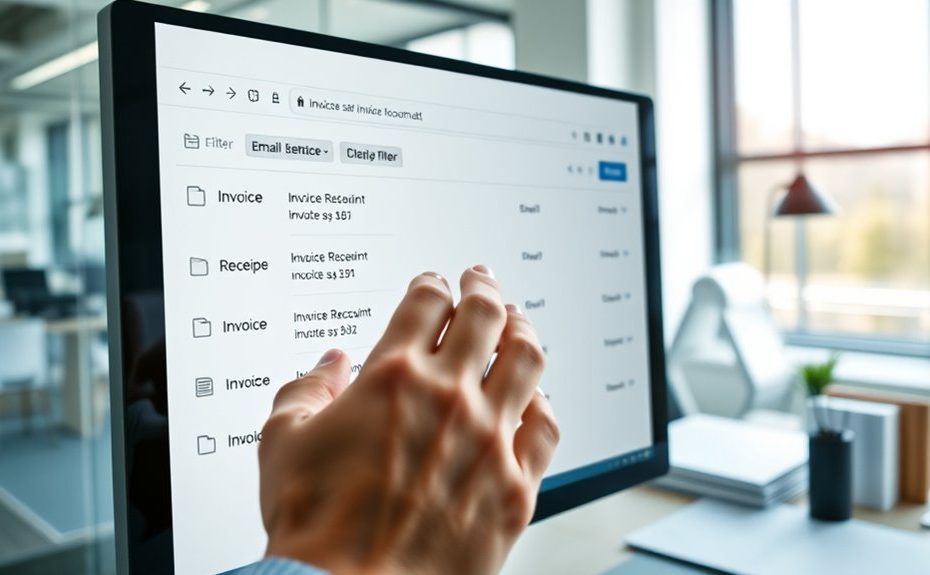
To automate invoice and receipt capture using email rules, set filters based on sender addresses, keywords like “invoice” or “billing,” and specific attachment types. Use these filters to automatically sort emails into dedicated folders and trigger parsing tools that extract key data from PDFs, images, or embedded receipts. You can also create custom rules for expense categorization and validation. Keep exploring to discover how integrating these steps creates a seamless, efficient workflow for your finance team.
Key Takeaways
Use email filters based on sender addresses or keywords like “invoice” and “receipt” to automatically route relevant emails.
Employ AI-powered parsing tools to extract structured data from invoice attachments and embedded receipts.
Set custom email rules to classify expenses and forward invoices to appropriate approval workflows.
Implement validation checks against suppliers, purchase orders, and amounts to detect errors and duplicates.
Integrate email rules with accounting systems for seamless data transfer and real-time processing.
Streamlining Invoice Routing With Email Filters and Forwarding Rules
To efficiently manage incoming invoices, automated email filters and forwarding rules play a crucial role in streamlining routing processes. You set up rules based on sender addresses or keywords like “invoice” or “billing” to automatically direct relevant emails to dedicated inboxes. This guarantees that invoices from vendors such as billing@vendor.com are isolated for processing without manual sorting. These filters work across various email clients like Gmail, Outlook, or Yahoo, parsing attached PDFs or embedded receipts. By automating the categorization, you reduce clutter and ensure invoices are promptly captured. Implementing proper email client configuration is essential for optimal results, ensuring that filters operate effectively across different platforms. Additionally, incorporating real-time monitoring systems helps detect and resolve any filter malfunctions promptly, maintaining efficient invoice processing workflows. Regular security protocols are necessary to prevent unauthorized access and protect sensitive financial data. Forwarding rules further streamline the workflow by routing documents to specialized systems or team members for review. This approach minimizes delays, improves accuracy, and enables faster invoice processing without manual intervention.
Parsing Attachments and Embedded Receipts for Automated Data Extraction
After setting up email filters and forwarding rules to route invoices efficiently, the next step is extracting data from the attached files and embedded receipts. You’ll leverage AI-powered systems that parse PDFs, images, and email bodies to identify key information. This process automates data extraction, reducing manual effort and errors. Key features include:
Automate invoice data extraction from attachments and embedded receipts for greater accuracy and efficiency.
Recognizing vendor details, invoice numbers, dates, amounts, taxes, and line items.
Handling diverse formats such as scanned images, PDFs, and embedded receipts within emails.
Allowing post-extraction validation and editing to ensure data accuracy before processing. Data integrity is vital to maintain trustworthiness in automated workflows.
Incorporating ethical hacking principles ensures that your data extraction systems remain secure from potential vulnerabilities during automation.
Employing automated data extraction techniques helps streamline workflows and minimizes manual input, boosting overall efficiency. Integrating secure automation protocols further enhances the protection of sensitive information during data processing. Additionally, understanding the preppy dog names trend can inspire creative naming conventions for your automation projects, making them more memorable and engaging.
This approach guarantees swift, reliable capture of invoice and receipt data, streamlining your accounts payable workflows and minimizing manual input. Automated parsing enhances accuracy and accelerates data availability for validation and payment processing.
Customizing Rules for Expense Categorization and Workflow Automation
Customizing rules for expense categorization and workflow automation allows you to tailor your accounts payable process to fit your organization’s specific needs. You can set up filters based on sender, subject keywords, or invoice details to automatically classify expenses into categories like travel, supplies, or services. These rules guarantee invoices are routed to the right team members for approval, reducing delays and manual sorting. By defining criteria for automatic approvals or flagging exceptions, you streamline workflows and minimize manual intervention. You can also create escalation rules for overdue approvals or high-value invoices. This customization helps enforce company policies, improves accuracy, and speeds up processing. Additionally, understanding support hours for your service providers ensures timely assistance when issues arise, further enhancing your workflow efficiency. Incorporating Pimple Patch concepts such as targeted and efficient handling can serve as a useful analogy for streamlining invoice processing. Ultimately, it gives you control over how invoices are handled, making your accounts payable more efficient and aligned with your operational priorities.
Enhancing Validation and Error Detection Through Automated Email-Based Checks
Automated email-based checks substantially boost validation accuracy and help catch errors early in the invoice processing cycle. By automatically verifying data against approved suppliers, purchase orders, and accounting codes, you reduce manual oversight and minimize mistakes. These checks quickly flag anomalies, such as mismatched amounts or invalid vendor details, preventing costly errors down the line. You can also implement duplicate detection algorithms that compare invoice numbers, vendor info, and totals to avoid duplicate payments. Additionally, three-way matching ensures invoice details align with purchase orders and receipts, enhancing accuracy. Incorporating cost behavior analysis can also improve the overall clarity of documentation and records, supporting better validation processes and aligning with secure merchant services practices. Understanding credit score implications can further assist in verifying vendor credibility and financial stability.
Integrating Email Rule Automation Into End-To-End Invoice and Receipt Processing Systems
Integrating email rule automation into end-to-end invoice and receipt processing systems streamlines how incoming documents are captured, organized, and routed for approval. You set up filters based on sender, subject keywords, or attachment types to automatically direct relevant emails to dedicated capture workflows. This ensures invoices and receipts are quickly isolated, reducing manual sorting. Automated parsing tools extract data from attached PDFs or embedded images, converting them into structured, actionable information. By integrating these rules with your ERP or accounting software, you maintain seamless data flow and real-time updates. Notifications and approval links enable instant review without manual email searches. This integration minimizes delays, reduces errors, and creates a transparent, efficient process from email receipt to final payment. The importance of secure data handling can also help optimize the overall efficiency of your document management system.
Frequently Asked Questions
How Secure Are Automated Email Rule Systems Against Phishing Attacks?
Automated email rule systems can be quite secure if you implement proper safeguards. You should use strong filters to block suspicious emails and validate sender addresses regularly. Employ advanced spam detection and anti-phishing tools to identify malicious messages. Additionally, training your team to recognize phishing attempts helps prevent breaches. Combining these measures reduces your risk, ensuring your automated system remains protected against phishing attacks while efficiently managing invoices and receipts.
Can Email Rules Adapt to Changing Invoice Formats Automatically?
You can stay ahead of the game because email rules are designed to adapt automatically to changing invoice formats. As new layouts emerge, AI-powered systems learn and adjust, keeping recognition accuracy high. This means you don’t have to constantly reconfigure rules manually. Instead, the system evolves with your invoices, like a chameleon changing colors, ensuring smooth processing without missing a beat or sacrificing efficiency.
What Are the Best Practices for Setting up Email Filtering Criteria?
You should establish email filtering criteria by identifying key sender addresses, such as vendors’ emails, and specific keywords like “invoice” or “receipt” in subjects or bodies. Use consistent patterns in these elements to create reliable rules. Regularly review and update filters to accommodate new vendors or changing email formats. Test filters to ensure they capture relevant invoices accurately, minimizing false positives or missed documents.
How Does Automation Handle Exceptions or Incomplete Invoice Data?
You might wonder how automation handles exceptions or incomplete invoice data—it’s quite clever. When data is missing or suspicious, the system flags it for review, automatically halting processing. You receive real-time notifications, prompting manual verification. AI continuously learns from these cases, improving recognition and reducing future errors. This dynamic approach guarantees only accurate, complete invoices move forward, while exceptions get the attention they deserve, streamlining your workflow effortlessly.
Is Manual Oversight Still Required After Implementing Email Rule Automation?
After implementing email rule automation, manual oversight isn’t entirely eliminated, but it’s substantially reduced. You’ll still need to review exceptions or incomplete data flagged by the system, ensuring accuracy and compliance. Automated workflows handle most invoices efficiently, but occasional human intervention ensures quality control, especially for complex or unusual cases. This combination streamlines your process, cuts down errors, and allows your team to focus on higher-value tasks.
Conclusion
By harnessing email rules to automate invoice and receipt capture, you’ll transform chaos into clarity—turning tedious manual tasks into seamless workflows. Just imagine your inbox as a well-orchestrated symphony, where every note (or receipt) finds its perfect place effortlessly. Embrace this automation to boost accuracy, save time, and focus on what truly matters. Don’t let manual processes drown your efficiency—let email rules be the conductor of your financial harmony.