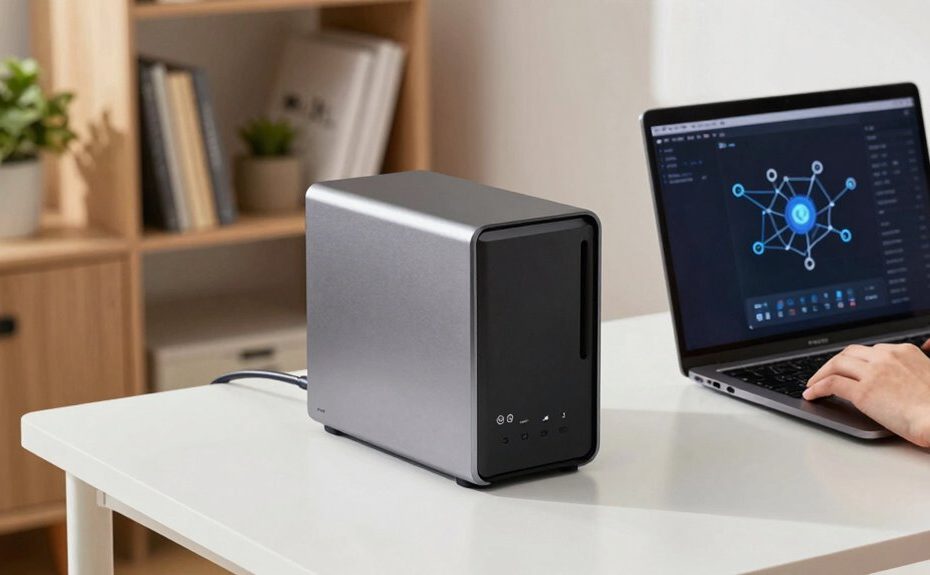
A NAS storage device is a centralized hub that connects to your network, making it easy to store, share, and back up data across multiple devices. It offers simple setup, supports major operating systems, and can automatically back up your files with redundancy options like RAID. With cloud integration, you can sync and access your files from anywhere, while security features help protect your data. Keep exploring to discover how to get the most out of your NAS setup.
Key Takeaways
NAS acts as a centralized storage hub for easy data sharing across multiple devices.
It supports automatic backups and RAID configurations for data protection and redundancy.
Setup is simple with user-friendly interfaces, compatible with Windows, macOS, and Linux.
NAS integrates with cloud services for seamless file synchronization and remote access.
Ensuring network security is vital to protect stored data from cyber threats.
If you’re looking to improve your data management and guarantee easy access to files, a NAS (Network-Attached Storage) device can be a game-changer. It acts as a centralized hub where you can store, organize, and share your data across multiple devices, making it ideal for both personal use and small businesses. One of the key advantages of a NAS is its ability to integrate smoothly with cloud services. This cloud integration allows you to sync your files with popular platforms like Dropbox, Google Drive, or OneDrive, giving you flexibility and peace of mind. You can access your files from anywhere, whether you’re at home, in the office, or on the go, without relying solely on local storage. This seamless connectivity means you’re not limited by your physical location and can easily collaborate with others or retrieve important documents when needed.
Data backup is another critical feature that a NAS offers, providing a reliable solution to protect your valuable information. Many NAS devices come equipped with automated backup options, so you don’t have to remember to back up your files manually. You can set schedules for regular backups, ensuring your data is always protected against hardware failures, accidental deletions, or malware attacks. Plus, with RAID configurations available on many models, your data can be mirrored across multiple drives, further safeguarding against drive failures. This redundancy minimizes the risk of losing critical data and gives you confidence that your files are safe, even if hardware problems occur. Understanding data redundancy can help you choose the right setup for your needs. Additionally, selecting the appropriate storage capacity is essential to accommodate your current data needs and future growth.
Setting up a NAS is straightforward, especially with the user-friendly interfaces that many modern devices offer. You simply connect the NAS to your network, configure your storage settings, and you’re ready to start storing and sharing files. Its compatibility with various operating systems ensures that whether you’re using Windows, macOS, or Linux, you’ll be able to access and manage your data effortlessly. Additionally, many NAS units support mobile apps, allowing you to browse, upload, or download files directly from your smartphone or tablet. This convenience makes managing your digital life more flexible and efficient. Understanding network-attached storage can help you make more informed decisions about which device suits your needs.
A solid understanding of network security is also crucial to protect your stored data from unauthorized access or cyber threats.
Frequently Asked Questions
How Secure Is NAS Storage Against Cyber Threats?
NAS storage can be quite secure if you implement proper measures. It uses encryption protocols to protect your data during transfer and at rest, making it harder for hackers to access sensitive information. Additionally, setting robust access controls ensures only authorized users can access your files. Regular updates and strong passwords further enhance security. While no system is completely invulnerable, these steps greatly reduce your risk against cyber threats.
Can NAS Storage Be Used for Video Editing Workflows?
Yes, NAS storage works well for video editing workflows. Imagine a freelance videographer using a NAS device to store and access high-resolution footage seamlessly. Its storage scalability allows you to expand capacity as your projects grow, ensuring smooth editing without lag. With fast data transfer speeds, NAS makes real-time editing possible, enabling you to collaborate easily and efficiently manage large video files without worrying about running out of space.
What Are the Power Consumption Considerations for NAS Devices?
You should consider energy efficiency and power management when choosing a NAS device. Look for models with low power consumption and features like automatic sleep or hibernation modes, which reduce energy use during inactivity. Properly managing power settings can lower electricity costs and extend device lifespan. By prioritizing energy-efficient options, you guarantee your NAS remains environmentally friendly and cost-effective while delivering reliable performance for your data needs.
Is NAS Suitable for Small Business Backup Solutions?
Yes, NAS is a smart choice for small business backups. Imagine accessing your data remotely whenever you need it, no matter where you are. With features like data redundancy, your essential files stay safe even if a drive fails. You gain peace of mind, knowing your backups are reliable and accessible. This combination of remote access and data redundancy makes NAS a powerful, cost-effective backup solution for small businesses.
How Does RAID Configuration Impact NAS Performance?
RAID configuration greatly influences your NAS performance by balancing data redundancy and speed. Higher RAID levels like RAID 10 offer faster read/write speeds but require more disks, while RAID 5 provides a good mix of data redundancy and efficiency. Your choice affects how quickly data transfers occur and how well your system withstands disk failures. Selecting the right RAID level guarantees ideal performance tailored to your storage needs and redundancy requirements.
Conclusion
Now that you’ve learned the basics of NAS storage, you’re better equipped to choose the right solution for your needs. Remember, a NAS device can boost your data security and streamline file sharing effortlessly. Did you know that by 2025, the global NAS market is projected to reach $21.9 billion? That’s a clear sign of how essential these devices are becoming in our digital lives. So, take the leap and simplify your data management today!