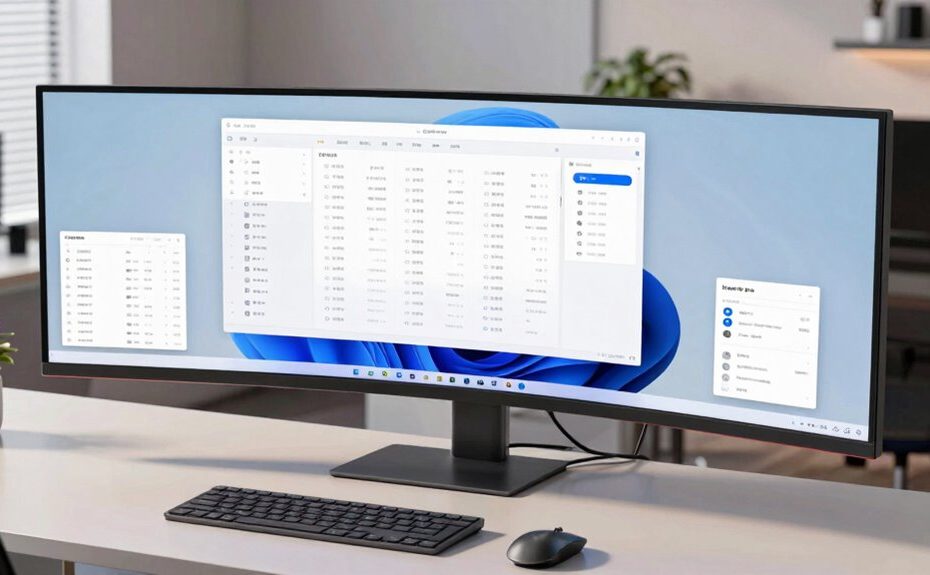
Using an ultrawide monitor can transform your work by providing more screen space for multitasking and app management. It minimizes window switching, helping you stay focused and organized. The larger display promotes better ergonomics, reducing neck and eye strain during long hours. It also creates an immersive environment that boosts concentration. Want to discover even more ways an ultrawide can improve your workflow? Keep exploring for all the details.
Key Takeaways
Ultrawide monitors enable multitasking with multiple applications visible simultaneously, improving workflow efficiency.
They reduce the need for window switching, streamlining tasks and enhancing productivity.
Larger screens promote ergonomic work setups, decreasing neck and eye strain during extended use.
They improve visual immersion, helping users focus and engage more deeply with content.
Simplified workspace setup with fewer cables and clutter fosters a cleaner, more organized environment.
If you want to boost your productivity and streamline your workflow, ultrawide monitors are a game-changer. These expansive screens provide more real estate, allowing you to manage multiple applications simultaneously without constantly switching windows. The ergonomic benefits are significant; with a single, large display, you reduce the need to move your head or shift your posture frequently, which can decrease strain on your neck and eyes. Instead of juggling two or more monitors, you get a seamless view that promotes better ergonomics, helping you work comfortably for longer periods.
Ultrawide monitors boost productivity with more space, reduced window switching, and ergonomic comfort for longer, focused work sessions.
Visual immersion is another major advantage of ultrawide monitors. They envelop your field of vision, making it easier to focus on your tasks without distractions. Whether you’re designing, editing videos, or multitasking across spreadsheets and communication tools, the wide format allows for more natural and intuitive interaction with your content. This heightened visual immersion can boost your concentration and efficiency because you’re less likely to be pulled out of your workflow by managing multiple screens or window overlaps. Additionally, visual dominance plays a key role in how effectively your brain processes the expansive display area.
Using an ultrawide monitor also simplifies your workspace setup. Instead of cluttered desks filled with several monitors, you only need one, reducing cable clutter and freeing up valuable desk space. This streamlined setup not only looks cleaner but also minimizes the hassle of managing multiple power sources and connections. Plus, many ultrawide monitors come with adjustable stands, allowing you to customize your viewing height and tilt for optimal ergonomic positioning. This customization helps prevent discomfort and fatigue, especially during long work sessions.
The broad display surface encourages better task organization. You can dedicate specific zones of the screen for different applications—such as email on one side and your main project on the other—making it easier to switch between tasks without losing your place. This setup minimizes window-switching time and keeps your workflow flowing smoothly. Furthermore, many ultrawide monitors support picture-in-picture or split-screen modes, giving you even more control over how you view multiple sources at once. To maximize these benefits, understanding the ergonomic advantages of ultrawide monitors can help you tailor your workspace for long-term comfort. Incorporating ergonomic principles can further enhance your overall work environment and prevent strain.
In essence, ultrawide monitors are a practical upgrade that can significantly improve how you work. They enhance ergonomic benefits by reducing physical strain and promote visual immersion, helping you stay focused and productive throughout the day. With a single, expansive display, you create a more organized, efficient, and comfortable workspace that adapts to your needs. Whether you’re juggling complex projects or simply want a better computing experience, an ultrawide monitor makes a noticeable difference in your daily workflow. Ergonomic benefits are especially important for maintaining long-term comfort and health during extended work sessions.
Frequently Asked Questions
Do Ultrawide Monitors Require Special Graphics Cards?
No, ultrawide monitors don’t always require special graphics cards, but you should check your graphics card compatibility and monitor resolution requirements first. Most modern GPUs can handle ultrawide resolutions like 3440×1440 or 5120×1440 with ease, but older or lower-end cards might struggle. Confirm your graphics card can support the monitor’s resolution to get smooth performance and avoid issues like lag or display problems.
Are Ultrawide Monitors Suitable for Gaming?
Yes, ultrawide monitors are great for gaming because they provide an immersive experience that pulls you into the action. They offer a wider field of view, making gameplay more engaging and realistic. Plus, their design promotes visual comfort during long gaming sessions by reducing eye strain. With the right graphics card, you’ll enjoy smooth performance and stunning visuals, enhancing your overall gaming experience.
How Much Desk Space Do Ultrawide Monitors Need?
Your ultrawide monitor needs an epic amount of desk space, roughly the size of a small spaceship! To keep your desk organized and your monitor well-placed, plan for at least 30 inches of width and 15 inches of depth. Proper monitor placement helps avoid clutter, so clear enough space for sleek desk organization. Investing in a sturdy, spacious desk guarantees your ultrawide stays comfortable and distraction-free.
Can Ultrawide Monitors Improve Multitasking?
Yes, ultrawide monitors can markedly improve your multitasking by enhancing productivity and providing visual immersion. With a broader screen, you can easily manage multiple windows side-by-side, reducing the need to switch between tabs. This setup keeps your workflow seamless and efficient, allowing you to focus better. The immersive display also helps you stay engaged with your tasks, making multitasking more intuitive and less cluttered.
Are Ultrawide Monitors More Expensive Than Standard Monitors?
Coincidentally, ultrawide monitors tend to be more expensive than standard ones. When you do a cost comparison, you’ll notice their larger screens and advanced features drive up the price. But, if you’re prioritizing multitasking and workspace efficiency, the investment might be worth it. Consider your budget considerations carefully, as ultrawide monitors can offer significant productivity benefits despite their higher cost.
Conclusion
With an ultrawide monitor, you’ll wonder how you ever worked without it—it’s like having a superpower that turns your workspace into a command center. Say goodbye to endless tab juggling and hello to seamless multitasking. This upgrade isn’t just a change; it’s a game-changer, transforming your productivity and focus to levels you never thought possible. Get ready to conquer your workday with the panoramic clarity of an ultrawide—your new secret weapon.