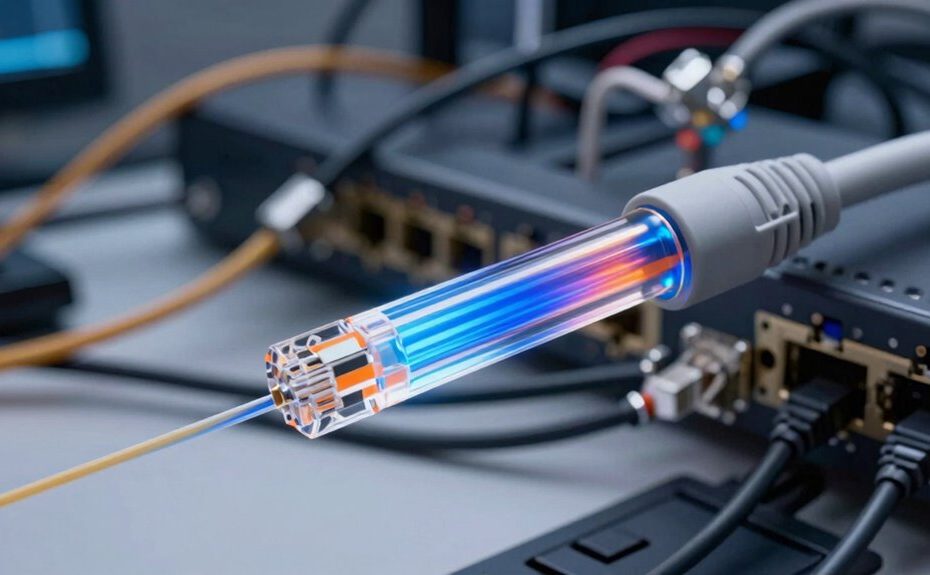
Fiber internet offers faster speeds, but it doesn’t automatically solve existing network problems or device issues. If your devices are outdated or your network isn’t properly configured, you’ll still experience lag, buffering, or congestion. Upgrading your hardware and managing your network settings are essential steps to fully benefit from fiber’s potential. To understand how to optimize your setup and avoid common pitfalls, stay with us—there’s much more to discover.
Key Takeaways
Fiber internet speeds are only effective if network congestion and device compatibility issues are addressed.
Outdated hardware can limit fiber’s benefits; upgrading devices is often necessary.
Proper network configuration, like enabling QoS, is essential for optimal performance.
Network architecture and traffic management significantly impact overall connection quality.
Hardware upgrades and effective network management are crucial to fully realize fiber internet’s potential.
Switching to fiber internet might seem like the ultimate solution for faster, more reliable connections, but it doesn’t automatically fix all your networking issues. Even with the fastest internet available, problems like network congestion can still slow you down. Network congestion happens when too many devices or users are trying to access the network simultaneously, causing data bottlenecks. Upgrading to fiber doesn’t eliminate this issue; it only provides a faster pipeline. If your network isn’t properly managed or optimized, you might still experience lag, buffering, or dropped connections during peak usage times. To truly improve your experience, you need to contemplate how your network handles multiple devices and whether your network equipment can prioritize traffic effectively.
Upgrading to fiber speeds won’t fix congestion; proper network management and equipment are essential for real improvement.
Another common misconception is that fiber internet will work seamlessly with any device or hardware you already own. Hardware compatibility plays a vital role in your network’s performance. If your router, modem, or network switches aren’t compatible with fiber connections or don’t support the latest standards, you won’t reap the full benefits of your upgrade. Older hardware may struggle to handle higher speeds or advanced features like Wi-Fi 6, limiting your network’s efficiency. Before switching to fiber, you should make sure that your hardware can support the higher bandwidth and newer protocols. Sometimes, just replacing an outdated router or upgrading firmware can greatly improve your network’s stability and speed.
While fiber internet provides a notable upgrade in terms of raw speed, it’s not a catch-all fix. If you don’t address underlying issues like network congestion or hardware compatibility, you might find yourself disappointed with your new setup. For example, if your Wi-Fi router isn’t capable of handling high speeds or multiple streams of data, your fast fiber connection won’t translate into faster browsing or streaming. Similarly, failing to configure your network properly—such as not enabling Quality of Service (QoS) settings—can lead to congestion and poor performance despite having fiber. It’s essential to look beyond the internet connection itself and evaluate your entire network architecture to make sure it’s optimized for the speeds and reliability fiber provides. Additionally, understanding how network architecture impacts overall performance can help you identify and address bottlenecks more effectively. Properly configuring your network also involves understanding network management principles to prevent common issues from recurring. Recognizing that network traffic patterns directly influence performance is crucial for maintaining a smooth connection. Furthermore, implementing bandwidth allocation strategies can help distribute network resources more efficiently and reduce congestion. Moreover, considering hardware upgrades can be necessary to unlock the full potential of your fiber internet.
Frequently Asked Questions
Can Upgrading to Fiber Internet Improve Wi-Fi Signal Strength?
Upgrading to fiber internet can improve your Wi-Fi signal strength, but it’s not a guarantee. You’ll want to minimize Wi-Fi interference by reducing obstacles and electronic devices that cause signal disruption. Router placement also matters—position it centrally, elevated, and away from thick walls. These steps optimize your connection, ensuring you get the most out of your fiber internet, rather than just relying on the upgrade alone.
Does Fiber Internet Eliminate All Network Security Issues?
Fiber internet doesn’t eliminate all network security issues. While it offers faster speeds and better reliability, you still need to secure your network with strong encryption and updated passwords. Fiber doesn’t fix router vulnerabilities, so you must regularly update firmware and disable default settings. Without these steps, your network remains vulnerable to threats. Upgrading alone doesn’t guarantee security; proactive measures are essential to protect your data.
How Does Fiber Internet Impact Online Gaming Latency?
Fiber internet considerably improves online gaming latency, providing faster data transmission that boosts your gaming performance. With lower fiber latency, you’ll experience less lag and smoother gameplay, especially during fast-paced multiplayer matches. This upgrade minimizes delays between your actions and the game’s response, giving you a competitive edge. Overall, fiber internet enhances your gaming experience by ensuring a more responsive and reliable connection, reducing frustrations caused by high latency.
Is Fiber Internet More Reliable Than Traditional Cable?
Fiber internet is like a steady heartbeat—more reliable than traditional cable. During fiber installation, providers often prioritize quality, reducing outages and fluctuations. Plus, customer support for fiber is usually quicker and more efficient, helping you troubleshoot issues faster. Overall, fiber offers a more consistent connection, so you can stream, game, or work without interruptions. It’s a smarter, more dependable choice for your internet needs.
What Are Common Causes of Slow Internet Despite Fiber Connection?
You might experience slow internet even with fiber because of network congestion during peak times or if your hardware isn’t compatible with the fiber connection. Outdated routers, faulty cables, or incompatible devices can bottleneck your speeds. Additionally, interference from other electronics or too many connected devices can strain your network. To improve, make certain your hardware is up-to-date, and consider managing your network traffic during busy periods.
Conclusion
Remember, upgrading to fiber internet is like putting a new engine in your car—it can boost performance, but it won’t fix a rough ride caused by other issues. If your network still lags or drops, it’s time to troubleshoot your equipment, check your setup, or call in a pro. Don’t let the shiny new fiber blind you to the fact that a smooth connection depends on more than just the cable—it’s about the whole road you’re driving on.