Imagine a potential customer discovering your business through a YouTube tutorial. They enjoy the video, visit your channel, and notice a profile picture with tiny, unreadable text. Your videos may look professional, but the channel’s visual identity doesn’t reflect the same level of care.
It’s a common branding challenge, particularly for businesses using logos originally designed for websites, storefronts, or printed materials.
A well-designed YouTube channel logo helps viewers identify your business across videos, comments, and channel pages. But getting it right involves more than choosing an attractive icon.
Whether you’re starting a business channel or updating an existing one, this guide explains how to choose, design, and prepare a logo that works for your brand and YouTube’s display format.
What Is a YouTube Channel Logo?
A YouTube channel logo is the profile image that represents your channel. It appears alongside your channel name in places such as your channel page, videos, and comments.
For businesses, this image often features a company logo, a simplified brand symbol, or a monogram. Personal brands may use a recognizable photograph instead.
Although people often call it a YouTube logo, the platform officially refers to it as a profile picture.
It’s also different from the other visual elements used on a channel.
Channel elementWhat it doesProfile picture (channel logo)Helps viewers identify the channelChannel bannerProvides space for a broader visual introduction to the brandVideo thumbnailRepresents an individual video and helps communicate its subjectVideo watermarkDisplays a separate branding element during video playback
These elements can share colors, typography, and visual characteristics, but they serve different purposes.
A logo that looks impressive on a large channel banner may not work inside a small profile image. That’s why a channel icon needs its own design considerations.
Why Your YouTube Logo Matters for Business Branding
Suppose a customer discovers a real estate agency through a neighborhood tour, then visits its website to explore available properties.
If the agency uses recognizable branding across both platforms, it’s easier for that customer to understand they’re dealing with the same business.
That’s one of the practical benefits of a consistent YouTube logo.
It helps viewers recognize your business
People may encounter your videos through search results, recommendations, or content shared by others.
A recognizable channel icon provides a familiar visual reference, especially when a business publishes different types of content.
For example, a restaurant might post cooking demonstrations, menu launches, and behind-the-scenes videos. Its profile image can help connect these otherwise different videos to the same restaurant.
It connects your marketing channels
Your YouTube presence shouldn’t feel disconnected from your website, online store, or other social media accounts.
Using a consistent visual identity makes it easier for customers to move between those channels without questioning whether they’re interacting with the same company.
That doesn’t mean every platform needs an identical logo file. The layout can change to suit the available space while preserving the brand’s recognizable elements. However, inconsistent colors, typography, and visual styles are common brand identity mistakes that can weaken recognition across marketing channels.
It supports a professional first impression
A blurry image, distorted symbol, or crowded composition can make an otherwise well-maintained channel look unfinished.
An appropriately sized, clearly presented logo helps give the channel a more cohesive appearance.
However, a logo is only one part of the experience. The quality of your videos, information, and customer interactions remains essential to building trust.
Keep Your Brand Consistent Beyond YouTube
Your YouTube logo is just one part of your brand identity.
Use Designhill’s Brand Kit to organize your logo, colors,
fonts, and visual elements for a consistent look across
your marketing channels.
Should You Use Your Business Logo or Create a New One?
Before exploring new designs, look at the logo your business already uses.
You may not need another one.
The better decision depends on whether your existing identity works in YouTube’s smaller profile format and whether the channel represents the same business.
Use your existing company logo
If your business already has a recognizable, relatively simple symbol, start with it.
An ecommerce brand with a distinctive icon, for example, may be able to use that symbol across its online store, packaging, and YouTube channel without significant changes.
Maintaining the familiar mark can be more valuable than creating a completely different design simply because you’re using a new platform.
Adapt your existing logo
Many company logos combine a symbol, a business name, and a tagline. This works well on large surfaces but can become difficult to read when reduced.
Consider a landscaping company whose logo includes an illustrated tree, the company name, and a long slogan.
For its YouTube channel, the business could retain the tree symbol and established colors while removing the smaller text.
The result is a simplified variation of the original identity, not an unrelated logo.
Create a separate channel identity
A distinct logo may make sense when the channel operates as its own brand.
For example, a software company might launch an educational video series with a separate name and visual identity. A consultant may also build a personal channel that differs from their agency’s corporate presence.
In these situations, the new identity should have a clear purpose rather than being different for the sake of variety.
Your situationRecommended approachYour company already has a clear, recognizable symbolUse the existing logoYour current logo contains excessive text or detailCreate a simplified variationYour channel represents a separate product, program, or sub-brandConsider a channel-specific logoYour business revolves around an individual expertConsider a professional photograph or personal monogram
A useful rule: If viewers already associate a particular symbol with your business, preserve that recognition whenever possible.
YouTube Channel Logo Size and Requirements
YouTube’s official profile picture guidelines specify an image that renders at 98 × 98 pixels.
This refers to the displayed image, not a requirement to create your original artwork at exactly those dimensions.
Designing a larger square image gives you more room to prepare and refine the artwork before it’s displayed at a smaller size.
According to YouTube’s official channel branding guidelines, profile pictures must meet the following requirements:
SpecificationYouTube requirement or recommendationRendered dimensions98 × 98 pixelsSupported formatsJPG, GIF, BMP, PNGAnimated GIFsNot supportedMaximum file size15 MBSource artworkA larger square image is a practical design choicePresentationKeep essential elements visible within a circular crop
For example, you might create your source design on a 1,024 × 1,024-pixel square canvas, then preview it at the smaller displayed size. That canvas dimension is a design recommendation, not an additional YouTube requirement.
Why the circular crop matters
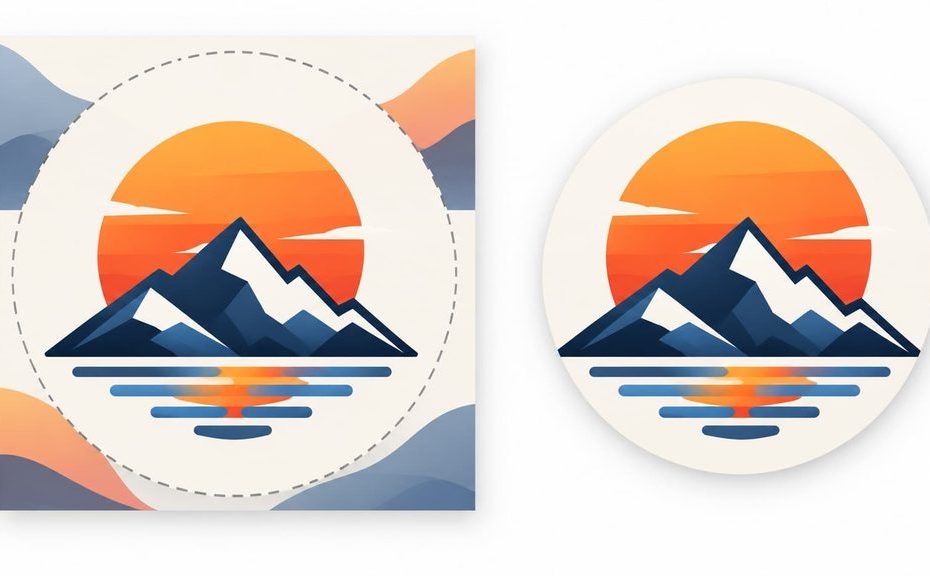
A square file doesn’t guarantee that every part of its design will appear in the channel icon.
Imagine a logo with a business name stretching from one edge of the canvas to the other. When the image appears inside a circular frame, parts of the text may be cut off or visually crowded.
Keep the primary symbol comfortably within the center of the artwork and allow enough space around it.
A transparent PNG can be useful for some branding applications, but transparency isn’t necessary for every YouTube profile picture. A solid background can work equally well when it complements the logo.

YouTube Channel Logo Ideas for Different Businesses
There isn’t one logo style that works for every business channel.
A consulting firm offering financial education has different branding needs from a restaurant sharing recipe videos. The most effective approach is to identify what makes the business recognizable and translate that identity into a simple visual mark.
Here are six ways different businesses can approach their channel branding.
1. Real estate: A recognizable agency monogram
Real estate businesses often publish property tours, neighborhood guides, market updates, and homebuying advice.
A clear monogram using the agency’s initials can work well, especially if those initials already appear on property signs or other marketing materials.
For instance, a fictional agency called Oakline Realty might use a stylized “O” inspired by its existing branding.
A small roofline or architectural detail could add context, but the design should remain recognizable without it.
Avoid crowded illustrations featuring multiple houses, buildings, keys, and decorative elements. They may look interesting on a sign but become confusing as a channel icon.
2. Restaurants: A distinctive brand symbol
Restaurants have plenty of visual ideas to explore, from ingredients and utensils to regional food traditions.
The challenge is avoiding imagery that could belong to almost any restaurant.
A neighborhood pizza business with a memorable oven-shaped brand symbol, for example, may be better served by adapting that mark than using another generic pizza-slice icon.
A café could use its established coffee-inspired emblem, while a family restaurant might simplify a recognizable element from its original logo.
The goal is to represent the restaurant’s identity, not illustrate everything on its menu.
3. Consulting and professional services: A clean, confident identity
Consultants, financial educators, law firms, and marketing agencies often use YouTube to explain complex subjects or demonstrate expertise.
An established company may benefit from a simple lettermark or recognizable brand symbol.
A solo consultant, however, faces a different decision.
If the audience follows the individual primarily for their expertise, a professional headshot may be more recognizable than an unfamiliar monogram.
Consider whether the channel is introducing a company or building recognition around a person.
4. Ecommerce: A symbol customers already associate with the store
Online retailers can use YouTube for product demonstrations, styling ideas, tutorials, and customer education.
Suppose a skincare brand has a distinctive leaf-inspired emblem on its packaging.
Using that same emblem as its channel icon can connect instructional videos with products customers may have already seen on the website or elsewhere.
Avoid adding product photos, promotional offers, or taglines to the icon. Those messages belong in video thumbnails, descriptions, or other channel content.
5. Technology and SaaS: A scalable product mark
Technology businesses frequently publish onboarding videos, product updates, troubleshooting guides, and feature demonstrations.
A simplified version of an existing software product icon can provide a clear connection between the YouTube channel and the application.
For a SaaS business with several products, however, the main company symbol might be a better choice than an icon representing only one feature.
Distinctiveness matters here. Generic circuit patterns, abstract globes, and familiar technology symbols can make a brand difficult to differentiate.
6. Education and coaching: An identity built around the source of expertise
Educational channels can represent individual teachers, coaching businesses, or larger training organizations.
A language coach with a personal brand might choose a professional photograph, while an established online learning company may benefit from a recognizable institutional symbol.
A tutoring business using its owner’s initials could also create a compact monogram.
The choice should reflect how students and customers recognize the source of the instruction.

The common lesson is that effective YouTube channel logo ideas begin with the business’s actual identity. Industry-related symbols can help communicate meaning, but they shouldn’t replace recognizable branding.
How to Design a YouTube Channel Logo in 6 Steps
Once you’ve decided which identity to represent, the next task is turning it into artwork that remains clear across YouTube.
You don’t need to be an experienced graphic designer to make informed choices. You do, however, need to consider how each element contributes to the final image.
Step 1: Identify your brand’s most recognizable element
Look at your existing logo and ask what customers are most likely to remember.
Is it a distinctive symbol? A combination of initials? A particular shape or color arrangement?
For an established business, the answer may already exist in its branding.
A home services company, for example, might have a memorable lightning-bolt symbol within its full logo. That symbol could become the starting point for the channel icon.
For a new business without an established identity, identify the name, personality, and visual direction you want customers to associate with it.
Try to select one central element rather than combining several competing ideas.
Step 2: Choose a composition that works in a small space
Different logo structures behave differently when reduced.
A symbol-based logo can work well when the icon is distinctive enough to stand independently.
A monogram is useful when initials provide a compact representation of the business.
A wordmark may be suitable if the name is very short and its lettering remains clear at small sizes. Longer business names are usually more challenging.
A combination mark includes both text and a symbol, although the full arrangement may need simplification for a YouTube profile picture.
For example, a brand called Northstar Analytics might have a horizontal logo featuring its name and an abstract star symbol.
Rather than shrinking the entire horizontal design, the business could use the star alone or develop a compact arrangement incorporating its initials.
The important question is whether the chosen composition communicates the identity without requiring viewers to inspect tiny details.
Step 3: Refine your colors and typography
If your business already has established brand colors, use them as the starting point.
A channel logo generally shouldn’t introduce an unrelated color scheme unless there is a clear branding reason.
Focus on contrast between the primary symbol and its background.
For example, a dark navy icon on a similarly dark blue background may become difficult to distinguish at small sizes. Increasing the contrast can improve clarity without changing the brand’s overall personality.
Typography needs similar attention.
Decorative lettering that looks attractive on a large poster may lose important details when reduced to a profile image.
If you’re including initials or a short name, select lettering with clear shapes and enough spacing to remain readable.
Rather than choosing brand colors based on broad assumptions about their psychological effects, evaluate how well they express your particular brand and work in the intended format.
Step 4: Remove details that don’t contribute to recognition
A common problem with existing business logos is that they contain more information than a small channel icon needs.
Consider a fictional construction company logo containing a skyline, a crane, the company name, and an establishment date.
When scaled down, those elements may compete with one another.
A simplified version could retain the recognizable building-inspired symbol while removing the establishment date and secondary text.
The process doesn’t have to strip away everything that makes the brand distinctive.
Instead, ask whether each detail helps the viewer recognize the business.
If removing an element makes the icon clearer without weakening the identity, it probably doesn’t belong in the channel version.

Step 5: Prepare the design for YouTube’s profile display
Open the artwork on a square canvas and place the main symbol near the center.
Leave comfortable space between the design and the canvas edges so that the artwork doesn’t appear cramped inside a circular crop.
If the design includes lettering, inspect whether the complete letterforms remain visible.
Pay attention to visual centering as well as mathematical centering. An asymmetric symbol may appear slightly off-balance even when it is technically positioned in the middle.
Create a clean export using an appropriate supported image format. PNG is often a practical choice for graphics with sharp edges and solid colors, while JPG can work for photographic profile images.
Keep your original design file, especially if you expect to use the mark in future marketing materials.
Step 6: Test the final logo before publishing
Before uploading the image, simulate how it will appear on the platform.
Reduce the design to approximately the size of a typical channel profile icon.
Then check:
Can you recognize the main symbol immediately?
Are the initials or essential text still readable?
Does the artwork feel balanced inside a circular frame?
Does the icon remain distinguishable against light and dark surrounding interfaces?
Does it still look like the same brand customers see on your other channels?
If the logo fails these checks, revisit the composition rather than simply increasing the resolution.
A larger file won’t solve a design that’s too complicated.
You can also show the small-size preview to someone unfamiliar with your business. Ask what they notice first and whether they can identify the main element.
Their response may reveal visual problems that are easy to overlook after working on the design for a long time.
Create Your YouTube Channel Logo with Designhill
Explore Designhill’s online logo maker to create and customize
logo concepts for your channel. Experiment with styles,
symbols, colors, and typography to find a design that
reflects your business.
Common YouTube Logo Design Mistakes to Check Before Publishing
Even a logo that looks polished during creation can have problems when applied to a real channel.
Before publishing, look beyond the basic design choices and review the final artwork for these issues.
Distorted proportions: Stretching a rectangular logo to fill a square canvas can change the shape of letters and symbols. Resize the artwork proportionally instead.
Poor visual balance: A design with most of its visual weight concentrated on one side may appear awkward. Adjust the composition and surrounding space without altering recognizable features unnecessarily.
Unlicensed graphic elements: Downloading an attractive symbol from a random website doesn’t automatically give your business permission to use it commercially. Check the licensing terms for fonts, icons, illustrations, and other assets.
Similarity to another business: Even a visually different logo can be confusingly similar to an existing brand. Before finalizing your design, review competing identities and consider a trademark clearance search. The United States Patent and Trademark Office (USPTO) explains why checking for similar trademarks matters, especially when creating a logo for long-term commercial use.
Inconsistent brand variations: If your YouTube logo uses one symbol while your website, packaging, and other social profiles use unrelated artwork, customers may struggle to connect them.
These checks are particularly important when a channel is becoming a long-term marketing asset rather than a short-term content experiment.
YouTube Logo Maker vs. Professional Designer: Which Should You Choose?
Once you know what the logo needs to communicate, you can choose how to create it.
For a small business launching its first channel, an online logo maker may provide a practical starting point. For a company developing a distinctive identity across multiple products or services, professional design support may be more appropriate.
Neither approach is automatically right for every business.
ConsiderationOnline logo makerProfessional designerBest suited forStraightforward branding needsMore complex or distinctive identity requirementsDesign processSelf-directed customizationCollaborative creative developmentTimeMay be quicker for simple conceptsDepends on scope and revisionsBudgetBased on available tool packagesDepends on the designer and projectCreative flexibilityWithin the tool’s available optionsCan be developed around a tailored briefBrand strategyRequires the user to make many decisionsMay include strategic design guidance, depending on the service
An online logo maker can be useful when you have a clear concept, a limited budget, and straightforward design requirements.
However, businesses undergoing a broader rebrand may need more than a profile image. They may require a coordinated logo system, typography choices, brand guidelines, and variations for different uses.
A professional designer can help address these needs, particularly when originality and long-term brand flexibility are major priorities.
Need a Logo Designed Specifically for Your Business?
Looking for a tailored channel identity? Explore Designhill’s
YouTube logo design services and create a logo that reflects
your business, audience, and branding goals.
How to Upload or Change Your YouTube Channel Logo
Once your logo is ready, you can update your YouTube profile picture through YouTube Studio.
Sign in to YouTube Studio.
Select Customization from the left menu, then open Profile.
Find the profile picture section and click Change.
Select your image, adjust its crop or size, and click Done.
Click Publish to apply the change.
YouTube notes that profile picture updates may take a few minutes to appear across the platform.
After publishing, check your channel page and a recent video to make sure the artwork displays as intended.
For interface changes or additional guidance, refer to YouTube’s official branding instructions.
Give Your YouTube Channel a Logo People Can Recognize
Your YouTube channel logo doesn’t need to contain every detail about your business. It needs to provide a clear, recognizable connection to your brand.
Start by evaluating the identity you already have. If it works at a small size, keep it. If it doesn’t, simplify the artwork without losing what makes your business distinctive.
The strongest result is a logo that feels familiar wherever customers encounter your brand, from a YouTube video to your website or online store.