Choosing the best Bambu Lab 3D printers requires balancing speed, material versatility, and budget. My top recommendation for most users is the Bambu Lab P2S Combo because it offers a modern feature set and reliable multi-color printing without the premium price tag of the flagship models. For those needing industrial-grade durability, the Bambu Lab X1E stands out with its hardened steel components and support for abrasive materials. Meanwhile, beginners and those with limited desk space should look closely at the Bambu Lab A1 mini for its compact footprint and ease of use. The primary tradeoff here is between enclosure capabilities and cost, as open-frame printers cannot handle high-temperature engineering filaments. Continue reading to see how these six models stack up against each other in real-world scenarios.
Bambu Lab P2S 3D Printer Combo
Bambu Lab P1S Combo 3D Printer
Bambu Lab X1E Combo Enclosed C
Bambu Lab P1S Combo 3D Printer
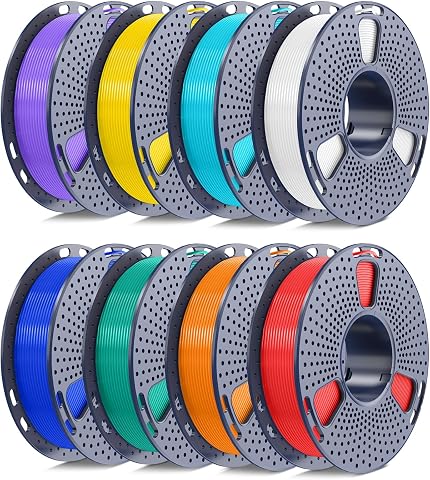
Complete the kit
Key Takeaways
The P2S Combo bridges the gap between entry-level and pro-grade features better than any other model in the lineup.Only the X1E and P1S series offer fully enclosed chambers necessary for ABS, ASA, and PC printing.The A1 mini provides the lowest barrier to entry but sacrifices build volume and multi-material capabilities unless upgraded.CoreXY kinematics in the P and X series enable faster print speeds with less vibration compared to the bed-slinger A1 series.AMS integration is standard on Combo bundles, but standalone A1 and A1 mini units require separate purchases for color printing.
Our Top Best Bambu Lab 3D Printers Picks
Bambu Lab P2S 3D Printer Combo with AMS 2 ProBest OverallPrinter type: FDM 3D printerMaximum print speed: 600 mm/sIncluded system: AMS 2 ProVIEW LATEST PRICESee Our Full BreakdownBambu Lab P1S Combo 3D Printer with AMSBest for Material RangeBuild volume: 256 × 256 × 256 mmNozzle diameter: 0.4 mmNozzle material: Stainless steelVIEW LATEST PRICESee Our Full BreakdownBambu Lab X1E Combo Enclosed CoreXY 3D Printer with AMSBest for Engineering MaterialsPrinter type: Enclosed CoreXY 3D printerIncluded system: AMSMaximum nozzle temperature: 320 °CVIEW LATEST PRICESee Our Full BreakdownBambu Lab A1 FDM 3D PrinterBest for BeginnersPrinter type: FDM 3D printerAcceleration: 10,000 mm/s²Multicolor printing: Supported with AMS lite, sold separatelyVIEW LATEST PRICESee Our Full BreakdownBambu Lab P1S Combo 3D Printer with AMSBest Value for Enclosed Multi-Color PrintingModel: P1S ComboMaximum printing speed: 500 mm/sMaximum acceleration: 20,000 mm/s²VIEW LATEST PRICESee Our Full BreakdownBambu Lab A1 mini 3D Printer with LED Lamp KitBest Compact Starter KitModel Number: PF002-M-EUProduct Dimensions: 15.21 x 16.77 x 17.94 inchesItem Weight: 12.1 poundsVIEW LATEST PRICESee Our Full Breakdown
More Details on Our Top Picks
Bambu Lab P2S 3D Printer Combo with AMS 2 Pro
I’d put the P2S Combo first for buyers who want a capable enclosed printer and multi-material features in one package. Its included AMS 2 Pro supports multi-color printing and dries filament up to 65 °C, while automatic calibration and AI failure detection help reduce hands-on setup and catch print problems. Compared with the P1S Combo, it adds faster stated printing, active flow rate compensation, and filament drying; that makes it the more feature-rich choice for varied projects. The tradeoff is that its chamber reaches only 50 °C, so it is not the strongest fit for materials that benefit from higher chamber heat. Also, the P2S printer on its own lacks multi-color printing, so this Combo is the version to choose for that capability.
Best for: Makers who want an enclosed Bambu Lab printer with included multi-color printing, filament drying, and automated print checks.
Not ideal for: Buyers who need a hotter chamber for demanding engineering materials or who want to add multi-color printing later without buying the Combo.
Printer type:FDM 3D printerMaximum print speed:600 mm/sIncluded system:AMS 2 ProMulti-color printing:Supported with Combo versionFilament drying temperature:Up to 65 °CChamber temperature:Up to 50 °CDimensions:18 × 22 × 18 inchesWeight:46.3 pounds
“Choose the P2S Combo if you want an enclosed, feature-rich printer with included color printing and filament drying, but not a high-temperature chamber.”
Bambu Lab P1S Combo 3D Printer with AMS
The P1S Combo is a strong match for buyers who want an enclosure and broad everyday filament support without moving up to the X1E. Its included AMS enables multi-color printing, and the 300 °C hotend plus stated support for ABS and ASA give it more material flexibility than the open-frame A1. Automatic bed leveling and vibration compensation also limit setup work, while the 256 mm cubed build volume suits many household parts and workshop projects. Compared with the P2S Combo, it has a lower maximum stated speed and lacks the listed filament-drying and AI failure-detection features. Its build volume is also a fixed limit, and using four AMS units to reach 16 colors adds equipment beyond the included system.
Best for: Makers who want an enclosed printer for common materials such as PLA, PETG, ABS, and ASA, with multi-color printing included.
Not ideal for: Buyers who need a larger build area, active chamber heating, or 16-color printing without adding multiple AMS units.
Build volume:256 × 256 × 256 mmNozzle diameter:0.4 mmNozzle material:Stainless steelMaximum hotend temperature:300 °CMaximum build plate temperature:100 °CMaximum printing speed:500 mm/sSupported filaments:PLA, PETG, TPU, PVA, PET, ABS, ASAMulti-color printing:Up to 16 colors with four AMS units
“Pick the P1S Combo for enclosed, multi-color printing across common materials, provided its build volume meets your needs.”
Bambu Lab X1E Combo Enclosed CoreXY 3D Printer with AMS
The X1E Combo earns its place for professional users whose material and network needs go beyond the P1S and P2S. Its 320 °C nozzle and active chamber heating support a more demanding printing environment, while integrated filtration and AI failure detection add useful safeguards for production work. The secure-network design also sets it apart from the more general-purpose P1S Combo, which lists a 300 °C hotend but no active chamber heating. This is a specialized choice rather than the sensible default for everyday PLA projects: its roughly 58-pound weight and 19 × 23 × 19-inch footprint call for a dedicated workspace. Buyers who do not need engineering-material capability or secure connectivity may find the P2S Combo’s included filament-drying features more relevant.
Best for: Professional teams and engineering-focused makers who need active chamber heating, a high-temperature nozzle, filtration, and secure network connectivity.
Not ideal for: Casual users printing mostly PLA or PETG, or anyone without space for a heavy, dedicated machine.
Printer type:Enclosed CoreXY 3D printerIncluded system:AMSMaximum nozzle temperature:320 °CChamber heating:ActiveAir filtration:Integrated high-performance filtrationPrint monitoring:AI print failure detectionConnectivity:Designed for secure network environmentsDimensions and weight:19 × 23 × 19 inches; about 58 pounds
“Choose the X1E Combo when active chamber heating, high nozzle temperature, and secure connectivity matter more than a compact setup.”
Bambu Lab A1 FDM 3D Printer
I’d recommend the A1 to newer makers who value guided setup and easy upkeep over an enclosure. Automatic Z-offset and bed-level calibration take some of the guesswork out of the first print, while the touchscreen and quick-swap nozzle make everyday adjustments more approachable. Its 22-pound weight also makes it easier to place than the enclosed P1S and P2S models. The main distinction is that the A1 is an open-frame printer: unlike the P1S Combo, it does not arrive with an enclosure or included AMS for color printing. Multi-color work requires the separately sold AMS lite. The A1’s listed acceleration and flow compensation support responsive printing, but buyers focused on ABS or ASA are better served by an enclosed option.
Best for: First-time makers and home users who want automated calibration, straightforward nozzle maintenance, and the option to add multi-color printing.
Not ideal for: Buyers who plan to print ABS or ASA regularly, need an enclosed chamber, or want multi-color printing included in the box.
Printer type:FDM 3D printerAcceleration:10,000 mm/s²Multicolor printing:Supported with AMS lite, sold separatelyCalibration:Automatic, including Z-offset and bed levelingNozzle:1-Clip quick-swapNoise level:≤48 dBDimensions:21.76 × 20.83 × 12.87 inchesWeight:22 pounds
“Choose the A1 for a beginner-friendly, lighter printer with automated setup, as long as you do not need an enclosure or included color system.”
Bambu Lab P1S Combo 3D Printer with AMS
This P1S Combo makes sense for buyers who want the core benefits of an enclosed Bambu Lab printer and an included AMS, without needing the P2S Combo’s filament drying or higher stated speed. It prints up to 500 mm/s, supports multi-color and multi-material jobs, and lists compatibility with materials including ABS and ASA. Automatic bed leveling helps keep routine setup simple. Against the other P1S listing in this roundup, the key appeal here is its clear setup-time claim and its stated material boundaries: PA and PC are listed as capable, while carbon- and glass-fiber-reinforced polymers are not recommended. That qualification matters for users choosing materials. The AMS is required for color printing, and this model’s material guidance rules out some reinforced options.
Best for: Makers who want an enclosed printer with AMS included and plan to print common filaments such as PLA, PETG, ABS, or ASA.
Not ideal for: Users who need carbon- or glass-fiber-reinforced filament support, a larger stated build volume, or filament drying built into the system.
Model:P1S ComboMaximum printing speed:500 mm/sMaximum acceleration:20,000 mm/s²Maximum colors:16 with AMSIdeal filaments:PLA, PETG, TPU, PVA, PET, ABS, ASAAdditional filament capability:PA and PCNot recommended:Carbon- and glass-fiber-reinforced polymersDimensions and weight:15.31 × 18.03 × 15.31 inches; 47.5 pounds
“Choose this P1S Combo for enclosed, AMS-equipped printing with common materials, but look elsewhere for reinforced filaments or active chamber heating.”
Bambu Lab A1 mini 3D Printer with LED Lamp Kit
This model carves out a unique niche as the most accessible entry point into the Bambu ecosystem. Unlike the larger Bambu Lab A1 or the enclosed P1S Combo, the A1 mini prioritizes a small footprint and quiet operation, making it ideal for desks where space is at a premium. The inclusion of the LED Lamp Kit adds immediate value for hobbyists interested in functional decor, allowing users to print light-diffusing parts right out of the box. However, buyers must accept a significantly reduced build volume compared to the P1S or X1E. While the automatic calibration simplifies setup, the open-frame design means it handles less robust materials than its enclosed siblings. This is a dedicated companion for small, detailed prints rather than a production workhorse.
Best for: Beginners with limited desk space who want a quiet, hassle-free start with included accessories for decorative projects.
Not ideal for: Users needing large print capacity or those who plan to print engineering-grade materials requiring high ambient temperatures.
Model Number:PF002-M-EUProduct Dimensions:15.21 x 16.77 x 17.94 inchesItem Weight:12.1 poundsNoise Level:≤48 dBIncluded Accessory:LED Lamp KitCalibration Type:AutomaticConnectivity:Bambu Handy App & MakerWorldTechnology:FDM (Fused Deposition Modeling)
“Choose this if you want a silent, small-footprint printer with a fun starter accessory, but skip it if you need large parts or engineering materials.”
How We Picked
I evaluated these six Bambu Lab models by prioritizing three core criteria: print reliability, material compatibility, and user workflow efficiency. Speed alone is not a deciding factor if it comes at the cost of quality or requires constant manual intervention. I ranked the products based on how well they balance these factors for their intended audience, giving higher weight to models that offer out-of-the-box reliability for beginners and advanced material support for experienced makers.
Ranking logic favored versatility. A printer that excels at one specific task (like high-speed PLA) ranks lower than a printer that performs well across multiple material types and use cases. I also considered the ecosystem maturity, such as software support and accessory availability, which impacts long-term ownership experience.
Factors to Consider When Choosing Best Bambu Lab 3D Printers
Selecting the right 3D printer involves more than just comparing spec sheets. These factors help you match the machine to your actual usage patterns and workspace constraints.
Enclosure vs. Open Frame
The most significant differentiator in this lineup is the presence of a chamber. Enclosed printers like the P1S and X1E maintain stable temperatures, which is required for materials like ABS, ASA, and Nylon that warp when exposed to drafts. Open-frame printers such as the A1 and A1 mini are excellent for PLA, PETG, and TPU but will struggle with engineering filaments. If you plan to print functional parts that must withstand heat or stress, an enclosure is non-negotiable. Do not buy an open-frame model hoping to print ABS later; the results will be inconsistent and prone to failure.
Kinematics and Speed
Bambu Lab uses two main motion systems: CoreXY (P and X series) and bed-slinger (A series). CoreXY machines move the toolhead in X and Y while the bed moves only in Z, allowing for higher accelerations without ringing artifacts. This makes them better suited for large, detailed prints where speed matters. Bed-slingers are simpler mechanically and generally cheaper, but their moving bed limits maximum speed on tall prints. If your projects are mostly small and quick, the A1 series is sufficient. For larger batches or detailed models, the CoreXY platform provides a tangible quality advantage at high speeds.
Multi-Material Capabilities
Multi-color and multi-material printing transforms 3D printing from prototyping to product creation. The AMS (Automatic Material System) is Bambu Lab’s solution, but it is not included with every printer. Combo bundles include the AMS, while standalone units do not. I advise against buying a standalone printer and adding the AMS later unless you are certain you will use it, as the initial cost difference is often minimal in bundles. Furthermore, enclosed printers can purge filament into a waste box, reducing mess, while open printers require manual cleanup of purge towers. This workflow difference can determine whether you enjoy or abandon multi-color printing.
Build Volume and Footprint
Physical size dictates where the printer can live. The A1 mini has a small build plate (180x180mm) and a tiny footprint, making it ideal for apartments or shared offices. The P1S and X1E are significantly larger and heavier, requiring a dedicated desk or sturdy bench. Larger build volume does not always mean better utility; if you rarely print large parts, the extra space just means more heat management challenges. Measure your available space before purchasing. A printer that cannot fit comfortably in your designated area will likely sit unused or cause frustration during setup.
Material Hardness and Wear
Standard hardened steel nozzles and extruder gears are found in the P and X series, allowing them to handle abrasive materials like carbon fiber, glass-filled nylon, and wood blends. The A1 series uses standard hardened nozzles but may have softer components in the extruder assembly depending on the revision. If you intend to print with fiber-reinforced filaments for strength, you must choose a model explicitly rated for abrasives. The X1E is the safest bet for this, featuring fully hardened internals. Using the wrong printer for abrasive materials leads to rapid wear, clogging, and expensive replacement parts.
Frequently Asked Questions
Do I really need the AMS system for Bambu Lab printers?
You do not strictly need the AMS for single-color printing, but it unlocks the most impressive capabilities of the Bambu ecosystem. The AMS allows for multi-color prints and, more importantly, supports soluble or breakaway support materials which dramatically improve surface quality on complex geometries. Without it, you are limited to single-material prints and must manage support removal manually. If your budget allows, the Combo version is almost always the better value because purchasing the AMS separately later often incurs shipping and setup overhead. It transforms the printer from a simple tool into a multi-functional production unit.
Is the X1E worth the extra cost over the P1S?
The X1E is designed for specific industrial applications, not general hobbyist use. It features fully hardened steel components throughout the extrusion path, making it capable of printing highly abrasive materials like continuous carbon fiber and metal-filled filaments without wearing out. The P1S is excellent for standard engineering plastics like ABS and ASA but will degrade quickly with abrasive filaments. If you do not plan to print with fiber-reinforced materials, the P1S offers nearly identical performance for a lower price. The X1E is a premium investment for users who need durability against harsh materials.
Can the A1 mini handle functional parts?
The A1 mini can print functional parts using strong materials like PETG, ABS, and TPU, provided they fit within its 180x180x180mm build volume. However, because it is an open-frame printer, printing ABS or ASA requires careful environmental control to prevent warping, which can be difficult to achieve without an enclosure. For pure PLA or PETG functional parts, it performs exceptionally well. If your definition of functional parts includes high-temp plastics or large assemblies, the A1 mini is likely too limited. It shines as a rapid prototyping tool for small, precise components.
How does the P2S compare to the older P1S?
The P2S represents a refinement of the P1S platform, offering improved reliability and updated electronics. While the core CoreXY kinematics remain similar, the P2S integrates newer firmware features and hardware tweaks that enhance print consistency and reduce manual calibration needs. The P1S is still a competent machine, but the P2S offers a more modern out-of-the-box experience. If the price difference is negligible, the P2S is the better long-term investment due to ongoing software support and hardware refinements. The P1S remains a solid choice if found at a significant discount.
Which Bambu Lab printer is easiest to maintain?
The A1 and A1 mini are generally the easiest to maintain due to their open-frame design, which provides easy access to the nozzle, bed, and extruder. You can see exactly where a jam or failure occurs without disassembling an enclosure. The P and X series require more steps to access internal components because of their enclosed chambers and complex airflow systems. However, Bambu Lab’s software is robust across all models, often preventing failures before they happen. For a beginner, the visibility and simplicity of the A1 series reduce the intimidation factor of maintenance and troubleshooting.
Conclusion
My final recommendations depend on your specific needs. The Bambu Lab P2S Combo is the best overall choice for most users, offering a perfect balance of speed, enclosure benefits, and multi-material capability. If you are on a tight budget or have limited space, the A1 mini is the best value and best for beginners, though you must accept its smaller build volume. For those requiring industrial durability and abrasive material support, the X1E is the best premium option. The P1S Combo remains a strong runner-up for those who want a proven enclosed platform at a potentially lower price point than the P2S. Choose based on your material needs and workspace constraints, not just speed specs.