REGISTRATION FOR THE LA28 TICKET DRAW OPENS TODAY FOR TICKETS TO ALL OLYMPIC SPORTS
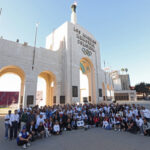
Olympic and Paralympic Icons ‘Ignite’ the Athlete and Fan Journey to LA28 at LA Memorial Coliseum. A Legendary Gathering: 300+ Olympic and Paralympic Icons ‘Ignite’ the Athlete and Fan Journey to LA28at LA Memorial… Read More »REGISTRATION FOR THE LA28 TICKET DRAW OPENS TODAY FOR TICKETS TO ALL OLYMPIC SPORTS