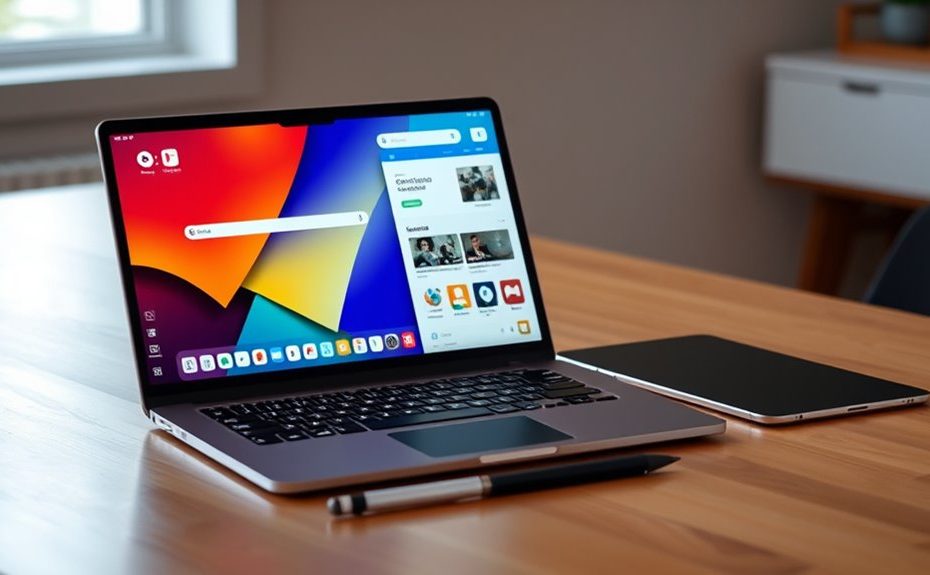
Chromebooks now support Android apps through the Google Play Store, offering a more seamless and versatile experience. Google’s goal is to unify Chrome OS and Android into a single platform, improving app performance, compatibility, and device integration. You can switch effortlessly between web and mobile apps and enjoy features like better multitasking and cross-device syncing. If you want to explore how this convergence is evolving and what it means for your device, there’s more to discover ahead.
Key Takeaways
Google is actively unifying Chrome OS and Android into a seamless platform for improved app compatibility and performance.
Android apps on Chromebooks are optimized for keyboard/mouse input and support features like multitasking and external displays.
Device integration features enable smoother switching, data sharing, and notification synchronization across Chromebooks, phones, and accessories.
Developers benefit from unified tools like Android Studio, simplifying app development and updates across both ecosystems.
Future updates aim to enhance desktop-like experiences, multi-device workflows, and overall ecosystem cohesion.
Current Capabilities of Android Apps on Chromebooks
Chromebooks currently support installing Android apps through the Google Play Store, substantially expanding their capabilities beyond web-based tools. This means you can access a wide range of productivity, entertainment, and creative apps directly on your Chromebook, making it more versatile for various tasks. Android app support allows you to run familiar mobile applications optimized for larger screens, often with added features like keyboard and mouse input. Managing these apps is straightforward, and you can easily switch between web and Android apps within the same environment. In educational or business settings, Android apps enable a seamless experience, covering everything from document editing to multimedia creation. Additionally, the integration of Android apps enhances device versatility, making Chromebooks suitable for a wider range of users and purposes. Understanding the Android ecosystem helps users take full advantage of this convergence and unlock new possibilities for their devices. As the app compatibility continues to improve, users can expect even more robust performance and a broader selection of applications to meet their needs. Moreover, ongoing updates regularly improve Android app performance, ensuring a smoother experience over time.
Google’s Vision for a Unified Chrome OS and Android Platform
Google aims to create a seamless experience across devices by unifying Chrome OS and Android into a single platform. This integration will make switching between your Chromebook, phone, and other devices more fluid, boosting your productivity. As a result, you’ll enjoy better device collaboration and a more consistent user experience. Additionally, upcoming advancements like on-device AI capabilities are expected to further enhance performance and personalization across the unified platform.
Seamless Device Integration
As the convergence of Chrome OS and Android progresses, seamless device integration becomes a central goal, enabling your devices to work together more fluidly than ever before. You’ll notice your Chromebook, Android phone, and accessories syncing effortlessly, sharing data, notifications, and workflows across platforms. Features like automatic sign-in, universal copy-paste, and synchronized notifications mean you can switch devices without missing a beat. Google’s aim is to make your experience feel unified—whether you’re transferring files, managing apps, or controlling your device ecosystem. External peripherals, like keyboards and external displays, will also connect smoothly, adapting functionalities across devices. This level of integration reduces friction, enhances productivity, and creates a cohesive environment where your devices truly act as extensions of each other. Additionally, compatibility standards are being developed to ensure consistent performance across a wide range of hardware and software, further supporting this unified ecosystem. To achieve this, hardware interoperability will be crucial in ensuring all devices and peripherals function seamlessly together.
Enhanced User Productivity
With the convergence of Chrome OS and Android, your workflow becomes more seamless and efficient across devices. You can now access a broad ecosystem of Android apps directly on your Chromebook, boosting productivity and creativity without switching devices. Features like desktop mode in Android apps, external monitor support, and improved keyboard/mouse input help you work more comfortably and effectively. Syncing progress and context across your Android phone, tablet, and Chromebook ensures continuity, saving time and reducing disruptions. Additionally, AI-powered tools integrated into the platform streamline tasks like browsing, scheduling, and content discovery. These enhancements enable you to multitask more effortlessly, stay organized, and leverage familiar app environments, making your overall experience more productive and connected.
Enhancements in User Experience and Productivity Features
The integration of Android apps into Chrome OS considerably enhances user experience and productivity by providing seamless access to a vast ecosystem of tools and services. You can now switch effortlessly between tasks, using Android apps alongside Chrome OS’s desktop features. You can also enjoy cross-platform compatibility that allows for smoother transitions and data sharing across devices. Expect smoother workflows with support for desktop mode, keyboard/mouse input, external monitors, and multiple desktops. These improvements allow you to customize your workspace and multitask more efficiently. Here’s a quick overview:
Feature
Benefit
Desktop Mode Support
Use Android apps like native desktop apps
External Monitor Support
Expand your workspace with larger screens
Keyboard & Mouse Input
Precise control for productivity tasks
Multiple Desktops
Organize tasks across different workspaces
Cross-Device Syncing
Maintain workflow across devices
Additionally, software integration ensures that these features work cohesively, providing a more streamlined and efficient user experience. Incorporating Android app compatibility further enhances the versatility of the Chromebook environment. As software updates continue to evolve, these features are expected to foster innovation and expand the capabilities of Chrome OS in the near future.
Technical Benefits of Merging Chrome OS With Android
By merging Chrome OS with Android, you’ll benefit from a unified development environment that simplifies app creation and updates. This streamlined system architecture reduces complexity, making the platform more efficient and easier to maintain. As a result, you’ll see faster innovation and a more consistent experience across devices. Incorporating home decor elements into the user interface can further enhance the aesthetic appeal of the platform.
Unified Development Environment
Merging Chrome OS with Android creates a unified development environment that streamlines software engineering and accelerates innovation. Instead of maintaining separate codebases, developers can target a single platform, reducing complexity and speeding up deployment. This integration allows Android’s extensive libraries and frameworks to work seamlessly within Chrome OS, enabling faster app development and more consistent updates. Developers can leverage familiar tools like Android Studio across both environments, simplifying testing and debugging. With a shared foundation, new features, such as AI capabilities and system-level enhancements, roll out more efficiently. This unified environment minimizes fragmentation, guarantees better compatibility, and encourages a more vibrant app ecosystem. Additionally, predictive analytics can be integrated into development workflows to optimize app performance and user experience. The convergence also fosters cross-platform compatibility, making it easier for developers to create versatile applications. Ultimately, it empowers developers to innovate rapidly, delivering richer experiences across Chromebooks and Android devices alike.
Streamlined System Architecture
Combining Chrome OS with Android streamlines the system architecture by unifying the underlying technology stack, which simplifies development and enhances performance. This integration reduces complexity, allowing updates and new features to roll out faster. It also optimizes resource management, leading to better battery life and system responsiveness. By consolidating the OS, Google minimizes fragmentation, making it easier for developers to build and maintain apps across devices. The table below illustrates how this unified architecture benefits various aspects:
Aspect
Benefit
Impact
Development
Single codebase
Faster updates and fewer bugs
Performance
Shared kernel
Smoother, more responsive user experience
Resource Management
Unified system resources
Better battery and memory efficiency
Compatibility
Cross-device support
Seamless experience across devices
Security
Centralized security model
Improved protection and easier maintenance
AI-Driven Improvements and Cross-Device Integration
AI-driven improvements are transforming how you interact with Chromebooks and Android devices by enabling smarter, more context-aware features that streamline your workflow. With these enhancements, your devices can anticipate your needs, suggest relevant actions, and automate routine tasks. For example, AI helps manage your schedules, find content faster, and offer tailored app suggestions based on your habits. Cross-device integration makes it easier to switch seamlessly between your Chromebook and Android phone, syncing notifications, files, and app states instantly. AI-powered assistants can help you multitask more efficiently, whether by managing emails, setting reminders, or controlling smart devices. As these features evolve, you’ll experience a more cohesive, intelligent ecosystem that boosts productivity and simplifies your digital life across all your devices.
Challenges and Roadmap Toward Full Convergence
While advancements in cross-device integration are enhancing how seamlessly your Chromebook and Android devices work together, achieving full convergence presents significant challenges. Technical hurdles include integrating different kernels, drivers, and UI paradigms without compromising performance or security. Developers face complexities in creating a unified OS that supports both desktop-class features and mobile flexibility, all while maintaining stability. User experience remains a concern; balancing the familiarity of Chrome OS with Android’s openness requires careful design. Additionally, hardware fragmentation and varied device capabilities complicate standardization efforts. Google’s roadmap involves incremental updates, testing, and feedback loops to address these issues. Full convergence hinges on resolving these technical and UX challenges, ensuring a smooth handover that preserves the strengths of both platforms while liberating new possibilities. Moreover, understanding the allergen risks associated with various seeds underscores the importance of careful development and testing of cross-platform solutions to prevent unintended health concerns. As AI integration advances, it could offer new tools to streamline compatibility testing and user interface harmonization across devices. Incorporating user feedback throughout the development process can further optimize the convergence experience. Additionally, ongoing research into hardware compatibility is essential to accommodate the diverse range of devices in the ecosystem, especially considering the potential security vulnerabilities that can emerge during complex integrations.
Implications for Users and the Future of Chrome Devices
As Google advances toward a unified operating system, users will experience more seamless integration across their devices, transforming how they work, learn, and play. You’ll notice faster app switching, better multitasking, and consistent workflows across your Chromebook, phone, and tablet. Android app support on Chromebooks means more productivity tools, entertainment options, and creative apps at your fingertips. Future updates will bring desktop-like experiences, such as external monitor support and improved input methods, making your device more versatile. You’ll also benefit from smarter AI features that help manage tasks and find content effortlessly. Additionally, the vibrational alignment offered by the LOA principles can inspire new ways to enhance your user experience through intuitive and personalized technology. This convergence will also leverage device interoperability, enabling smoother transitions between tasks and devices. As these integrations develop, cross-platform compatibility will further streamline your digital interactions, reducing friction and increasing efficiency. Moreover, ongoing innovations in software integration will unlock even more capabilities for seamless device connectivity and user customization. Overall, this convergence simplifies your digital life, enhances device interoperability, and opens new possibilities—making your Chromebook more powerful and adaptable for everyday use.
Frequently Asked Questions
When Will Android Apps Fully Support Desktop Mode on Chromebooks?
Android apps will fully support desktop mode on Chromebooks sometime in 2024. Google is actively working on integrating desktop features like windowed mode, keyboard and mouse support, and external monitor compatibility. While some improvements are already available, a complete, seamless desktop experience across all Android apps on Chromebooks is expected to roll out gradually throughout next year. Keep an eye on updates, as these enhancements will markedly boost your productivity and app usability.
Will Chrome OS Be Renamed After the Android and Chrome OS Merger?
No, Chrome OS won’t be renamed after the Android and Chrome OS merger. Google plans to keep the Chrome OS branding because it’s widely recognized and associated with security, simplicity, and productivity. Instead, you’ll see the platform evolve to incorporate Android features seamlessly, creating a unified experience. This approach guarantees users retain familiarity while benefiting from the enhanced capabilities without confusing branding changes.
How Will User Privacy Be Protected During Platform Convergence?
You can trust that Google will prioritize your privacy during the platform convergence. They’ll maintain robust security measures, like sandboxing Android apps, to prevent data leaks. You’ll still have control over app permissions and data sharing settings, just as you do now. Google aims to seamlessly integrate features without compromising security, ensuring your personal information stays protected while enjoying the enhanced capabilities of the unified platform.
Are There Plans to Enable Multi-User Profiles in Android Apps on Chromebooks?
Think of multi-user profiles in Android apps on Chromebooks as a new chapter waiting to be written. Google plans to enable this feature, allowing each user to have personalized app data and settings, much like separate rooms in a shared house. This will enhance privacy and productivity, making your Chromebook more versatile. Although it’s not available yet, expect this feature to roll out gradually as part of ongoing platform improvements.
Will All Chromebooks Receive the Android and Chrome OS Integration Update?
Not all Chromebooks will receive the Android and Chrome OS integration update right away. Google is gradually rolling out the new features, prioritizing newer and more capable devices first. You should keep your device updated and check for official announcements to know when the update becomes available for your specific Chromebook model. As the rollout progresses, more models will gain access to the enhanced seamless experience.
Conclusion
As Chrome OS and Android inch closer to convergence, you’ll enjoy seamless integration and enhanced productivity. Yet, challenges remain, like maintaining stability amidst innovation. It’s like watching a puzzle come together—exciting but complex. While the future promises unified experiences, you’ll need patience as developers refine this blend. Ultimately, this convergence offers a balance of familiarity and innovation, shaping a new era where your devices work smarter, even if the path to perfection is still unfolding.