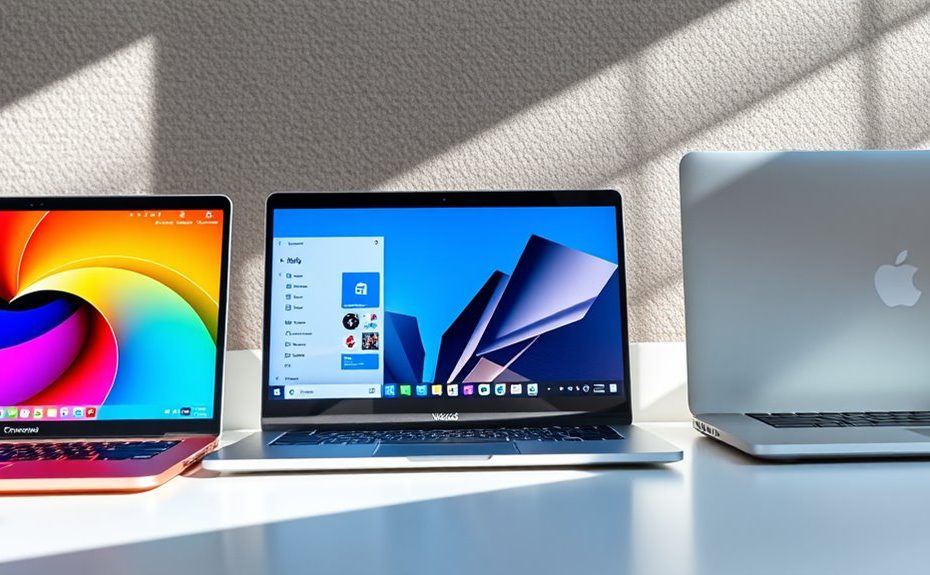
Choosing between Chromebook, Windows, or macOS for daily use depends on your budget, software needs, and lifestyle. If you want affordability and simplicity for web browsing, a Chromebook could be ideal. For broad software compatibility and gaming, Windows is your best bet. If you prefer seamless integration with Apple devices and multimedia work, macOS fits perfectly. To find out which OS suits your daily routines best, explore the factors that matter most to you.
Key Takeaways
Consider your budget and hardware preferences: Chromebooks are affordable, Windows offers versatile options, and Macs are premium devices.
Assess your software needs: Windows supports a wide range of apps, macOS excels in creative tools, and Chromebooks rely on web-based and Android apps.
Think about security and maintenance: Chrome OS and macOS provide automatic updates and built-in security, while Windows requires active management.
Evaluate your usage habits: Chromebooks are ideal for browsing and cloud tasks, Macs suit multimedia and creative work, Windows supports gaming and legacy software.
Match the OS to your ecosystem preferences: MacOS works seamlessly with Apple devices, Windows offers broad hardware compatibility, and Chromebooks integrate well with Google services.
Understanding Market Presence and Popularity
Windows dominates the global desktop OS market, holding roughly 66% to 72% of users as of 2025. This means most people worldwide rely on Windows for everyday tasks, work, and gaming. Its widespread presence makes it the default choice in many regions, especially in business and enterprise environments. You’ll find Windows pre-installed on most new PCs, reflecting its dominant position. While macOS and Chrome OS have smaller shares—around 4-16% and 1.2-1.86%, respectively—these numbers vary by country. In the U.S. and developed markets, macOS and Chrome OS are more popular, especially in education and creative sectors. The large market share of Windows guarantees a familiar environment and extensive software compatibility, influencing your decision when choosing an operating system for daily use. Additionally, the market presence of projectors underscores the importance of choosing compatible devices and operating systems for a seamless home entertainment experience. Understanding market dominance can help you make informed choices aligned with your needs and available options. Recognizing the software ecosystem associated with each OS can further assist in selecting the most suitable platform for your lifestyle. Moreover, the user familiarity with Windows can significantly reduce the learning curve for new users transitioning from other systems. A strong support network for Windows users also contributes to its popularity and ease of troubleshooting.
Assessing Performance and Compatibility
When evaluating performance and compatibility, you need to take into account how well the OS supports your hardware and software needs. Think about whether it works smoothly with your existing devices and if it can run the programs you rely on daily. Ensuring compatibility with legacy apps is also vital to avoid interruptions in your workflow. Additionally, understanding the GMC tuning options available for your vehicle can aid in optimizing its performance and efficiency. Considering the advancements in automation technologies, some operating systems now offer integrated solutions that improve productivity and streamline tasks across various devices. Moreover, selecting an OS with versatile application support can further enhance your user experience by allowing seamless integration with various tools and platforms. Recognizing the importance of user interface design can also improve overall usability and reduce the learning curve when switching between operating systems. Staying informed about divorce resources and legal tools can help individuals navigate legal processes more effectively and secure appropriate representation.
Hardware Support Range
The range of hardware support varies considerably across different operating systems, directly impacting compatibility and performance. Windows supports a vast array of devices, from desktops to tablets, ensuring maximum flexibility. macOS is optimized mainly for Apple hardware, offering seamless performance but limited device compatibility. Chrome OS supports basic peripherals and cloud-connected hardware, with fewer native options. Here’s a quick comparison:
Operating System
Hardware Support Range
Windows
Wide (desktops, laptops, tablets, hybrid devices)
macOS
Limited (Apple devices only)
Chrome OS
Basic peripherals, web-connected hardware
Your choice depends on whether you need broad device compatibility or are comfortable with a more restricted ecosystem. Additionally, hardware support range can influence software availability and system updates, which are crucial for maintaining security and performance. The level of hardware support also affects the ease of upgrading components and troubleshooting potential issues, which is especially important for DIY upgrades or repairs. Recognizing the importance of device compatibility helps users make informed decisions tailored to their specific needs. Moreover, understanding the compatibility limitations can assist in planning for future hardware needs or upgrades.
Software Ecosystem Diversity
Your choice of operating system substantially impacts your access to software, as each platform offers a different ecosystem with varying levels of diversity and compatibility. Windows provides the broadest selection, supporting everything from productivity tools to high-end gaming and legacy applications. You’ll find extensive software options, including specialized enterprise programs and older apps with backward compatibility. This broad ecosystem can enhance your software flexibility and enable smoother transitions between different tasks and devices. Additionally, software ecosystem diversity can directly affect your productivity and flexibility when choosing an OS for daily use. For example, Windows’ extensive compatibility often makes it the preferred choice for users needing access to a wide range of legacy applications. macOS focuses on creative and professional software, with strong native applications for multimedia editing and design. Its ecosystem is more curated but increasingly supports cross-platform tools. Chrome OS relies mainly on web-based and Android apps, limiting native desktop software but excelling in cloud integration and lightweight tasks. Each ecosystem’s diversity influences your ability to run preferred applications smoothly and efficiently, shaping your overall user experience. Moreover, software compatibility across platforms can influence your decision based on the types of applications most vital to your daily routines.
Compatibility With Legacy Apps
Legacy app compatibility varies considerably across operating systems, influencing how smoothly older software runs and integrates into your workflow. Windows excels here, supporting most legacy applications thanks to extensive backward compatibility. macOS also offers good support through virtualization and emulation, but some older Windows apps may face issues. Chrome OS struggles with native legacy software, relying primarily on web apps and Android support. Here’s a quick comparison:
OS
Native Support
Emulation/Virtualization
Limitations
Windows
Full support
Windows Subsystem for Linux
Compatibility issues with very old software
macOS
Moderate
VirtualBox, Parallels
Some Windows apps may not run smoothly
Chrome OS
Limited
Linux (Beta), Android
Native legacy apps often unsupported
Your choice depends on legacy app needs and how much virtualization you’re willing to manage.
Evaluating Cost and Hardware Options
When evaluating cost and hardware options, it’s important to take into account how each OS aligns with your budget and device needs. Chromebook devices are usually the most affordable, making them ideal if you want a basic, budget-friendly option for web browsing and light tasks. Windows PCs come in a wide range of prices, from low-cost models to high-end gaming or professional machines, offering flexibility for different budgets. macOS devices, primarily MacBooks and iMacs, are positioned at the premium end, emphasizing build quality and design but requiring a larger investment. Consider your hardware requirements: Chromebooks are lightweight and less powerful, while Windows supports a broad array of hardware configurations. Your choice should balance affordability with the performance and features necessary for your daily activities. Additionally, understanding the safety standards can help businesses make informed technology decisions that support financial management and operational efficiency. Moreover, leveraging predictive analytics can optimize resource allocation and enhance decision-making processes in your technology infrastructure. Recognizing the 16PF personality traits can also assist in tailoring technology solutions to user preferences and work styles. Incorporating Gold IRA Rollovers into your financial planning can also provide added security and diversification for your long-term investments.
Exploring Software Ecosystems and App Support
The software ecosystem you choose considerably impacts your productivity and workflow, as each OS offers different app support and compatibility. Windows provides the broadest range, supporting productivity, gaming, enterprise, and legacy apps. macOS excels in creative software, multimedia, and seamless Apple ecosystem integration. Chrome OS relies mainly on web-based and Android apps, with limited native desktop options, making it ideal for lightweight tasks and education. Here’s a quick comparison: app support is a key factor in choosing the right OS for your needs.
Considering Security Features and Maintenance
You need an operating system that keeps itself secure with minimal effort, so look at how it handles updates and patches automatically. Built-in security measures like firewalls and sandboxing also play a big role in protecting your data. Choosing one that simplifies maintenance helps you stay safe without constantly managing security manually.
Automatic Updates and Patching
Automatic updates and patching are essential for maintaining security and ensuring your OS stays protected against emerging threats. With Windows, you need to actively manage updates, which can sometimes be delayed or interrupted, leaving vulnerabilities open. macOS handles updates seamlessly in the background, delivering regular security patches without user intervention, keeping your system secure and stable. Chrome OS automates updates effortlessly, applying patches in the background without disrupting your workflow, making maintenance simple even for non-technical users. This automatic approach reduces the risk of missing critical security fixes, especially important if you use your device for sensitive tasks. Overall, the ability to keep your OS current without manual effort is a key factor in maintaining a secure, reliable computing environment.
Built-in Security Measures
Built-in security measures vary markedly across operating systems, impacting how well your system can defend against threats and maintain stability. macOS leverages its Unix foundation to provide robust security features like sandboxing, code signing, and regular automatic updates that help protect against malware and unauthorized access. It also includes Gatekeeper, which verifies downloaded apps for safety, and FileVault, encrypting your data to prevent unauthorized access. Windows, while historically targeted by malware, has improved with built-in Windows Defender, automatic updates, and advanced security tools like SmartScreen and BitLocker encryption. Chrome OS emphasizes simplicity and security through automatic updates, sandboxing, verified boot, and a minimal attack surface. Its cloud-centric model reduces malware risk, making maintenance easier for non-technical users. Each OS’s security design influences how you manage its ongoing protection.
Matching User Experience With Lifestyle Needs
How well an OS aligns with your lifestyle can make a significant difference in your daily productivity and overall satisfaction. If you rely heavily on web browsing, online collaboration, or cloud storage, a Chromebook offers simplicity, quick boot times, and minimal maintenance tailored for casual use or education. You prefer seamless integration with Apple devices for creative work and media editing; macOS provides a stable, intuitive environment with robust creative applications. If your work involves specialized software, gaming, or legacy applications, Windows’s broad compatibility ensures you meet these needs efficiently. Consider how you spend your day—do you prioritize mobility, security, or multimedia? Matching these priorities with the right OS helps you work smarter, stay connected, and enjoy your digital experience fully.
Making an Informed Choice for Daily Use
Choosing the right OS for daily use depends on your specific needs and habits. Think about what tasks you perform most often—are you editing videos, gaming, browsing, or working in the cloud? Windows offers broad software compatibility, ideal for gaming and enterprise use. If you value seamless Apple integration and creative tools, macOS is a strong choice. For simple browsing, online learning, or lightweight tasks, Chrome OS provides a secure, affordable option. Consider your budget too; Chromebooks are budget-friendly, while MacBooks and Windows devices vary widely in price. Also, reflect on your hardware preferences and comfort with maintenance. By evaluating these factors, you can choose an OS that fits your lifestyle, enhances your productivity, and minimizes frustration in everyday use.
Frequently Asked Questions
How Does OS Update Frequency Impact Daily Security and Stability?
You’ll notice that frequent OS updates improve your daily security and stability by patching vulnerabilities and fixing bugs promptly. Regular updates ensure your system maintains against new threats and runs smoothly, reducing crashes and compatibility issues. Skipping updates, however, leaves you exposed to malware and performance problems. So, staying current with updates keeps your device protected and reliable, making your everyday experience safer and more stable.
Can Chromebooks Effectively Replace Windows or Macos for Professional Work?
You can’t fully replace Windows or macOS for professional work with a Chromebook. While Chromebooks excel at web-based tasks, lightweight productivity, and easy management, they lack compatibility with many specialized or legacy applications used in professional environments. If your work involves complex software, large files, or custom tools, a Windows or MacOS device will serve you better. Chromebooks are ideal for basic tasks, education, and casual use, but not advanced professional needs.
What Are the Hardware Upgrade Options for Each OS?
You can upgrade hardware components based on your OS choice. Windows offers the most flexibility, allowing you to upgrade RAM, storage, graphics, and even CPU in many models. macOS devices like MacBooks have limited upgrade options, primarily RAM and storage, depending on the model. Chromebooks generally have fixed hardware, but some models let you upgrade RAM or storage. Always check your device’s specifications before upgrading to guarantee compatibility and avoid voiding warranties.
How Do OS Compatibility Issues Affect Peripheral Device Support?
Compatibility issues can feel like hitting a brick wall when connecting peripherals. You might find some devices, like printers or external drives, don’t work smoothly with your OS, leading to frustration. Windows offers broad support, making peripherals more plug-and-play. macOS supports many Apple-friendly devices seamlessly but can lag with some third-party gear. Chrome OS is more limited, often requiring extra steps or drivers, so your experience depends heavily on the device’s compatibility with your OS.
Which OS Offers the Best User Support and Troubleshooting Resources?
You’ll find Windows offers the best user support and troubleshooting resources. With a vast user base, Microsoft provides extensive online documentation, forums, and official support channels. Many third-party tutorials and community forums help resolve issues quickly. MacOS also offers solid support through Apple’s Genius Bar, AppleCare, and detailed online guides. Chrome OS has streamlined support, mainly via Google’s online help and community forums, but it’s less extensive than Windows or macOS.
Conclusion
Think of choosing your OS like picking the right vehicle—you want one that fits your journey. Whether it’s a Chromebook’s simplicity, Windows’ versatility, or macOS’s seamless experience, each has its strengths. I once met someone lost in a tech maze until they found their perfect match, and their daily tasks smoothly shifted into gear. By understanding your needs, you’ll find the OS that drives your life forward, making everyday computing effortless and enjoyable.