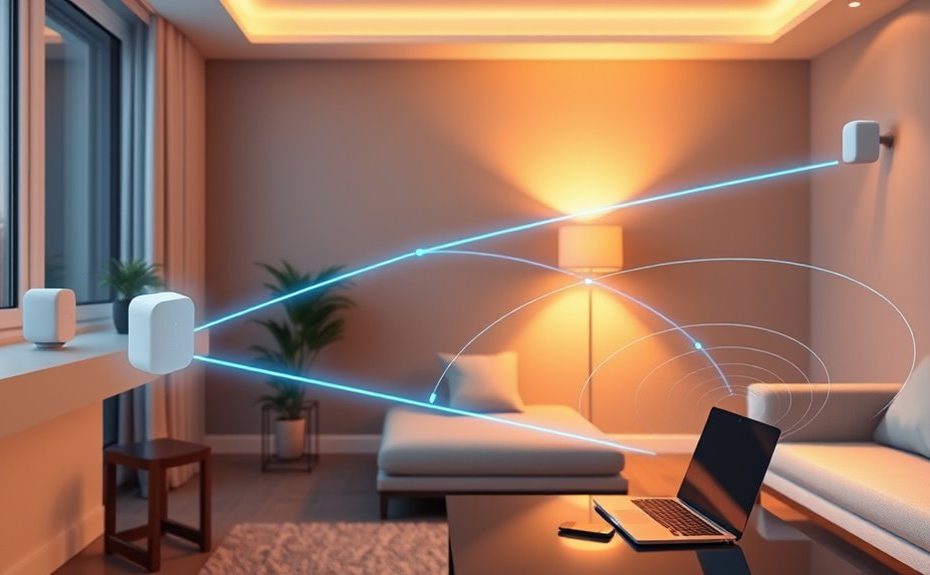
Mesh Wi-Fi works by connecting multiple nodes that form a seamless network, with each node communicating through wired or wireless backhaul to guarantee stable data flow. It automatically manages device roaming, so your devices switch smoothly to the strongest node as you move around. Band steering directs your devices to the best frequency for faster speeds. To discover how these features work together to improve your home connectivity, keep exploring the details behind each component.
Key Takeaways
Mesh Wi‑Fi uses multiple interconnected nodes to create a resilient, flexible network with dynamic routing and redundancy.
Backhaul links, either wired or wireless, carry data between nodes, affecting overall speed and stability.
Seamless roaming allows devices to switch nodes automatically without losing connection as users move around.
Device steering directs devices to optimal nodes and frequency bands based on signal quality and traffic load.
Intelligent algorithms optimize network performance by managing backhaul, routing, and device connections dynamically.
Understanding Mesh Wi-Fi Architecture
Have you ever wondered how mesh Wi-Fi systems provide seamless coverage across a large home or office? It all comes down to their architecture. Instead of relying on a single router, mesh systems use multiple nodes that work together as access points, creating a “mesh cloud.” Each node functions as both a router and an endpoint, forwarding data independently or cooperatively. The main node connects directly to the internet and manages traffic, while satellite nodes relay data within the network. This setup ensures broad coverage and minimizes dead zones. Mesh architecture also supports redundancy; if one node fails, others automatically reroute traffic. The system dynamically adapts, choosing the best path for data, providing stable, reliable connectivity throughout your space. Additionally, understanding security vulnerabilities in new technologies can help mitigate risks and ensure safe network operation. Recognizing the importance of wireless communication protocols can further enhance your network’s security and performance. Incorporating network management tools can optimize system functionality and troubleshoot issues more effectively, especially considering the multi-node nature of mesh networks. Moreover, understanding the backhaul connections between nodes is essential for maximizing network efficiency and speed.
The Role of Backhaul Connections
Your mesh Wi-Fi network relies on backhaul connections to link nodes and guarantee data flows smoothly. Different backhaul methods, like wireless or wired, have distinct effects on speed and stability. Understanding how these options compare helps you choose the best setup for ideal network performance. For example, Kia Tuning techniques can optimize network components, similar to how vehicle tuning enhances performance. Additionally, selecting the appropriate backhaul type can influence your overall lifestyle by improving connectivity for remote work, streaming, and smart home device management. The choice of sound design elements in your network setup can also impact how effectively your devices communicate, especially as automation advances, ensuring reliable network connections becomes even more crucial for seamless integration of smart devices.
Backhaul Methods Comparison
Backhaul connections are the backbone of a mesh Wi-Fi network, linking satellite nodes to the main router or other nodes to guarantee data flows smoothly across the system. Wireless backhaul can use dedicated bands or share channels with regular Wi-Fi traffic, but dedicated bands typically offer more stability and higher speeds. Wired Ethernet backhaul provides the most reliable connection, minimizing interference and latency, ideal for demanding tasks. Tri-band systems often allocate one band solely for backhaul, reducing congestion and boosting performance. Shared backhaul, using the same band for both client data and backhaul, can lead to slower speeds if traffic is heavy. Additionally, some systems incorporate advanced backhaul management features that dynamically optimize backhaul usage based on network conditions. Understanding network topology and mesh system configurations can further enhance overall network efficiency. Recognizing the importance of performance optimization can help users tailor their setup to meet specific needs. Choosing the right backhaul method depends on your environment, network demands, and infrastructure, balancing convenience, cost, and performance. Additionally, understanding Personal Finance Management can help optimize your investment in mesh Wi-Fi systems by balancing cost and performance effectively.
Impact on Network Performance
The strength and stability of a mesh Wi-Fi network heavily depend on the quality of its backhaul connections. A reliable backhaul guarantees fast, consistent data transfer between nodes, directly impacting network performance. If your backhaul is wireless and shares bandwidth with client devices, congestion can cause slower speeds and increased latency. Additionally, wireless backhaul options may be more susceptible to interference, affecting overall network stability. Wired Ethernet backhaul offers stability and high throughput, reducing interference and bottlenecks. Tri-band systems with dedicated backhaul bands typically deliver better performance because they separate data traffic from user devices. The backhaul’s ability to dynamically select ideal paths helps maintain speed and reduce lag, even if some links weaken. Furthermore, dynamic path selection enhances network resilience by automatically rerouting traffic around disruptions, thus maintaining optimal performance. Incorporating network redundancy strategies can further improve stability by providing alternative data routes, ensuring continuous connectivity even during outages. Proper network configuration is essential to optimize backhaul performance and prevent potential issues. Implementing quality of service settings can prioritize critical traffic, further enhancing network efficiency. Overall, a robust backhaul minimizes latency, improves throughput, and ensures seamless, high-quality connectivity across your entire mesh network.
How Data Moves Through the Mesh
Data moves through a mesh Wi-Fi network by traveling between interconnected nodes that communicate either directly or through intermediate nodes. When you send data, it hops from your device to the nearest node, which then forwards it toward the destination. If the destination is close, the data may go directly; if not, it passes through multiple nodes along the best path. The network constantly evaluates signal quality and traffic to choose most suitable routes. Some nodes act as gateways to the internet, while others relay traffic internally. This dynamic routing ensures efficient data flow, reduces congestion, and maintains high speeds. The mesh architecture allows data to find the fastest, most reliable path, adapting seamlessly as conditions change.
Seamless Device Roaming Explained
Seamless device roaming allows your smartphone, laptop, or other connected devices to move throughout your home without losing their internet connection. Your mesh Wi-Fi system automatically switches your device to the strongest node as you move, ensuring uninterrupted service. This process is smooth and transparent, so you don’t notice any hiccups, making activities like video calls or streaming seamless. Roaming relies on the network’s ability to detect signal strength and quality, then assign your device to the most suitable node. It works behind the scenes, eliminating the need for manual switching or reconnecting. The table below highlights key aspects of device roaming: AI capabilities, which can optimize network management and improve overall performance. Proper signal detection and management are essential for maintaining a consistent connection across your devices.
The Importance of Steering Devices
Effective device steering is essential for maximizing your mesh Wi-Fi system’s performance. It ensures your devices connect to the best node and frequency band, reducing congestion and improving speeds. By intelligently guiding devices to less crowded nodes, steering balances network load, preventing slowdowns. Band steering directs dual- or tri-band devices to the faster 5 GHz or 6 GHz bands instead of the 2.4 GHz band, boosting throughput. This process considers signal strength, device capabilities, and current traffic, optimizing connection quality. Proper steering minimizes interference, enhances spectral efficiency, and provides a smoother experience for streaming, gaming, or video calls. Without effective steering, devices might stick to suboptimal nodes or bands, leading to slower speeds and increased latency. Effective device management is crucial for adapting to network changes and ensuring consistent performance across your entire space. Implementing dynamic load balancing helps distribute traffic efficiently, further improving overall network stability and user experience. Additionally, regular firmware updates can enhance mesh network performance and compatibility, ensuring your system adapts to evolving device needs.
Topologies and Routing Strategies
Mesh Wi-Fi topologies determine how nodes connect and communicate within the network, directly impacting performance and reliability. The most common topology is star, where each node connects directly to the main router, reducing latency and simplifying management. This setup offers better stability and faster data transfer. In contrast, a daisy chain topology links nodes in series, with each node relaying data to the next. While easier to expand, it can cause increased latency and potential bottlenecks if many nodes are involved. Routing strategies dynamically select ideal paths based on real-time network conditions, ensuring efficient data flow. They reroute traffic if a node fails, maintaining network uptime. These strategies optimize speed, reduce congestion, and enhance resilience, making your mesh network adaptable and dependable across different topologies. Routing strategies play a crucial role in maintaining network performance and ensuring seamless connectivity across various configurations.
Benefits of a Mesh Network System
Are you tired of dead zones and unreliable Wi-Fi coverage in your home? A mesh network system offers several benefits. It provides seamless, whole-home coverage by connecting multiple nodes, so you stay connected wherever you go. You can easily expand coverage by adding more nodes, matching your needs. The system’s centralized management makes setup, monitoring, and troubleshooting simple through apps or web interfaces. It’s resilient; if a node fails, traffic reroutes automatically, ensuring continuous service. Plus, mesh networks support many devices simultaneously without slowing down your connection. They eliminate the hassle of manual switching or multiple SSIDs, creating a single, reliable network. This setup improves your overall Wi-Fi experience, especially in larger or multi-story homes.
Benefit
Explanation
Whole-home coverage
Eliminates dead zones across your entire space
Scalability
Easily add nodes to expand coverage
Reliability
Automatic rerouting ensures uninterrupted service
User-friendly management
Simplifies setup and control via apps or web tools
Enhancing Performance and Reliability
To boost your mesh network’s performance and reliability, focus on optimizing backhaul links to guarantee fast, stable connections between nodes. As you move through your space, seamless device shift keeps your connection steady without interruptions. Additionally, intelligent load distribution balances traffic across nodes, preventing congestion and maintaining high speeds for all your devices.
Optimizing Backhaul Links
Optimizing backhaul links is essential for guaranteeing your mesh Wi-Fi network delivers maximum speed and reliability. You want the data between nodes to flow smoothly without bottlenecks or lag. To achieve this, consider using wired Ethernet backhaul when possible, as it offers the most stable connection. If wireless backhaul is necessary, prioritize dedicated bands like 5 GHz or 6 GHz, which reduce interference. Devices should automatically select the best path, adapting to signal quality and congestion. Ensure your nodes are positioned where they have strong connections to each other, avoiding obstacles or interference sources. Regularly update firmware to maximize routing algorithms, and monitor network performance to identify weak links that could benefit from reconfiguration.
Wired Ethernet connections for maximum stability
Dedicated backhaul bands like 5 GHz or 6 GHz
Strategic node placement for strong signals
Firmware updates to improve routing efficiency
Monitoring tools to identify and resolve bottlenecks
Seamless Device Transition
Seamless device shift guarantees your connection remains stable and uninterrupted as you move through your home. When you walk from room to room, your device automatically connects to the strongest node, ensuring consistent performance. Mesh systems use intelligent algorithms to manage these handovers without dropping your connection or causing delays. This process, called roaming, happens in the background, so you won’t notice any disruption. Here’s how it works:
Key Aspect
How It Works
Signal Detection
Devices continuously scan for the strongest signal
Node Switching
Device switches to ideal node instantly
Band Optimization
Devices are steered to less congested bands
Connection Maintenance
No manual intervention needed, connection stays stable
Intelligent Load Distribution
Intelligent load distribution actively manages how your devices connect within a mesh Wi-Fi system to guarantee peak performance and reliability. It dynamically balances traffic across nodes and bands, preventing congestion and slowdowns. This process ensures each device connects to the most suitable node or frequency, based on current network conditions. As a result, you experience fewer interruptions, faster speeds, and consistent performance.
Automatically assigns devices to less congested nodes or bands
Redirects traffic to maintain balanced network load
Prioritizes bandwidth for high-demand activities like streaming or gaming
Uses real-time data to adapt to changing device locations and usage
Reduces latency and prevents bottlenecks for multiple users
This smart management keeps your network running smoothly, even with many devices connected simultaneously.
Frequently Asked Questions
How Does a Mesh System Handle Multiple Device Connections Simultaneously?
You can connect multiple devices to a mesh system simultaneously without issues. It manages connections efficiently by steering devices to *ideal* nodes and bands, balancing the network load. The system dynamically routes data through the best paths, ensuring minimal congestion and maintaining high speeds. This setup supports many devices at once, providing a seamless experience with consistent performance across your entire home or office.
Can Mesh Wi-Fi Networks Operate Effectively With Both Wired and Wireless Backhaul?
Yes, mesh Wi-Fi networks work effectively with both wired and wireless backhaul. When you connect nodes via Ethernet, you get a more stable, faster link that reduces interference and improves speed. Wireless backhaul is flexible and easy to set up, especially if wiring isn’t practical. Mesh systems adapt dynamically, choosing the best backhaul method based on network conditions, ensuring seamless coverage and reliable performance across your entire home or office.
What Factors Influence the Choice of Mesh Topology for a Network?
Think of choosing a mesh topology like building a road map for your city. You weigh the traffic flow, roadblocks, and destinations; similarly, you consider coverage needs, network size, and device density. A star topology acts like a direct highway to the main hub, ideal for stability. Daisy chains resemble winding streets, suitable for smaller setups. Your choice hinges on balancing speed, reliability, scalability, and the specific demands of your network environment.
How Do Mesh Networks Prioritize Traffic During High Usage Periods?
During high usage periods, mesh networks prioritize traffic by using intelligent routing and device steering. They direct bandwidth-heavy activities, like streaming or gaming, to less congested nodes or bands, ensuring smoother performance. The system dynamically adjusts paths and connections based on network traffic, signal quality, and device needs. This proactive management helps prevent slowdowns, reduces latency, and maintains seamless connectivity across your entire network, even during peak times.
Are There Security Differences Between Mesh Wi-Fi and Traditional Networks?
Think of your network like a fortress—both mesh Wi-Fi and traditional setups can be equally secure if configured properly. Mesh systems often come with built-in security features like WPA3 encryption and automatic firmware updates, which keep your network locked tight. However, because they’re more centralized and easier to manage, mesh networks can sometimes be more resilient against attacks. Just stay vigilant with passwords and updates, and you’ll be as secure as Fort Knox.
Conclusion
So, now that you know how mesh Wi-Fi keeps your gadgets happily connected, you can finally stop pretending your router’s magic. With backhaul, roaming, and steering, it’s like having a personal Wi-Fi butler, ensuring your streaming never drops and your devices never get lost. Just imagine a world where your Wi-Fi is smarter than your last relationship—always there, never ghosting you, and ready to serve up perfection. Welcome to the future of connectivity!