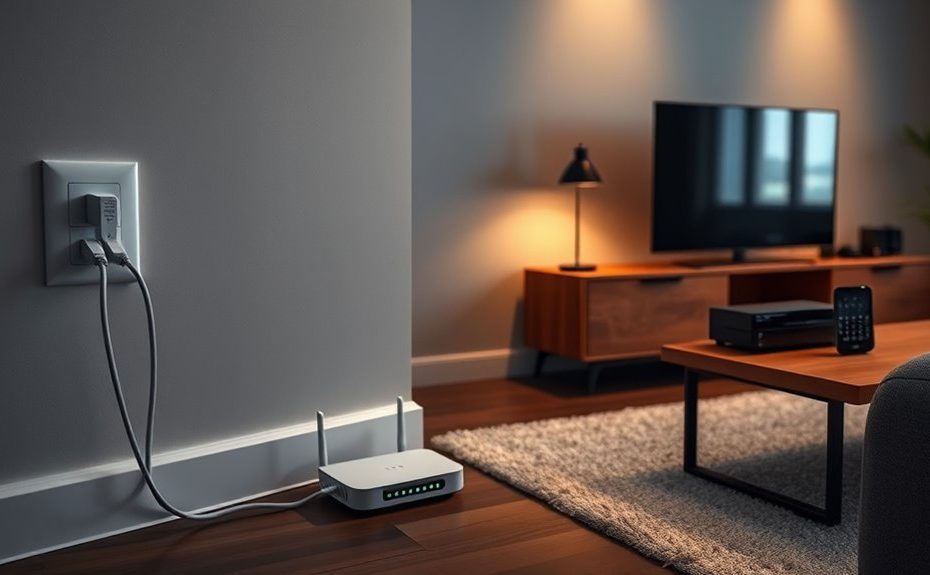
Powerline networking lets you use your existing electrical wiring to extend your home internet easily. You plug adapters into wall outlets, creating a reliable connection without running new cables or dealing with Wi-Fi dead zones. For best results, connect adapters directly to outlets on the same circuit and avoid interference from electronics or power strips. Securing your network with encryption is important for safety. Keep environmental factors in mind to optimize performance. You’ll discover more tips to maximize your setup as you explore further.
Key Takeaways
Powerline networking uses existing electrical wiring to extend internet access throughout your home.
Ensure adapters are plugged directly into wall outlets on the same circuit for optimal performance.
Secure your network by changing default passwords and enabling encryption like 128-bit AES.
Minimize interference from large appliances and fluorescent lights to maintain network stability.
Proper installation and environment awareness improve reliability, speed, and security of your powerline network.
Are you tired of weak Wi-Fi signals in certain areas of your home? If so, powerline networking might be the solution you need. It uses your existing electrical wiring to create a reliable network connection, eliminating dead zones and buffering issues. This setup can be especially helpful if Wi-Fi signals struggle to penetrate walls or reach distant rooms. Before you jump in, it’s important to consider some key factors, like network security and installation tips, to guarantee your setup is both effective and safe.
When setting up powerline networking, securing your network should be a top priority. Since the signals travel through your electrical wiring, there’s a chance that someone with access to your electrical system could tap into your network if it’s not protected. To prevent this, always change the default password of your powerline adapters and enable encryption features. Many models support 128-bit AES encryption, which makes it considerably harder for unauthorized users to access your network. Keep in mind that some powerline adapters also come with a physical security button; pressing it creates a secure link between adapters, adding an extra layer of protection. Making these adjustments ensures your network stays private and safe from intruders.
Proper installation tips can make a big difference in the performance and stability of your powerline network. First, plug your adapters directly into wall outlets rather than into power strips or surge protectors, as these can interfere with the signal. It’s also recommended to connect them to outlets on the same electrical circuit for maximum performance. Avoid plugging multiple devices into the same outlet, which can cause electrical noise and reduce signal quality. If you encounter slow speeds or unstable connections, try moving the adapters to different outlets within the same circuit. Additionally, some powerline adapters feature a pairing button; use it to sync your devices properly. This step ensures that your network operates smoothly and minimizes any interference.
For optimal performance, plug adapters directly into wall outlets on the same circuit and avoid power strips.
Finally, remember that the environment impacts your network’s strength. Keep adapters away from large appliances, fluorescent lights, or other electronics that generate electrical noise. Regularly updating the firmware of your adapters can also improve their performance and security. By following these installation tips and securing your network, you’ll enjoy a more stable, faster, and safer home network. Powerline networking offers a straightforward way to extend your internet coverage without the hassle of running new cables or relying solely on Wi-Fi. With a little attention to security and proper setup, you can turn your home’s electrical wiring into a powerful tool for reliable connectivity.
Frequently Asked Questions
Can Powerline Networking Work Through Metal or Concrete Walls?
Powerline networking struggles to work through metal walls or concrete barriers. Metal walls can block or interfere with the signal, making it unreliable or unusable. Concrete barriers also weaken the connection, causing slower speeds or dropouts. If your home has these obstacles, you might need to contemplate Wi-Fi extenders or mesh networks instead. Powerline adapters perform best in homes with minimal metal or concrete obstructions between outlets.
What Is the Maximum Range of Powerline Adapters in a Home?
The maximum range of powerline adapters in your home typically falls between 300 to 500 meters, but actual powerline speed and powerline compatibility can vary based on your home’s wiring and interference. Walls, especially metal or concrete, can reduce the effective range. To get the best performance, guarantee your adapters are compatible and placed away from electrical noise, maximizing speed and stability across your network.
Do Powerline Networks Interfere With Existing Electrical Devices?
Yes, powerline networks can experience electrical interference, which may disrupt your connection. Interference from appliances like microwaves or vacuum cleaners can cause issues. However, modern powerline adapters are designed for better device compatibility and often include features to mitigate interference. To guarantee a stable network, avoid plugging adapters into outlets near high-power devices or surge protectors that may block signals.
How Secure Is Powerline Networking From Hacking?
Think of powerline networking as a guarded fortress—it’s generally secure, but not invincible. You benefit from encryption protocols that protect your data, yet hacking vulnerabilities still exist if your network isn’t properly secured. To keep hackers at bay, regularly update firmware, use strong passwords, and enable encryption. While no system is completely invulnerable, these steps substantially reduce your risk, making your home network much safer.
Can Powerline Adapters Be Used With Ungrounded Outlets?
Yes, you can use powerline adapters with ungrounded outlets, but it’s not perfect. Many adapters require grounded outlets for safety and peak performance, so check the adapter’s compatibility with ungrounded sockets before purchasing. Using an ungrounded outlet might affect the adapter’s stability and security, and could potentially lead to electrical issues. Always verify the adapter’s specifications and consider using an outlet that’s properly grounded for better performance.
Conclusion
In the end, powerline networking gently opens new doors for your home’s connectivity, blending convenience with simplicity. It’s a subtle upgrade that can seamlessly enhance your online experience without the fuss of rewiring or clutter. With just a little setup, you’ll enjoy a steadier, more reliable connection that fits naturally into your daily routine. Embrace this quiet improvement and discover how effortlessly your digital world can become more harmonious and enjoyable.