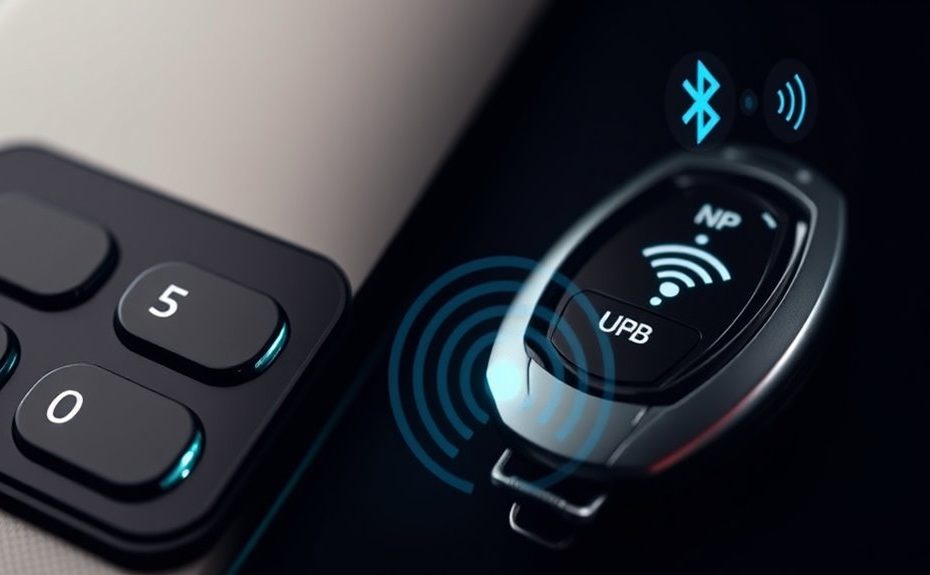
To set up digital keys with UWB and NFC, verify your devices support these technologies and update their software. Install the official app and activate necessary features like Bluetooth and NFC. Enroll your device with your vehicle or smart home system using NFC or UWB for secure pairing. Configure UWB for precise location-based access, and keep NFC as a backup. Staying aware of security best practices and troubleshooting tips will help you maintain a reliable, secure system. More details await as you explore further.
Key Takeaways
Ensure devices support NFC, BLE, and UWB, and update software and firmware for security and compatibility.
Install official digital key apps and activate location services to facilitate enrollment and setup.
Use NFC or UWB for secure credential transfer and device pairing with encryption and mutual authentication.
Install and calibrate UWB anchors for precise positioning and hands-free access, minimizing environmental interference.
Keep backup options like NFC tap-to-unlock and troubleshoot connectivity issues with device placement and updates.
Understanding the Core Technologies: UWB, NFC, and BLE
To understand digital keys, it’s essential to grasp the three core wireless technologies they rely on: Ultra Wideband (UWB), Near Field Communication (NFC), and Bluetooth Low Energy (BLE). UWB uses very short, low-power pulses to measure distance with about 10 cm accuracy, enabling precise, hands-free access and anti-spoofing security. NFC operates at close range—just a few centimeters—and offers a reliable backup for manual tap-to-access or emergency access, using encrypted communication for security. BLE covers a broader range, around 10 meters, supporting remote access and access, as well as initial device detection. Additionally, UWB’s high-precision positioning enhances the accuracy and security of digital keys in complex environments. The integration of security protocols ensures that access remains protected against potential threats, leveraging wireless technology for flexible and reliable connectivity. Moreover, understanding the potential vulnerabilities associated with each technology is crucial for maintaining a secure digital key ecosystem. Staying informed about emerging security threats can help users implement necessary safeguards to protect their access systems.
Preparing Your Smartphone and Devices for Digital Key Setup
Before you can start using digital keys, you need to prepare your smartphone and other devices for setup. First, verify your phone’s software is up to date, as recent updates often include critical security patches and compatibility improvements. Check that your device supports NFC, BLE, and UWB—these are essential for seamless operation. Enable Bluetooth and NFC in your device settings, and activate location services if required. Install any official digital key apps recommended by your vehicle or smart home provider. Make sure your smartphone’s Secure Element or equivalent security feature is active, as this protects stored credentials. UWB technology has become increasingly important for accurate spatial awareness in digital keys. Additionally, ensure that your device’s hardware supports digital key compatibility features for optimal performance. Confirm that your device meets the performance requirements specified by the digital key provider to ensure smooth operation. Also, stay informed about smart device security trends, as they influence the development of secure digital key solutions. Finally, charge your phone fully to avoid interruptions during setup and ensure Bluetooth, NFC, and UWB hardware are functional for a smooth, successful configuration process.
Enrolling Your Digital Key With the Vehicle or Smart Home System
Enrolling your digital key with your vehicle or smart home system begins by opening the dedicated app and following the on-screen prompts. You’ll typically select the option to add a new device or key, then verify your identity through PIN, fingerprint, or facial recognition. Next, place your smartphone or keyfob near the vehicle or smart home hub, following app instructions to initiate pairing. If your system uses NFC, you’ll tap your device to the designated reader to transfer credentials securely. For UWB-enabled systems, the app will automatically detect your device’s presence and establish a secure connection via Bluetooth or Wi-Fi. Once enrolled, you’ll receive confirmation, and your device’s credentials will be stored securely within the system, ready for seamless access. Be aware that compatibility requirements can cause issues if not properly identified, so ensure your devices are compatible and functioning correctly before enrollment. Additionally, understanding digestive health benefits in your system setup can help you optimize your digital security and device performance. Proper calibration of UWB accuracy can further enhance the reliability of your keyless entry experience.
Configuring UWB for Precise Location and Hands-Free Access
Configuring UWB for precise location and hands-free access involves setting up the vehicle’s UWB anchors and pairing them with your device. First, install the anchors, typically placed at strategic points around the vehicle, such as the front, rear, and sides, to guarantee accurate 3D positioning. Next, enable Bluetooth or Wi-Fi on your device and follow the vehicle manufacturer’s instructions to pair it with each anchor. During setup, the system calibrates by measuring signals between anchors and your device, establishing a secure, real-time map of your proximity. Make sure all anchors are correctly configured and synchronized. Proper calibration is essential for ideal precision and security. Calibration accuracy can be enhanced by ensuring the environment remains consistent during initial setup and regular use. Additionally, minimizing environmental interference can significantly improve the system’s reliability. For consistent performance, it’s also important to keep firmware and software updated, as manufacturers often release improvements for system stability. Once completed, UWB can accurately track your approach, enabling seamless, hands-free unlocking, and start-up without requiring physical interaction.
Establishing NFC as a Secure Backup and Manual Access Method
Establishing NFC as a secure backup and manual access method provides a reliable way to open and start your vehicle when digital wireless systems are unavailable or malfunctioning. NFC’s close-range tap-to-unlock ensures physical security, especially during emergencies or system failures. By integrating NFC with your digital key setup, you can quickly regain access without relying on wireless signals. This method uses encrypted communication and the smartphone’s Secure Element to protect credentials. Additionally, understanding the state-specific regulations related to key access can help optimize your security setup. Recognizing the trustworthiness of brands like Patchology can help ensure you use reliable and certified accessories for your NFC-enabled system. Incorporating proper food safety practices is essential to prevent contamination and ensure the integrity of your backup system. Implementing robust security measures further enhances your overall safety and peace of mind when managing access and security devices. Moreover, implementing holistic wellness approaches can support overall safety and well-being when managing access and security devices.
Connecting and Securing Communication Channels Between Devices
To keep your digital keys secure, you need to establish trusted connections between devices through secure pairing methods. Authenticating each device’s identity guarantees only authorized users can access your vehicle or home. Maintaining encrypted links protects your communication from interception and tampering, preserving your system’s integrity. Utilizing cookie management techniques can help ensure that your connection remains secure and private.
Establishing Secure Pairing
Secure pairing is the critical first step in digital key systems, ensuring that communication channels between your device and the vehicle are protected from interception or tampering. You initiate pairing through cryptographic exchanges, often using NFC, BLE, or UWB protocols, which establish a trusted connection. During this process, devices verify each other’s identities and exchange session keys, preventing unauthorized access. Proper pairing creates a secure foundation for subsequent communication, safeguarding sensitive data like access credentials.
Step
Technology Used
Key Focus
1
NFC/BLE/UWB
Initiate secure connection
2
Cryptographic handshake
Verify device identities
3
Session key exchange
Encrypt ongoing communication
4
Mutual authentication
Confirm trusted pairing
5
Secure storage
Save credentials safely
Authenticating Device Identity
Authenticating device identity is a vital step in connecting your smartphone or keyfob to the vehicle’s digital access system. You need to verify that your device is authorized before establishing any communication. This process involves secure pairing protocols that exchange cryptographic keys, ensuring both devices recognize each other’s authenticity. BLE, NFC, and UWB use different methods: BLE often employs encrypted handshakes, while NFC relies on secure element validation during tap gestures. UWB performs real-time distance verification, confirming the device is physically near. These methods prevent impersonation and relay attacks by continuously validating device identity through cryptographic challenges and trusted hardware modules. Successful authentication guarantees that only trusted devices can access or start your vehicle, maintaining a high level of security in your digital key system.
Maintaining Encrypted Links
Maintaining encrypted links between your device and the vehicle is essential for safeguarding your digital key system. When your device communicates with the car, encryption guarantees that sensitive data, like authentication credentials and location information, stays protected from eavesdropping or tampering. Technologies like BLE, NFC, and UWB utilize advanced cryptographic protocols—such as session keys and mutual authentication—to establish secure channels. During setup, your device and vehicle exchange cryptographic keys, creating a trusted link that’s resistant to relay and replay attacks. Throughout use, this encryption is continuously verified, ensuring that only authorized devices can control access. Regularly updating firmware and security policies further enhances protection, keeping your digital keys safe from emerging threats and unauthorized access.
Verifying Functionality and Troubleshooting Common Issues
To make certain your digital key is working properly, start by confirming the wireless range is sufficient for your device and vehicle. Check that your device is compatible with the specific technologies used, like UWB, NFC, or BLE. If issues persist, verify your device’s settings and update any necessary firmware or app versions to resolve common connectivity problems.
Confirming Wireless Range
How can you guarantee that your digital key system is accurately verifying the wireless range? First, perform a real-world test by approaching your vehicle or home from different distances. Observe if the system unshields reliably within expected ranges. Second, check for interference sources like thick walls, metal objects, or other wireless devices that could distort signals. Lastly, inspect the device’s placement—ensure your smartphone or key fob is unobstructed and held correctly during tests. Visualize these steps:
Approaching gradually from 10 meters to within 10 cm, noting when unlocking occurs.
Identifying obstacles that disrupt signals, like cabinets or metal fixtures.
Ensuring proper device positioning for ideal signal strength and accuracy.
Addressing Device Compatibility
Ensuring your digital key system works seamlessly across different devices and platforms requires verifying compatibility and promptly troubleshooting issues. First, check if your device supports the required technologies—UWB, NFC, or BLE—by reviewing manufacturer specifications or app requirements. Confirm your smartphone’s firmware and app are updated to the latest versions, as updates often fix bugs and improve compatibility. If a device isn’t recognized or unlocking fails, restart your device and the vehicle system. Verify Bluetooth, NFC, and UWB are enabled in settings. For persistent issues, re-pair your device with the vehicle, clear cache, or reinstall the app. Contact support if problems continue, as compatibility issues may stem from hardware limitations or outdated firmware, which can often be resolved with updates or device replacements.
Frequently Asked Questions
Can I Use Multiple Smartphones for the Same Digital Key Setup?
Yes, you can use multiple smartphones for the same digital key setup. You’ll need to share the digital key securely through supported methods like NFC or via the app’s sharing feature. Once shared, each device can access and start your vehicle, depending on the system’s permissions. Just guarantee all devices are compatible with the digital key standards, and follow the sharing procedures to maintain security and seamless access across your smartphones.
How Do I Update or Revoke Digital Keys After Setup?
You can update or revoke digital keys easily, just like trimming a playlist. Access your app or digital key management platform, find the device or user you want to modify, and select update or revoke options. Revoke removes access instantly, preventing entry, while updates can change permissions or shareability. Keep your digital keys secure by regularly managing these settings, just as you’d curate your favorite playlists for the perfect experience.
Is UWB Necessary if My Device Only Supports NFC and BLE?
No, UWB isn’t necessary if your device only supports NFC and BLE. NFC provides close-range tap-to-unlock security, while BLE offers remote access within about 10 meters. These technologies are sufficient for most access needs, especially if you don’t require ultra-precise positioning or hands-free unlocking. UWB adds extra security and convenience through precise distance measurement, but it’s optional if your setup only involves NFC and BLE.
What Security Measures Protect Against Relay Attacks in Digital Keys?
Secure systems safeguard against relay attacks through sophisticated signal scrutiny and stringent security protocols. You’ll find encrypted exchanges, real-time distance verification, and time-of-flight testing that trap tricky relay attempts. Continuous, clever checks confirm your key’s proximity and authenticity, preventing attackers from fooling the system. By combining cryptographic challenges and proximity precision, these measures make it nearly impossible for malicious actors to mimic your device’s movements and gain unauthorized access.
How Does Environmental Interference Affect UWB and NFC Reliability?
Environmental interference can disrupt UWB and NFC reliability by causing signal degradation or false readings. UWB’s wide bandwidth helps minimize interference, but dense materials like metal or thick walls can still weaken signals, affecting accuracy. NFC is more sensitive to electromagnetic noise or physical obstructions, which may prevent successful tap-to-unlock. To maintain security and functionality, systems often incorporate error correction and fallback methods like BLE or multiple anchors.
Conclusion
Once you’ve set up your UWB, NFC, and BLE, you’re ready to access your home or car effortlessly. The coincidence of seamless technology and your daily routine makes access feel almost instinctive. As you test and troubleshoot, you’ll notice how secure and intuitive digital keys become part of your life. With just a tap or a glance, convenience and security meet — transforming the way you interact with your world, one smart step at a time.