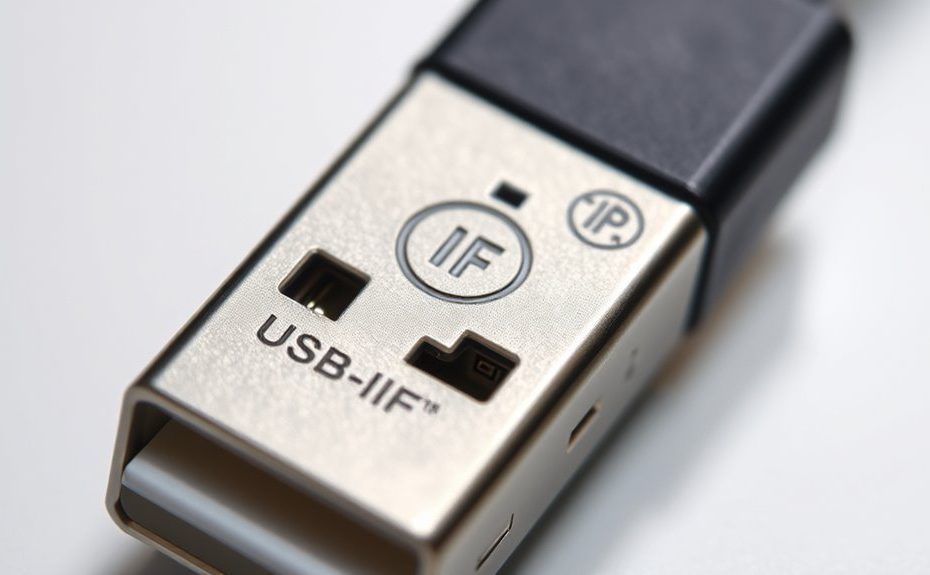
To understand USB‑IF logos and cable markings, look for official symbols like the USB-IF certification logo, the USB4® logo, or performance icons indicating data speed, power, and compliance. Check that these logos match official artwork, appear prominently, and include correct trademark statements like “USB Type-C is a registered trademark of USB-IF.” Confirm logo size is at least 0.2 inches and properly placed. If you keep exploring, you’ll learn how to verify every mark and symbol accurately.
Key Takeaways
Look for official USB-IF logos next to symbols, ensuring they match official artwork without modifications.
Check for proper trademark statements like “USB Type-C is a registered trademark of USB-IF” for legal compliance.
Recognize certification marks such as USB4® or Power Delivery logos indicating industry and safety standards.
Confirm logos are at least 0.2 inches in size with correct orientation, spacing, and placement on the device or packaging.
Use logos to identify supported data transfer speeds, power capabilities, and USB standards compliance.
Understanding USB Certification Logos and Their Significance
Understanding USB certification logos is essential because they verify a product’s compliance with industry standards and quality requirements. When you see a certified logo, it means the product has passed USB-IF testing and meets strict performance and safety criteria. To display these logos, companies must have a USB vendor ID and be listed on the USB-IF Integrators List. Using the logos correctly is vital; they must appear in specific sizes, with proper spacing, and include trademark statements when required. These logos ensure consumers recognize reliable, compliant products. They also help manufacturers protect their brand integrity and maintain credibility in the marketplace. By understanding what these logos represent, you can confidently identify genuine, certified USB devices and accessories. Additionally, awareness of design specifications helps ensure proper logo usage and prevents counterfeit markings. Recognizing the certification process can also assist consumers in making informed purchasing decisions. Moreover, understanding linguistic variations of certification terminology can enhance global recognition of compliant products. Familiarity with brand protection measures further supports consumers in avoiding counterfeit or substandard items.
Recognizing Power Delivery and Fast Charging Logos
Power delivery and fast charging logos help you quickly identify products that support high-capacity power transfer and rapid charging capabilities. Certified logos, like the USB Device Power Port Logo, indicate compliance with USB-IF standards, ensuring safe and reliable fast charging. These logos confirm that a device can deliver higher wattages, reducing charging times considerably. When you see these logos on a cable, charger, or device, you know it’s certified to handle faster power delivery safely. Recognizing these logos helps you select products that meet your charging needs without compromising safety or quality. Additionally, understanding certification standards can help you make more informed choices about device compatibility and performance. Recognizing the refrigeration cycle and its role in various systems can also provide insights into the importance of reliable power and technology standards in maintaining system efficiency. Incorporating mindfulness techniques when selecting and using charging equipment can also promote a more focused and relaxed approach to technology use. For example, being aware of power transfer technology ensures you choose the right accessories for optimal performance. Moreover, staying informed about AI vulnerabilities can help you better understand potential risks associated with smart devices and charging infrastructure.
Deciphering High-Speed Performance Logos: SuperSpeed and Beyond
When you see SuperSpeed or higher-speed logos on a cable or device, pay attention to their design and placement, as these indicate conformity with specific standards. These logos often include performance indicators like 10 Gbps or 20 Gbps, helping you quickly identify data transfer capabilities. Understanding the standards behind these markings guarantees you select products that meet your high-speed data needs. Additionally, Vetted – Grobal World offers a variety of certifications and standards that ensure the reliability and performance of high-speed cables and devices. Being aware of the privacy policies and cookie management associated with these certifications can help you make informed choices about your data security. Recognizing proper gear shifting techniques on your equipment can also be crucial for maintaining optimal performance and safety when working with high-speed data transfer devices. Familiarity with performance benchmarks can further assist in evaluating whether a cable or device meets your specific high-speed requirements. Paying attention to standard compliance labels ensures compatibility across different devices and brands.
Logo Design and Placement
Deciphering high-speed performance logos like SuperSpeed USB and beyond requires careful attention to their design and placement. You should focus on three key aspects:
Design Consistency: Logos must match official USB-IF digital artwork exactly, without modifications or additions.
Size and Dimensions: Ensure logos meet the minimum size of 0.2 inches (5 mm) and have proper spacing, with the clear space equal to the cable end device’s height.
Placement: Position logos prominently on products or packaging, but never larger or more noticeable than the product name or trademark. They should be oriented horizontally or vertically, maintaining visual balance.
Speed Indicators and Standards
High-speed performance logos like SuperSpeed USB and their higher-speed variants serve as clear indicators of data transfer capabilities. These logos show the maximum speed your device can support, ensuring you choose the right cable for your needs. For example, SuperSpeed USB indicates up to 5 Gbps, while SuperSpeed USB 10 Gbps and USB4® support higher speeds. Use the following table to understand the different speed logos:
Logo Type
Speed Capability
Usage Context
SuperSpeed USB
Up to 5 Gbps
Standard high-speed data transfer
SuperSpeed USB 10 Gbps
Up to 10 Gbps
Faster data transfer applications
USB4®
Up to 40 Gbps
Ultra-fast data and display transfer
Performance Port Logos
20 Gbps, 40 Gbps, 80 Gbps
High-end port speed identification
Additionally, understanding these performance standards can help you select cables with the appropriate certifications for your high-performance devices. Proper certification ensures compatibility and optimal performance, which is essential for maximizing device efficiency. Recognizing cable markings can further assist in verifying the capabilities of your cables, ensuring they meet your specific needs. Incorporating compliance labels can further verify that your cables meet industry standards, providing peace of mind and reliable performance.
Interpreting USB Type-C and USB-C Trademarked Symbols
Understanding the differences between USB Type-C and USB-C trademarked symbols is essential for accurately identifying compatible products. These symbols indicate compliance with specific USB standards and certifications. When you see a USB Type-C symbol, it confirms the product uses the USB Type-C specification, often with certification for high-speed or power capabilities. A USB-C logo, on the other hand, may simply denote the connector type without implying compliance. To interpret these symbols:
Look for the official USB-IF logo next to the symbol, indicating certification.
Check for the trademark statement, like “USB Type-C is a registered trademark of USB-IF.”
Confirm the symbol matches the digital artwork files provided by USB-IF without modifications.
Awareness of the trends in USB retail can assist in understanding the evolving standards and certifications. Recognizing the certification marks helps ensure the product meets industry standards and performs reliably.
This helps ascertain you’re choosing certified, reliable products that meet industry standards.
How to Identify Certified USB4® Products
To identify a certified USB4® product, look for the official USB4® logo on the device or packaging. Verify that the product is listed on the USB-IF Integrators List, confirming it has passed compliance testing. Always check for the proper logo usage and certification markings to guarantee authenticity. Additionally, ensure that the product is associated with a reputable certification process, which helps confirm its compliance with industry standards. Recognizing these industry certification marks can help avoid counterfeit or non-compliant products, ensuring safety and quality. Being aware of product labeling standards can further assist in identifying genuine products.
Recognize the USB4 Logo
Recognizing a certified USB4® product is straightforward if you know what to look for. First, check for the official USB4® logo printed on the device or packaging. Second, verify the logo matches the exact design shown in USB-IF digital artwork files, with no modifications. Third, confirm that the logo is accompanied by the proper trademark statement, such as “The USB4® Port Logo is a trademark of USB Implementers Forum, Inc.”. The logo’s size should be at least 0.2 inches (5 mm) in its largest dimension, with appropriate clear space around it. Confirm that the product is listed on the USB-IF Integrators List, indicating it has passed compliance testing. These steps help ensure you’re selecting a genuine, certified USB4® product.
Check Certification Status
Wondering how to confirm if a USB4® product is truly certified? First, check for the official USB-IF certification logo on the product or packaging. Certified products display the appropriate USB4® logo, which must be used exactly as specified in USB-IF digital artwork files. Next, verify that the product is listed on the USB-IF Integrators List, available on their website. This list confirms the product has passed compliance testing and is authorized to display the logo. Additionally, review the product documentation to ensure the proper trademark statements are included, especially if the logo is omitted. Always purchase from reputable vendors and double-check for the official certification mark to ensure you’re getting a genuine, certified USB4® device.
Proper Placement and Size Requirements for USB Logos
Proper placement and size of USB logos are essential to guarantee clear visibility and compliance with USB-IF guidelines. You should make certain that your logo:
Is at least 0.2 inches (5 mm) in its largest dimension, making it easily recognizable.
Has enough clear space around it, equal to the height of the cable end device, to prevent clutter.
Is positioned so it’s not more prominent than your product name or other trademarks, maintaining visual hierarchy.
Logos can be oriented horizontally or vertically but must be used exactly as shown in the official artwork. Avoid overlapping with other graphics or features, and ensure the logo remains readable and unobstructed on your product or packaging.
Trademark Statements and Documentation to Include With Logos
When including USB logos on your products or documentation, it’s important to add the correct trademark statements to guarantee compliance with USB-IF requirements. You must include specific statements such as “The USB 20Gbps Port Logo is a trademark of USB Implementers Forum, Inc.” or similar variations, depending on the logo used. These statements confirm your product’s certification status and ensure proper recognition of the trademark. Additionally, you need to display the statements alongside the logo images, which must be rendered correctly with the symbol. Proper documentation also involves including these statements in user manuals or technical sheets if the logo symbols are omitted or if space constraints prevent logo placement. Adhering to these requirements maintains legal compliance and supports your product’s credibility in the market.
Reading Cable Markings and Logo Placement on Devices
Reading cable markings and logo placement on devices requires careful attention to guarantee compliance with USB-IF guidelines. First, check the location of the logo—ideally near the product’s port or on the device surface, ensuring visibility. Second, verify the size; logos should be at least 0.2 inches (5 mm) in the largest dimension, with ample spacing around them. Third, confirm the logo’s orientation—horizontally or vertically—matching official digital artwork without distortion. Be sure the logo is not overshadowed by other markings or graphics, maintaining prominence. Also, look for accompanying trademark statements in user manuals when symbols are small or unclear. Proper logo placement and clear markings help identify certified products and ensure you’re using compliant, high-quality USB devices.
Ensuring Compliance Through Proper Logo Usage and Markings
To guarantee your products meet USB-IF standards, it’s essential to follow specific guidelines for logo usage and markings. Using logos correctly demonstrates compliance and helps build trust. Always ensure your products are listed on the USB-IF Integrators List before displaying logos. Use the approved digital artwork files without modifications, and include required trademark statements in documentation. Keep logos at a minimum size of 0.2 inches and maintain the proper clear space to prevent clutter. Remember, logos shouldn’t overshadow your product name or be used as design features. Proper logo placement and clear markings show your commitment to quality and compliance.
Logo Type
Usage Requirements
Trademark Statement
USB Type-C
Use only on compliant products, no modifications
“The USB Type-C is a trademark of USB-IF, Inc.”
USB4®
Must be used as shown, on certified products
“The USB4® is a trademark of USB-IF, Inc.”
Power Delivery Logos
Include in documentation, verify compliance
“The USB Device Power Port Logo is a trademark of USB-IF, Inc.”
SuperSpeed Logos
Display on high-speed devices, no alterations
“SuperSpeed USB Logo is a trademark of USB-IF, Inc.”
Frequently Asked Questions
How Can I Verify if a USB Product Is Officially Certified?
To verify if a USB product is officially certified, check if it displays the appropriate USB-IF logo, ensuring it’s used correctly according to guidelines. Confirm the product is listed on the USB-IF Integrators List, which indicates compliance. You can also visit the USB-IF website for certification details or ask the manufacturer for proof of compliance. Always look for the official logo and accompanying trademark statements in product documentation.
Are There Specific Guidelines for Using USB Logos on Packaging?
Of course, you’d love to slap that USB logo on your packaging, but hold your enthusiasm! You must follow strict guidelines: logos can’t overshadow your product name, must be used exactly as provided, and require specific sizing and spacing. Plus, you need to include trademark statements in manuals if logos are small or altered. Basically, it’s a game of “spot the rule,” so play it right to stay legit!
What Are the Consequences of Improper Logo Placement or Size?
If you place or size USB logos improperly, you risk violating USB-IF guidelines, which can lead to legal issues or loss of certification. Your products might be deemed non-compliant, damaging your brand’s credibility. Additionally, misusing logos can cause confusion among consumers and partners, weakening trust. To avoid these consequences, make certain logos are correctly sized, positioned, and used exactly as specified in the official guidelines.
Can USB Logos Be Used in Advertising or Promotional Materials?
Imagine your product shining like a star with the USB logo—yes, you can use USB logos in advertising and promotional materials, but only if your product is certified and listed on the USB-IF Integrators List. confirm you follow the guidelines, including logo placement, size, and accompanying trademark statements. Use the logos correctly, respecting the digital artwork, and avoid altering their appearance to maintain credibility and compliance.
How Often Are USB Certification Requirements Updated?
You should check the USB-IF website regularly because certification requirements are updated as new standards and technologies emerge. USB-IF reviews and revises guidelines periodically to guarantee products meet current performance and safety standards. Staying informed helps you maintain compliance and use logos correctly. If you’re unsure about the latest updates, contact USB-IF directly or review their official documentation, which provides detailed information on recent changes and ongoing requirements.
Conclusion
By understanding USB logos and markings, you can confidently identify certified, high-performance cables and devices. Did you know that over 80% of counterfeit USB products lack proper certification logos? This emphasizes the importance of checking markings before buying. Proper logo recognition not only guarantees peak performance but also keeps your device safe. Stay informed and always verify markings to make smart, secure tech choices every time.