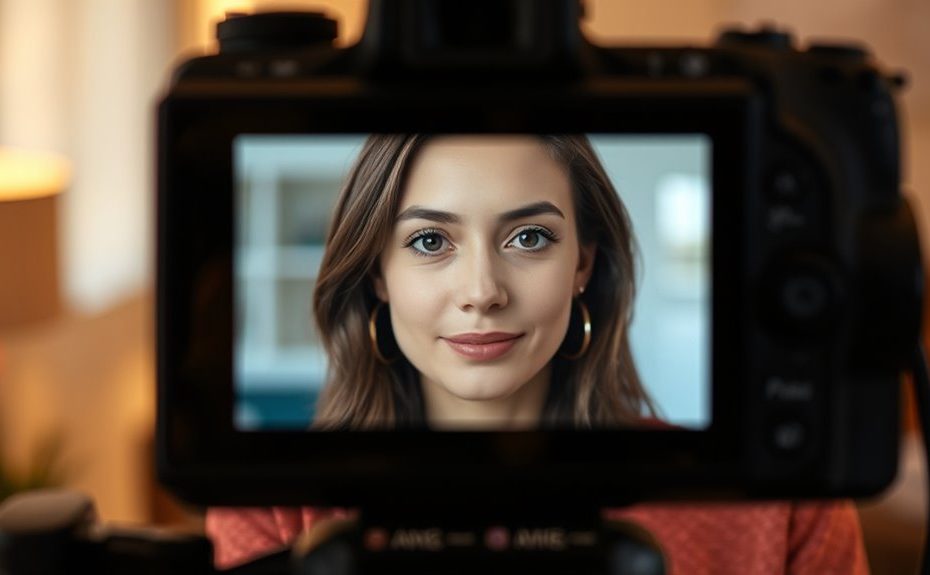
To make your video calls look professional, focus on good lighting and framing. Use soft, even light from natural sources like facing a window or artificial lights like ring lights, positioned at a 45° angle. Keep the camera at eye level and frame your head and shoulders with minimal background distractions. Avoid harsh shadows or glare. For more tips on creating a polished look, explore the simple setup steps that follow.
Key Takeaways
Use even, soft lighting from natural or artificial sources to minimize shadows and enhance your appearance.
Position your face facing a window at a 45° angle for natural, flattering light.
Frame your face and shoulders within the top third of the screen, keeping the camera at eye level.
Keep backgrounds minimal and uncluttered to reduce distractions and maintain a professional look.
Test your setup beforehand, adjusting lighting and framing for optimal clarity and natural appearance.
Understanding the Importance of Proper Lighting
Proper lighting is essential for a professional and engaging video call. When you light your face correctly, you ensure your expressions are clear and your appearance is natural. Good lighting minimizes shadows and glare, making you look confident and approachable. It also helps to reduce color distortion, ensuring your skin tone and surroundings appear accurate on camera. Without proper lighting, you risk appearing unprofessional, tired, or hard to see, which can distract your viewers. It helps your camera capture accurate colors and details, so your face looks vibrant and true to life. Proper lighting also enhances the overall quality of your video, creating a more polished and trustworthy impression. Ultimately, investing in good lighting setup boosts your confidence and helps convey your message effectively. Remember, the right lighting can make your video call feel more genuine and engaging.
Choosing the Right Light Sources for Video Calls
When choosing light sources for your video calls, you need to think about whether natural light or artificial options work best for your space. Adjustable brightness features help you fine-tune your setup, while diffusers and color options allow for a softer, more natural look. Additionally, selecting the appropriate lighting equipment can significantly improve your video quality by providing consistent and flattering illumination. By understanding these points, you can create a professional, well-lit environment that enhances your on-camera presence.
Natural vs. Artificial Light
Choosing the right light source for your video calls depends on your environment and the look you want to achieve. Natural light from windows creates soft, even illumination that enhances your appearance without harsh shadows. Position yourself facing a window at a 45-degree angle to add depth and avoid glare. However, natural light can be inconsistent and may cause glare or overexposure. Artificial lights, like ring lights or LEDs, offer consistent, controllable illumination, making them ideal for indoor setups or cloudy days. They allow you to adjust brightness and color temperature to match natural daylight or warmer tones. Lighting consistency is essential for maintaining a professional appearance on camera. Combining both natural and artificial light often produces the best results, giving you flexibility and a professional appearance on camera. For a cozy, inviting atmosphere, consider the farmhouse bedroom design elements that emphasize warmth and authenticity. Additionally, using smart lighting with adjustable brightness and color temperature can help you achieve optimal lighting conditions for any environment, especially when aiming for a balanced and harmonious zodiac compatibility that reflects well in your appearance on camera. Incorporating proper lighting techniques is also a key aspect of ethical hacking in cybersecurity, where visibility and clarity can be crucial for effective communication and assessment.
Adjustable Brightness Features
Adjustable brightness features are essential for customizing your lighting setup to suit different environments and personal preferences. With adjustable brightness, you can fine-tune your light intensity to create a balanced, natural look on camera. If your room is darker, increasing the brightness guarantees your face is clearly visible without appearing dim or grainy. Conversely, lowering the brightness prevents overexposure when your surroundings are well-lit. Many modern lights include easy-to-use controls, such as touch sliders, buttons, or remote apps, making adjustments quick and effortless. This flexibility allows you to adapt to changing lighting conditions throughout the day or to match your desired aesthetic. Proper brightness control enhances your overall appearance, ensuring you look professional and well-lit during every video call. Additionally, understanding light placement can further optimize your on-camera appearance by reducing shadows and glare. Incorporating knowledge about Bike maintenance and setup can also inspire you to find the perfect balance of lighting and framing, just as a well-maintained bike ensures smooth performance. Being aware of automation technology in lighting can help you create smart setups that adjust automatically to your environment, enhancing your video quality. Moreover, selecting the right lighting accessories can further improve your overall setup by providing additional control and versatility. Recognizing the importance of security measures in home setups can help you create a safe and comfortable environment for your video calls and daily activities.
Diffusers and Color Options
Selecting the right light sources for video calls involves considering both diffusers and color options to achieve a natural and flattering look. Diffusers soften harsh light, reducing unflattering shadows and glare, making your skin look more even. diffusers also help minimize reflections on glasses and other surfaces, enhancing overall image quality. Incorporating diffusers can also help create a more professional appearance during video calls. Using adjustable lights allows you to fine-tune brightness and color for different environments. Ensuring your lighting setup is AI-driven can help optimize image quality and adapt to changing conditions in real-time. Additionally, choosing lights with color rendering index (CRI) ratings above 90 ensures accurate color reproduction, enhancing your overall video appearance. To improve your setup further, consider integrating smart lighting solutions that automatically adjust based on ambient light and time of day.
Positioning Lights to Enhance Your Appearance
Positioning your lights correctly can dramatically improve how you look on camera by highlighting your best features and reducing unflattering shadows. To achieve this, place your light sources at about a 45-degree angle to your face. This setup creates soft, natural-looking shadows that add depth and dimension. Avoid placing lights directly in front or overhead, as these can flatten your features or cast harsh shadows. Use diffusers or softboxes to spread light evenly, and adjust brightness to match your environment. Experiment with different angles to find what works best for your face shape. Proper positioning ensures your face is well-lit, clear, and engaging for your viewers. Additionally, understanding lighting fundamentals can help you optimize your setup for a more professional appearance, especially when considering light placement techniques for different environments. Being aware of skin reflections can also help you reduce glare and achieve a more flattering look, while keeping in mind the dog breed you resemble can make your setup more personalized and fun. Incorporating knowledge of nutritional advantages of proper lighting can enhance your overall presentation quality.
Harnessing Natural Light for Better Video Quality
Position yourself facing a window to let soft, natural light illuminate your face evenly. To avoid glare and harsh shadows, diffuse direct sunlight with curtains or sheer fabrics. When natural light is limited, supplement it with warm artificial lights to create a balanced, professional look. Additionally, choosing the right lighting setup can significantly enhance your video quality and ensure consistent results. Implementing proper cybersecurity practices for your recording equipment can also help protect your privacy during video calls. Incorporating knowledge of natural signs for weather forecasting, such as observing cloud formations, can help you plan your environment to optimize lighting conditions and avoid unexpected weather disruptions during outdoor recordings.
Optimal Window Positioning
Facing a window during your video calls allows natural light to illuminate your face evenly and softly. Position yourself so the light hits at a slight angle, avoiding direct glare that can cause harsh shadows or wash out your face. If possible, sit about 3 to 6 feet from the window for balanced lighting without overexposure. Use curtains or sheer drapes to diffuse intense sunlight, creating a gentle, uniform glow. This setup reduces shadows and enhances your appearance on camera. Remember, the goal is to maximize natural light without overwhelming the frame or causing glare. Proper window positioning can dramatically improve your video quality and make your appearance more natural and professional.
Sit at a 45-degree angle to the window for depth and softness.
Keep the window slightly above or at eye level to avoid squinting.
Use diffusers if sunlight becomes too harsh or direct.
Diffusing Harsh Sunlight
Harsh sunlight streaming through windows can create unflattering glare, deep shadows, and uneven lighting on your face during video calls. To diffuse this intense light, use sheer curtains, lightweight blinds, or frosted window films. These options soften direct sunlight, spreading it evenly across your face and reducing harsh contrasts. If curtains are unavailable, place a white bedsheet or a large piece of parchment paper in front of the window to act as a DIY diffuser. Position yourself facing the diffused light source at a 45-degree angle for a natural, flattering glow. Avoid sitting directly in the sunlight, which can cause glare and washed-out visuals. Softening harsh sunlight ensures your video image is clear, balanced, and professional-looking.
Combining Natural and Artificial Light
Combining natural and artificial light is an effective way to achieve a balanced and professional look during video calls. By blending these sources, you can improve overall brightness, reduce shadows, and create a natural, flattering appearance. Position yourself facing a window for soft, even natural light, and supplement with diffuse artificial lights to fill in shadows. This combination helps avoid harsh contrasts or washed-out looks. To get it right, keep these tips in mind:
Use artificial lights at a 45-degree angle to enhance depth and reduce shadows.
Adjust the intensity of both natural and artificial light sources for even coverage.
Diffuse or soften direct sunlight with curtains or diffusers for consistent illumination.
This approach ensures your face remains well-lit, professional, and visually appealing on camera.
Creating a Professional Framing Composition
A well-balanced framing setup helps you appear professional and engaging on video calls. Position your face within the top third of the frame, following the rule of thirds, to create a balanced composition. Keep your camera at eye level to simulate natural eye contact, which builds connection and trust. Confirm there’s enough headroom—don’t crop too close or leave excessive space above your head. Maintain a simple, uncluttered background to minimize distractions; neutral walls or soft decor work best. Use proper lighting to add depth and dimension—avoid flat, front-facing setups that wash out facial features. Consider adding subtle shadows for visual interest, but stay clear of harsh or uneven lighting. A thoughtful framing composition helps convey confidence and professionalism effortlessly.
Adjusting Camera Angles for a More Engaging Look
To create a more engaging look on camera, you should focus on positioning the camera at eye level. This helps establish natural eye contact and makes the conversation feel more personal. Proper camera placement guarantees you’re framed well and prevents unflattering angles that can distract viewers.
Eye-Level Positioning
Ever wonder why some video calls feel more engaging than others? It’s often due to eye-level positioning. When your camera is aligned with your eyes, it creates a natural and comfortable connection with your viewer. This setup mimics face-to-face interaction, making conversations more personal and engaging. To achieve this, adjust your webcam or device so the lens is at your eye level. Avoid looking down or up at the camera, which can distort your appearance and hinder connection. Keep the camera stable and at a consistent height for all calls. Remember:
Use a stand or stack books to raise your device if needed
Keep the camera directly in front of your face
Maintain a relaxed, natural posture for better engagement
Optimal Camera Placement
Ideal camera placement involves positioning your camera at a slightly higher angle, just above eye level, to create a more engaging and flattering appearance. This angle reduces double chins and minimizes unflattering shadows, making your face look more defined. Keep the camera directly in front of you, at eye level, to foster natural eye contact and connection. Avoid placing the camera too low, which can create an unflattering upward shot, or too high, which diminishes engagement. Verify your camera is stable and at a distance that captures your head and shoulders clearly, without cutting off parts of your head. Proper placement enhances your presence on camera, helping you appear confident, approachable, and professional. Adjust as needed to find the most flattering and comfortable position.
Avoiding Common Lighting Mistakes
Many common lighting mistakes can undermine your video call quality, making your image appear unprofessional or unflattering. Flat, front-facing lighting can cause glare on glasses and wash out your features. Overhead lights often cast unflattering shadows beneath your eyes and nose, reducing clarity. Backlighting creates silhouettes, making your face dark and hard to see. Insufficient lighting results in grainy, noisy video that looks unpolished. Mixed or colored ambient lighting can distort your skin tones and appear unnatural. To avoid these issues:
Avoid direct front lighting that causes glare and flatness
Steer clear of overhead lights that cast unflattering shadows
Prevent backlighting that silhouettes your face
Proper positioning and balanced lighting help you look professional and camera-ready.
Setting Up a Three-Point Lighting System
A well-balanced lighting setup can considerably improve your video call quality, and using a three-point lighting system is an effective way to achieve this. It involves three key light sources: the key light, fill light, and backlight, each serving a specific purpose. The key light provides the main illumination, placed at a 45-degree angle to highlight your face. The fill light softens shadows created by the key light, positioned on the opposite side. The backlight adds depth, separating you from the background. Proper positioning and adjustable brightness for each light are essential. Below is a quick guide:
Light Type
Position
Purpose
Key Light
45° angle in front of you
Main illumination
Fill Light
Opposite side of key light
Softens shadows
Backlight
Behind and above you
Creates depth and separation
Tips for Using Virtual Backgrounds Effectively
Using virtual backgrounds can enhance your professional appearance during video calls, but their effectiveness depends on proper implementation. To look sharp, make certain your background isn’t too busy or distracting. Choose simple, solid colors or subtle images that won’t compete with your face. Lighting plays a key role; avoid shadows or uneven light that can cause parts of your face to blend into the background. Use a high-quality, well-fitted green screen if possible, or ensure your camera and background are properly aligned. Keep your camera steady and frame yourself centrally. Test your setup before important calls to adjust lighting, distance, and background for the best results.
Use a plain or minimal background to avoid distraction
Make sure even lighting to prevent shadows and color spill
Keep a comfortable distance from the background for clarity
Portable Lighting Solutions for Flexible Setups
Portable lighting solutions are essential for anyone who needs flexible, on-the-go setups for video calls or content creation. They let you quickly adapt to different environments without sacrificing lighting quality. Compact LED panels, ring lights, and clip-on lights are lightweight and easy to carry, making them perfect for travel or shared spaces. Look for models with adjustable brightness and color temperature, so you can customize your lighting to match natural daylight or indoor settings. Mounting options like clamps, tripods, or suction cups enhance versatility, allowing you to position lights precisely where needed. Many portable lights run on USB or batteries, ensuring reliable power during your recordings or calls. These solutions help you maintain professional, flattering illumination wherever you are.
Frequently Asked Questions
How Do I Balance Natural and Artificial Lighting Effectively?
You balance natural and artificial lighting by facing a window for soft, even light while supplementing with diffused artificial lights to fill shadows. Keep natural light at a comfortable level using curtains or diffusers, avoiding direct sunlight. Adjust your artificial lights’ color temperature to match daylight (around 5000K-6500K). This way, your face stays well-lit and natural-looking, with no harsh shadows or unflattering color shifts.
What Color Temperature Is Best for Professional Video Calls?
Think of color temperature as the mood lighting for your face. For professional video calls, aim for a temperature between 5000K and 6500K, mimicking the gentle glow of natural daylight. This range offers a crisp, clean look, reducing skin redness or dullness. Using this neutral daylight setting helps you appear polished, confident, and approachable—like a well-lit stage where your professionalism shines through clearly and effortlessly.
How Can I Reduce Glare on Glasses During a Call?
To reduce glare on your glasses during a call, position your light source at a 45-degree angle to your face, avoiding direct front or overhead lighting. Use diffused, soft lighting like ring lights or lamps with frosted lenses to minimize harsh reflections. Adjust the brightness to prevent excessive glare, and sit slightly away from bright windows or light sources. This setup helps keep your glasses clear and your face well-lit.
What Are the Best Mounting Options for Small Spaces?
You should opt for versatile mounting options like clips, suction cups, or tripod mounts for small spaces. Clips attach easily to desks or monitors, saving space while providing stable positioning. Suction cups stick to smooth surfaces like windows or mirrors, ideal for quick setup. Tripod mounts offer adjustable height and angle, giving you flexibility without clutter. These options help you optimize your lighting setup efficiently in confined areas.
How Do I Adjust Lighting When Moving Between Different Rooms?
When moving between rooms, you should adjust your lighting by considering brightness, color temperature, and direction. Increase or decrease your light’s intensity to match ambient conditions, switch to warmer or cooler tones to match the room’s lighting, and reposition lights at a 45-degree angle to your face for flattering shadows. Use diffusers or soft lights to soften harshness, ensuring your face remains well-lit, natural, and professional regardless of where you are.
Conclusion
Think of your video call setup as a stage where you’re the star. With the right lighting and framing, you shine confidently, drawing your audience’s focus effortlessly. When you master these basics, your image becomes a beacon of professionalism and clarity, illuminating your message like a guiding lighthouse. So, illuminate your space wisely and frame yourself thoughtfully—you’ll turn every call into a powerful performance that leaves a lasting impression.