The SteelSeries Arctis GameBuds are my best overall wireless gaming earbuds because their broad platform support and balanced feature set suit the widest range of players. The AOC ACT3512 is the stronger value choice, pairing an advertised 20ms connection with 32-hour total playtime, while the ASUS ROG Cetra True Wireless SpeedNova earns my premium spot through adaptive ANC, advanced audio processing, and a claimed 46-hour battery package. The main choice is between dependable 2.4GHz performance, convenient Bluetooth use, stronger noise control, and the price attached to those extras. Console compatibility also matters because a USB-C dongle does not automatically work with every gaming system. Continue reading for the full breakdown of which model best fits each buyer and where every option gives something up.
SteelSeries Arctis GameBuds fo
Wireless Gaming Earbuds with L
Middle Rabbit SW5 Wireless Gam
Razer Hammerhead V3 X HyperSpe
Razer Hammerhead V3 HyperSpeed
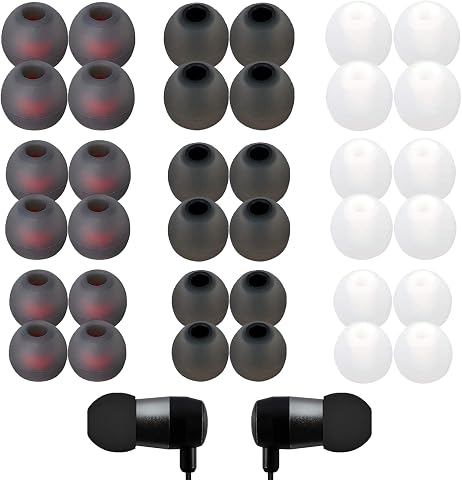
Complete the kit
Key Takeaways
SteelSeries Arctis GameBuds take the top position because they offer the most convincing balance of platform flexibility, gaming-focused connectivity, and everyday usability rather than leading through one isolated specification.AOC ACT3512 offers the clearest value proposition, with advertised 20ms latency and 32-hour playtime that undercut the need to pay premium prices for core gaming performance.ASUS ROG Cetra SpeedNova has the richest premium feature package, but the Sony INZONE Buds are the better match for buyers who place battery endurance above adaptive ANC and advanced microphone processing.PlayStation Pulse Explore makes the most sense for dedicated PS5 owners, while the SteelSeries, ASUS, Sony INZONE, and dual-mode models leave more room for switching between systems.The comparison shows a clear split between 2.4GHz-first gaming models and Bluetooth-oriented earbuds: the former favor latency and console use, while the latter tend to be easier companions for phones and casual listening.
Our Top Wireless Gaming Earbuds Picks
Wireless Gaming Earbuds with Low Latency and Dual Mode – WhiteBest for VR GamingLatency: 20msConnectivity: 2.4GHz and Bluetooth 5.3Microphone: ENC noise cancellationVIEW LATEST PRICESee Our Full BreakdownSteelSeries Arctis GameBuds for Xbox, PC, PS5, Switch, and MobileBest OverallConnectivity: 2.4GHz and Bluetooth 5.3Active Noise Cancellation: YesEarbud Battery Life: Up to 10 hoursVIEW LATEST PRICESee Our Full BreakdownMiddle Rabbit SW5 Wireless Gaming EarbudsBest for Sound CustomizationConnectivity: 2.4GHz dongle and Bluetooth 5.4Latency: 20msMicrophones: Four built-in microphonesVIEW LATEST PRICESee Our Full BreakdownRazer Hammerhead V3 X HyperSpeed Wireless Multi-Platform Gaming EarbudsBest for Positional AudioConnectivity: 2.4GHz HyperSpeed Wireless and Bluetooth 5.3Earbud Battery Life: Up to 10 hoursCase Battery Life: Up to 25 additional hoursVIEW LATEST PRICESee Our Full BreakdownRazer Hammerhead V3 HyperSpeed Wireless Multi-Platform ANC Gaming EarbudsBest Premium ANC PickGaming Connectivity: 2.4GHz Razer HyperSpeed WirelessBluetooth: Bluetooth 6.0Battery Life: Up to 40 hoursVIEW LATEST PRICESee Our Full BreakdownRYR Wireless Gaming EarbudsBest for Low-Latency VR GamingLatency: Under 20msConnections: Bluetooth and 2.4GHzWireless Adapter: USB-C dongleVIEW LATEST PRICESee Our Full BreakdownRazer Hammerhead HyperSpeedBest for RGB-Focused PS5 PlayersGaming Connection: 2.4GHz via USB-C dongleBluetooth: Bluetooth 5.2Battery Life: Up to 30 hoursVIEW LATEST PRICESee Our Full BreakdownASUS ROG Cetra True Wireless SpeedNovaBest Premium Audio PickConnectivity: Bluetooth and 2.4GHzMultipoint: Hybrid multipointAudio Resolution: 24-bit/96kHzVIEW LATEST PRICESee Our Full BreakdownSony INZONE BudsBest for PS5 Marathon SessionsBattery Life: Up to 48 hours with caseGaming Connection: 2.4GHz via USB-C dongleNoise Cancellation: Active noise cancellationVIEW LATEST PRICESee Our Full BreakdownAOC ACT3512 Wireless Gaming EarbudsBest for Bass-Forward Competitive PlayConnectivity: 2.4GHz USB-C dongle and Bluetooth 5.3Latency: 20msBattery per Charge: Up to 8 hoursVIEW LATEST PRICESee Our Full BreakdownPlayStation Pulse Explore Wireless Earbuds – Midnight BlackBest for PlayStation SoundBrand: PlayStationModel: PULSE Explore CFI-ZWE1Headphone Type: In-earVIEW LATEST PRICESee Our Full BreakdownMiddle Rabbit SW4 Pro Gaming EarbudsBest for VR and Device SwitchingConnectivity: 2.4GHz wireless and Bluetooth dual modeLatency: 20msCompatibility: PS5, PS4, PC, VR, Switch, and Steam DeckVIEW LATEST PRICESee Our Full BreakdownRazer Hammerhead True Wireless Pro Bluetooth Gaming EarbudsBest for Mobile ANCCertification: THX CertifiedActive Noise Cancellation: Hybrid ANCGaming-Mode Latency: 60msVIEW LATEST PRICESee Our Full Breakdown
More Details on Our Top Picks
Wireless Gaming Earbuds with Low Latency and Dual Mode – White
I rank these as the best option for VR gaming because their 20ms wireless link pairs low delay with explicit support for Meta Quest headsets, PCs, consoles, and handhelds. That broader VR compatibility separates them from the Middle Rabbit SW5, which offers the same stated latency but focuses more on app-based customization. Dual 2.4GHz and Bluetooth connections also let players move between gaming hardware and a phone without relying on ordinary Bluetooth for time-sensitive audio. The dual 13mm drivers should give effects and music more weight, while the ENC microphone targets clearer team chat. I place them below the SteelSeries Arctis GameBuds overall because battery life and water resistance are undisclosed. Mode switching may also feel less approachable than a single-connection setup.
Best for: Meta Quest owners who also play on PS5, PC, or Steam Deck and prioritize minimal audio delay
Not ideal for: Travelers and fitness-focused players who need verified battery endurance and water resistance
Latency:20msConnectivity:2.4GHz and Bluetooth 5.3Microphone:ENC noise cancellationDrivers:Dual 13mm dynamic driversCompatibility:PS5, PS4, Meta Quest 3/3S/2, Steam Deck, PC, and mobileColor:White
“This is my VR-focused pick for buyers who value 20ms audio and broad headset support more than documented battery or durability figures.”
SteelSeries Arctis GameBuds for Xbox, PC, PS5, Switch, and Mobile
I put the SteelSeries Arctis GameBuds first because they offer the most balanced mix of platform support, isolation, durability, and charging flexibility. They cover Xbox as well as PC, PlayStation, Switch, mobile, and VR, giving them a wider stated device range than the Razer Hammerhead V3 X. Active noise cancellation helps preserve quieter game cues in busy rooms, while IP55 protection is stronger against dust and water than Razer’s IPX4 rating. The earbuds run for 10 hours per charge, and the case lifts total listening time to up to 40 hours with convenient Qi charging. That versatility earns the top position, though it comes with caveats: controls may take time to learn, and buyers seeking more than 10 uninterrupted hours will need the case.
Best for: Multi-platform players who move between Xbox, PlayStation, PC, Switch, mobile, and VR
Not ideal for: Players who want more than 10 hours from the earbuds themselves or prefer very simple controls
Connectivity:2.4GHz and Bluetooth 5.3Active Noise Cancellation:YesEarbud Battery Life:Up to 10 hoursTotal Battery Life:Up to 40 hours with caseWater Resistance:IP55Case Charging:Qi wireless chargingCompatibility:Xbox, PC, PS5, Switch, mobile, and VREar Tips:Multiple sizes included
“These are my best overall choice for players who want one durable, noise-cancelling pair across nearly every major gaming platform.”
Middle Rabbit SW5 Wireless Gaming Earbuds
I give the Middle Rabbit SW5 the customization role because its companion app, adjustable EQ modes, firmware updates, and battery monitoring offer more control than the white dual-mode earbuds. Both models claim 20ms latency, but the SW5 adds Bluetooth 5.4, four built-in microphones, and several control methods. Those features make it better suited to players who like tuning sound profiles for shooters, music, and calls rather than accepting one fixed presentation. Its 33-foot range also supports moving around a desk or VR space without carrying the source device. I would not rank it above the SteelSeries Arctis GameBuds because battery duration is not stated, and its below-four-star customer rating introduces more uncertainty. The app-dependent feature set can also feel excessive for buyers wanting immediate, simple operation.
Best for: PC, PlayStation, and VR players who want app-controlled EQ, firmware updates, and detailed battery monitoring
Not ideal for: Setup-averse buyers or long-session players who need a clearly documented battery-life figure
Connectivity:2.4GHz dongle and Bluetooth 5.4Latency:20msMicrophones:Four built-in microphonesWireless Range:33 feetControls:App, touch, and media controlsBattery Monitoring:SupportedCompatibility:PC, PS5, PS4, desktop, and VRWarranty:One year
“The SW5 is my pick for hands-on audio tuners who accept app reliance and uncertain battery endurance in exchange for greater control.”
Razer Hammerhead V3 X HyperSpeed Wireless Multi-Platform Gaming Earbuds
I assign the Razer Hammerhead V3 X HyperSpeed the positional-audio role because its THX Spatial Audio and 7.1.4 presentation are aimed at placing footsteps and effects around the player, not merely producing broad stereo sound. Its 2.4GHz HyperSpeed connection is the gaming-focused alternative to Bluetooth 5.3, helping keep sound synchronized on PC, PS5, and Steam Deck. Compared with the Hammerhead V3 HyperSpeed, this X model gives up hybrid ANC and five hours of stated total battery life, so it makes more sense for buyers who prioritize spatial processing over maximum isolation. The earbuds still provide 10 hours per charge and 35 hours with the case. I would skip them if the playback device cannot access THX features, while IPX4 protection handles splashes rather than submersion.
Best for: PC and PS5 players who want spatial sound cues for competitive shooters and surround-focused games
Not ideal for: Buyers using devices without THX support or anyone needing strong noise cancellation and higher water protection
Connectivity:2.4GHz HyperSpeed Wireless and Bluetooth 5.3Earbud Battery Life:Up to 10 hoursCase Battery Life:Up to 25 additional hoursTotal Battery Life:Up to 35 hoursWater Resistance:IPX4Audio:THX Spatial Audio with 7.1.4 surround soundCompatibility:Smartphones, PC, laptop, PS5, and Steam DeckCharging:USB-C passthroughControls:Touch controls
“This is my positional-audio pick for competitive players who can use THX processing and do not need the V3 model’s ANC.”
Razer Hammerhead V3 HyperSpeed Wireless Multi-Platform ANC Gaming Earbuds
I reserve the premium ANC position for the Razer Hammerhead V3 HyperSpeed, which combines hybrid active noise cancellation with low-latency 2.4GHz audio, Bluetooth 6.0, and THX Spatial Audio. That blend suits players who want one pair for focused gaming, commuting, and everyday listening. Against the Hammerhead V3 X HyperSpeed, this model adds stronger isolation and raises stated battery life from 35 to up to 40 hours. Those gains explain its higher place for mixed use, but they do not make it the automatic choice for everyone: the premium positioning can be difficult to justify if ANC is rarely needed. Some spatial features also rely on compatible software, while sensitive touch controls may require adjustment. IPX4 resistance covers sweat and splashes, though buyers needing rugged waterproof earbuds should choose another format.
Best for: Frequent travelers and multi-platform players who want gaming-grade latency plus active isolation for noisy surroundings
Not ideal for: Budget-focused players who rarely use ANC or buyers who need waterproof earbuds for heavy outdoor exposure
Gaming Connectivity:2.4GHz Razer HyperSpeed WirelessBluetooth:Bluetooth 6.0Battery Life:Up to 40 hoursWater Resistance:IPX4Audio:THX Spatial Audio with 7.1.4 surround soundNoise Cancellation:Hybrid active noise cancellationCharging:USB-C passthroughAdditional Hardware:Compact wireless dongleControls:Touch controls
“The V3 HyperSpeed is my premium choice for buyers willing to pay for ANC, spatial sound, and longer battery life in one multi-use pair.”
RYR Wireless Gaming Earbuds
I give the RYR Wireless Gaming Earbuds the VR-focused spot because their sub-20ms 2.4GHz connection suits timing-sensitive play on Meta Quest, PS5, and Switch. The AOC ACT3512 reaches 20ms, while this model claims an even lower figure and provides four more hours of total battery life. Its 12mm drivers and noise-cancelling microphones also make it more gaming-oriented than ordinary Bluetooth earbuds. The tradeoff is refinement: unlike the ASUS ROG Cetra SpeedNova, RYR does not offer adaptive ANC, high-resolution audio, or multipoint features. The 36-hour total playtime is strong for weekends away, but the dongle occupies a USB-C port and adds another piece to carry. I would also hesitate to choose it for all-day sessions because the fit may become uncomfortable over extended play.
Best for: VR and console players who prioritize the lowest possible wireless delay across several USB-C gaming devices
Not ideal for: All-day players who are sensitive to in-ear pressure or want adaptive active noise cancellation
Latency:Under 20msConnections:Bluetooth and 2.4GHzWireless Adapter:USB-C dongleBattery Life:36 hours totalCharging Case Capacity:500mAhWater Resistance:IPX4Drivers:12mm
“My pick for VR players who value very low delay and broad compatibility more than advanced audio processing or long-session comfort.”
Razer Hammerhead HyperSpeed
The Razer Hammerhead HyperSpeed earns its place by combining responsive 2.4GHz gaming audio with active noise cancellation and RGB lighting. That pairing gives PS5 and PC players more isolation and visual customization than the simpler AOC ACT3512. Bluetooth 5.2 also lets the earbuds handle phones and tablets when the dongle is not practical. I rank them below the Sony INZONE Buds for marathon play, however, because Razer offers up to 30 hours against Sony’s 48 hours with its case. The earbuds may also feel bulky, particularly for buyers with smaller ears, and the USB-C receiver remains mandatory for the lowest-delay connection. Compared with the ASUS ROG Cetra SpeedNova, the dual environmental microphones are less technically ambitious than a bone-conduction AI system. This is the sharper choice when ANC and gaming style matter more than maximum endurance.
Best for: PS5 and PC players who want low-delay wireless audio, active noise cancellation, and visible RGB styling
Not ideal for: Small-eared players or travelers who prioritize compact hardware and battery life beyond 30 hours
Gaming Connection:2.4GHz via USB-C dongleBluetooth:Bluetooth 5.2Battery Life:Up to 30 hoursNoise Cancellation:Active noise cancellationMicrophones:Dual environmental noise-cancelling microphonesCompatibility:PS5, PS4, PC, Mac, smartphones, and tabletsLighting:Customizable RGB
“I recommend this model to PS5 and PC players who want ANC and RGB flair and can accept a bulkier fit and shorter endurance.”
ASUS ROG Cetra True Wireless SpeedNova
I reserve the premium-audio role for the ASUS ROG Cetra True Wireless SpeedNova. Its 24-bit/96kHz playback with Dirac Opteo offers a more ambitious listening package than the RYR or AOC models, while adaptive ANC responds to changing surroundings. Hybrid multipoint and dual wireless modes make it particularly useful for players moving between a PC, phone, handheld, and console. The bone-conduction AI microphones are another meaningful distinction from the conventional noise-cancelling mics in the Razer Hammerhead HyperSpeed. Buyers pay for that breadth through a higher price and a steeper setup curve; people seeking simple plug-and-play earbuds may find the feature set excessive. The quoted 46-hour battery figure applies to Bluetooth mode, and RGB can reduce endurance. Even so, I favor ASUS for buyers who want audio detail and connection flexibility ahead of simplicity.
Best for: Enthusiast players who switch among PC, console, handheld, and mobile devices and want high-resolution audio
Not ideal for: Budget-focused buyers or players who prefer a straightforward setup with few settings to manage
Connectivity:Bluetooth and 2.4GHzMultipoint:Hybrid multipointAudio Resolution:24-bit/96kHzAudio Processing:Dirac OpteoMicrophone:Bone-conduction AI microphonesNoise Cancellation:Adaptive ANCBattery Life:Up to 46 hours in Bluetooth modeCharging:Wireless or USB-CCompatibility:PC, Mac, iOS, Android, Switch, PS4, PS5, and ROG Ally/X
“My premium choice suits multi-device enthusiasts willing to pay more and learn its settings for richer audio and flexible connectivity.”
Sony INZONE Buds
The Sony INZONE Buds are my choice for extended PS5 sessions because their case supplies up to 48 hours of total battery life, edging past the ASUS ROG Cetra SpeedNova and comfortably beating the Razer Hammerhead HyperSpeed. Sony also combines 360 spatial sound, active noise cancellation, transparency mode, and customizable tap controls, so long sessions do not require sacrificing positional audio or environmental awareness. The AI noise-cancelling microphone strengthens their case for team play. Their weakness is mobile flexibility. Unlike the Bluetooth-equipped Razer and AOC options, these buds omit familiar SBC, AAC, aptX, and LDAC codec support. Bluetooth LE Audio also does not work with iPhone or iPad, making the advertised mobile compatibility narrower than it first appears. I rank them highly for PlayStation and PC endurance, but the USB-C dongle dependency and iOS limitations make them a poor universal pair.
Best for: PS5 and PC players who run long multiplayer sessions and value spatial sound, ANC, and extended case battery life
Not ideal for: iPhone and iPad owners seeking one conventional Bluetooth pair for both gaming and everyday media
Battery Life:Up to 48 hours with caseGaming Connection:2.4GHz via USB-C dongleNoise Cancellation:Active noise cancellationAmbient Listening:Transparency modeSpatial Audio:360 spatial soundMicrophone:AI noise-cancelling microphoneControls:Customizable tap controlsCompatibility:PlayStation 5, PC, Switch, and supported mobile devicesBluetooth Codec Support:No SBC, AAC, aptX, or LDAC support
“I would choose the INZONE Buds for long PS5 or PC sessions, but not as an all-purpose wireless pair for Apple mobile devices.”
AOC ACT3512 Wireless Gaming Earbuds
I assign the AOC ACT3512 the bass-focused competitive role because it pairs 20ms wireless latency with deep bass and an ergonomic in-ear shape. That combination suits action games where immediate effects and a stable fit matter. Bluetooth 5.3 and a 2.4GHz USB-C dongle also cover more everyday devices than the dongle-centered Sony INZONE Buds. AOC delivers eight hours per charge and 32 hours with the case, which is respectable but falls behind RYR’s 36 hours and Sony’s 48. Its noise cancellation applies to the microphone rather than the listening experience, so the Razer Hammerhead HyperSpeed is better for blocking room noise. Xbox players must skip AOC entirely because the earbuds do not support Xbox Series consoles. I see this as a focused gaming choice for PC, PS5, Switch, or VR users, not the broadest platform option or the best pick for acoustic isolation.
Best for: PC, PS5, Switch, and VR players who want low latency, strong bass, and an ergonomic in-ear fit
Not ideal for: Xbox Series players or commuters who need active noise cancellation for loud surroundings
Connectivity:2.4GHz USB-C dongle and Bluetooth 5.3Latency:20msBattery per Charge:Up to 8 hoursTotal Battery Life:Up to 32 hours with caseMicrophone:Noise-cancelling silicon microphoneCompatibility:PC, Mac, PS5, Switch, VR headsets, and Bluetooth devicesXbox Support:Not supported
“My AOC pick is for bass-seeking PC and PlayStation competitors who want a secure fit and do not need Xbox support or listening ANC.”
PlayStation Pulse Explore Wireless Earbuds – Midnight Black
Among PlayStation-first choices, I rank the PlayStation Pulse Explore highest for sound quality because its planar magnetic drivers are built to reveal spatial detail that helps both cinematic games and competitive positioning. PlayStation Link adds a lossless, low-latency connection, while AI-based microphone filtering makes team chat easier to follow around household noise. The Middle Rabbit SW4 Pro offers broader device support and longer total playtime, but it lacks the Pulse Explore’s audio-focused driver design. Battery life is the main compromise: five hours per charge is modest beside the Sony INZONE Buds and their 48-hour case figure. I also see the sculpted fit as more divisive than conventional earbuds. This is the specialist choice for PS5 audio fidelity, not the most flexible travel or cross-platform option.
Best for: I recommend these for PS5 owners who prioritize detailed game audio and low-latency PlayStation integration over maximum battery life.
Not ideal for: I would skip these for all-day players, Xbox users, and buyers who frequently move between unrelated gaming platforms.
Brand:PlayStationModel:PULSE Explore CFI-ZWE1Headphone Type:In-earDriver Type:Planar magneticConnectivity:Wireless via PlayStation LinkEarbud Battery Life:Up to 5 hoursCharging Case Battery:Up to 10 additional hoursColor:Midnight Black
“I would choose the Pulse Explore for premium PS5 sound, provided five-hour sessions and a PlayStation-first setup fit the buyer’s habits.”
Middle Rabbit SW4 Pro Gaming Earbuds
For players who alternate between a console, handheld, PC, and VR headset, I give the Middle Rabbit SW4 Pro the versatility slot. Its 2.4GHz and Bluetooth dual-mode connection covers more gaming hardware than the PlayStation-focused Pulse Explore, and the claimed 20ms latency is well suited to rhythm games, shooters, and VR movement where delayed sound can feel distracting. Four EQ profiles add useful control, including modes aimed at FPS and strategy play. The AOC ACT3512 matches its 20ms latency and 32-hour playtime claim, but the SW4 Pro adds app-based adjustment and four microphones. Those extras bring friction: full tuning depends on the app, and Xbox remains unsupported. Six-hour earbud life is respectable rather than exceptional. I rank it as the flexible VR pick, especially for buyers juggling several supported systems.
Best for: I recommend it for VR, PlayStation, PC, Switch, and Steam Deck players who want one low-latency earbud set for several devices.
Not ideal for: I would steer Xbox players and buyers who dislike companion apps elsewhere, since Xbox is unsupported and deeper tuning requires the Middle Rabbit app.
Connectivity:2.4GHz wireless and Bluetooth dual modeLatency:20msCompatibility:PS5, PS4, PC, VR, Switch, and Steam DeckEarbud Battery Life:Up to 6 hours per chargeTotal Battery Life:32+ hours with charging caseCase Recharges:3 full rechargesMicrophones:Four HD microphonesEQ Modes:Four, including FPS, strategy, and musicWarranty:1 year
“I see the SW4 Pro as the practical choice for VR and multi-device players who can accept app dependence and no Xbox support.”
Razer Hammerhead True Wireless Pro Bluetooth Gaming Earbuds
I place the Razer Hammerhead True Wireless Pro in the mobile-focused slot because its combination of hybrid active noise cancellation, THX certification, and Bluetooth suits buyers who divide their listening between phone games, films, and music. Its 60ms gaming mode reduces delay, but the Middle Rabbit SW4 Pro’s claimed 20ms 2.4GHz link is the stronger choice for reaction-heavy PC, console, or VR play. Razer counters with better isolation and a wider selection of ear tips, which can make commuting and everyday listening more comfortable once the seal is right. That fit is also the weakness: poor insertion can reduce bass, ANC performance, and call clarity at once. Battery life is listed below 20 hours and varies with use, while SBC and AAC codec support is fairly basic. I recommend it for mobile gaming with noise control, not dedicated competitive setups.
Best for: I recommend these for Android and iPhone gamers who want active noise cancellation for commuting, media, and occasional low-latency play.
Not ideal for: I would skip them for competitive console or PC players who need a 2.4GHz dongle, sub-60ms latency, or longer battery life.
Certification:THX CertifiedActive Noise Cancellation:Hybrid ANCGaming-Mode Latency:60msBattery Life:Less than 20 hoursConnectivity:BluetoothCompatibility:Android and iOS devicesSupported Codecs:SBC and AACFit Options:Multiple ear-tip sizes
“I would pick the Hammerhead True Wireless Pro for mobile players who value ANC more than the faster response and platform reach of a 2.4GHz model.”
How We Picked
I ranked these wireless gaming earbuds around the factors that have the largest effect during play: connection latency, platform compatibility, microphone design, battery endurance, and control simplicity. A 2.4GHz dongle received more weight than Bluetooth alone because fast, stable audio matters more in competitive games than general listening convenience. I also looked for dual-mode designs that can move between gaming hardware and mobile devices without making either use case awkward. Published specifications and stated compatibility formed the basis of the comparison; I did not treat manufacturer latency figures as directly interchangeable when testing methods were not supplied.
The order rewards balanced performance ahead of a single headline feature. SteelSeries ranks first because it combines broad utility with gaming-focused design, while ASUS and Sony sit near the top for buyers willing to spend more on noise control, battery life, or specialized audio processing. Value models moved higher when their advertised latency, playtime, and device support covered the needs of most players without costly extras. I placed older Bluetooth-led options and less versatile designs lower because limited system support or weaker gaming specialization creates a narrower reason to buy them.
Factors to Consider When Choosing Wireless Gaming Earbuds
I would start by matching the earbuds to the gaming system and connection type, then narrow the field through microphone needs, battery habits, fit, and budget. Low latency alone does not identify the right pair, especially when dongle compatibility or charging behavior can shape daily use more than an advertised millisecond figure. The sections below explain where buyers commonly pay for features they may not need and when a higher price brings a practical benefit.
Choose 2.4GHz for Gaming, Bluetooth for Convenience
A dedicated 2.4GHz USB dongle is usually the safer choice for action games because it is designed around faster audio delivery than ordinary Bluetooth. That difference can make footsteps, gunfire, and on-screen reactions feel more closely aligned. Bluetooth remains useful for phones, tablets, music, and games where timing is less demanding. A dual-mode model gives more flexibility, but buyers should check whether switching modes requires manual pairing or moving the dongle. Bluetooth version numbers do not prove gaming latency by themselves, since the codec and device on the other end also affect delay. I would prioritize the connection used for serious play and treat the alternate mode as a convenience feature.
Verify Compatibility Beyond the Connector Shape
A USB-C plug may physically fit a console while the system still refuses to pass game audio or microphone data through it. Listed platform support matters more than the shape of the dongle, particularly with Xbox and PlayStation hardware. Buyers who alternate between PC, PS5, Switch, and mobile devices should also check whether adapters are included and whether the microphone works on every platform. A product marketed for one console can offer smoother integration there while becoming less flexible elsewhere. Platform-specific controls, chat mixing, and spatial-audio features may also disappear when the earbuds move to another system. I would map every device I plan to use before paying extra for cross-platform claims.
Treat Microphone Claims Separately From Noise Cancellation
Earbud microphones sit far from the mouth, so even advanced processing cannot fully copy the clarity of a well-positioned headset boom. Noise-cancelling microphone language usually refers to reducing background sound during chat, not creating silence for the wearer. ANC does the opposite job by reducing environmental noise in the listener’s ears. Buyers who play in shared rooms may benefit from both, but the two features should not be confused. AI processing and bone-conduction sensors can help isolate speech, though aggressive filtering may make a voice sound thinner or less natural. I would prioritize a proven chat-focused design for team play and view ANC as a separate comfort upgrade.
Read Battery Figures as a Charging Routine
Total battery claims usually combine the earbuds with several recharges stored in the case. The more useful figure for long sessions is battery life per charge, since a full case cannot help while the earbuds are still in use. ANC, microphone activity, high volume, and 2.4GHz operation can reduce runtime below the headline number. Fast charging may matter more than a large total if a short break supplies enough power for another session. A case rated for 46 or 48 hours suits travel and irregular charging, while a smaller package may be easier to carry every day. I would compare single-session endurance and total case capacity as two separate benefits.
Balance Isolation, ANC, and Long-Session Comfort
A secure seal improves bass response and blocks outside sound, but it can also create pressure or fatigue during long sessions. Adaptive ANC is useful around fans, commuting noise, or a busy household, yet passive isolation from the ear tips may be enough in a quiet gaming room. Buyers who need to hear family members or doorbells should look for a transparency mode rather than relying on a loose fit. Several tip sizes are valuable because left and right ears may require different sizes. Low weight helps, though nozzle shape and pressure distribution often matter more than a small difference on the specification sheet. I would favor stable comfort over maximum isolation for multi-hour play.
Know When Premium Features Earn Their Price
Premium earbuds usually justify their cost through a bundle of better noise control, refined software, longer battery life, and more capable microphone processing. Those extras have less value for a buyer who plays at a desk in a quiet room and rarely changes devices. A lower-cost 2.4GHz model can deliver the core benefit—responsive game audio—without adaptive ANC or elaborate sound profiles. Paying more makes better sense for frequent travel, mixed PC and console use, or daily music listening alongside gaming. Older premium models can be tempting at a discount, but aging battery hardware and Bluetooth-first design may leave them behind newer gaming-focused alternatives. I would spend around the actual use pattern, not the longest feature list.
Frequently Asked Questions
Do I Need a 2.4GHz Dongle, or Is Bluetooth Fast Enough for Gaming?
I recommend a 2.4GHz dongle for competitive shooters, rhythm games, and other titles where audio timing affects reactions. Standard Bluetooth can work well for strategy games, turn-based titles, and casual mobile play, but delay varies across earbuds and source devices. A newer Bluetooth version does not automatically remove that delay. Dual-mode models offer the best compromise by keeping a fast gaming link alongside convenient phone pairing. For a single gaming system, I would choose verified compatibility and stable latency over Bluetooth flexibility.
Will Any USB-C Wireless Earbuds Work With PS5, Xbox, PC, and Switch?
No, because USB-C is only the connector, not a guarantee that each system supports the dongle’s audio protocol. PC and Switch compatibility is common, while PlayStation and Xbox support can depend on the exact edition. Some models also provide audio on a platform but lose microphone input, chat controls, or software features. The SteelSeries model is the broad-platform choice in this lineup, while Pulse Explore is more tightly focused on PlayStation use. I would rely on the manufacturer’s explicit device list for the exact model rather than assuming universal support.
Are Gaming Earbuds Better Than a Wireless Gaming Headset?
Gaming earbuds are better for buyers who value low weight, portability, and less heat around the ears. A full-size headset often provides a wider sense of space, longer single-charge battery life, and clearer voice pickup from a boom microphone. Earbuds can still be a strong choice for handheld systems, travel, glasses wearers, and players who dislike headband pressure. They demand more attention to tip fit because the seal affects both comfort and sound. I would choose earbuds for mobility and compact comfort, but a headset for frequent team chat or the most expansive audio presentation.
Is ANC Worth Paying More for in Wireless Gaming Earbuds?
Active noise cancellation earns its price when gaming happens near fans, traffic, household activity, or other steady background sound. It has less impact in a quiet room, where well-fitting ear tips may already provide enough isolation. ANC can also consume battery and may create an uncomfortable pressure sensation for some listeners. Transparency mode is the more useful feature when awareness of voices and surroundings matters. I would pay extra for adaptive ANC only if noise regularly interferes with play or the earbuds will also be used while travelling.
Which Matters More: Advertised Latency or Battery Life?
The answer depends on the games being played, but I would prioritize reliable low-latency 2.4GHz audio before chasing the largest case-battery number. A claimed 20ms connection is attractive for fast games, though figures from different brands may use different measurement methods. Battery life becomes the deciding factor once every shortlisted model can last through a normal session. The Sony INZONE Buds stand out for their 48-hour total package, while AOC combines a 20ms claim with 32-hour playtime at a value-oriented position. The best balance is enough per-charge endurance for one uninterrupted session plus a connection suited to the game type.
Conclusion
For most buyers, I recommend the SteelSeries Arctis GameBuds as the best overall choice because they provide the strongest blend of platform reach, gaming focus, and everyday flexibility. The AOC ACT3512 is my best-value pick, while the Middle Rabbit SW5 is the friendlier starting point for beginners who want straightforward dual-mode connectivity and an advertised 20ms link. Buyers seeking the richest premium package should choose the ASUS ROG Cetra True Wireless SpeedNova; those who care more about long total battery life should move toward the Sony INZONE Buds. Dedicated PS5 players should favor PlayStation Pulse Explore for its console-centered role, while mobile and multi-device players may prefer the Razer Hammerhead V3 HyperSpeed family. The RYR and Middle Rabbit SW4 Pro models suit budget-minded shoppers who need basic dual-mode versatility, whereas the older Razer Hammerhead True Wireless Pro is a narrower fit for Bluetooth-led use. My final choice would follow the primary system first, the required connection next, and premium extras only after those needs are met.