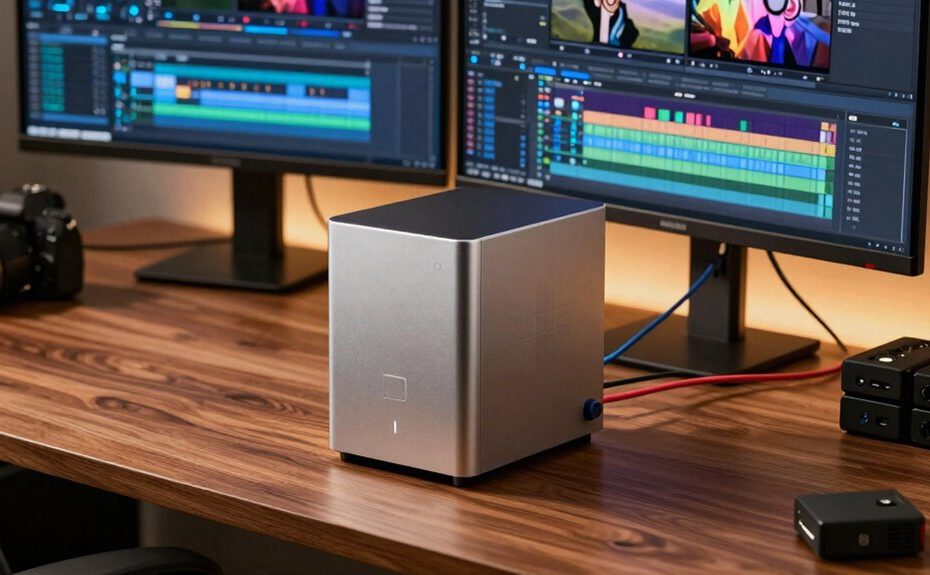
A good NAS for video creators acts as a central hub for storing, organizing, and accessing large project files quickly and securely. It should support fast transfer speeds, easy expansion, and stable remote access, so you can work smoothly from anywhere. Look for features like encryption, user controls, and regular security updates to protect sensitive footage. Want to discover more about choosing the right NAS for your creative needs? Keep going to find out!
Key Takeaways
Centralized storage for easy access, organization, and collaboration on video projects.
Robust data security features like encryption and user access controls to protect sensitive footage.
High transfer speeds and scalable storage for efficient editing and large file management.
Remote access capabilities for on-the-go editing and project management.
Reliable backup and recovery options to safeguard against hardware failures or data loss.
If you’re a video creator, investing in a good Network Attached Storage (NAS) can considerably streamline your workflow. A reliable NAS serves as a centralized hub where you can store, organize, and access your video projects with ease. One of the primary advantages is its ability to facilitate cloud backup, ensuring that your valuable footage is safely copied off-site. This not only safeguards against hardware failures or theft but also provides peace of mind, knowing your work is protected against unforeseen events. When your files are automatically backed up to the cloud, you reduce the risk of losing hours or even weeks of editing work, which can be devastating in your fast-paced creative environment.
A reliable NAS centralizes storage, safeguards data with cloud backups, and streamlines access for efficient video editing workflows.
Data security is another vital factor you should expect from a good NAS. Modern devices come equipped with advanced encryption protocols and user access controls, giving you confidence that your sensitive footage and project files are protected from unauthorized access. You can set permissions for different users, ensuring only trusted team members can view or modify certain files. This layered security is particularly valuable if you collaborate with others or store client content, as it helps maintain confidentiality and compliance with data protection standards. Many NAS devices also offer automated firmware updates and security patches, reducing vulnerabilities and keeping your storage environment safe from cyber threats. Additionally, choosing a NAS with regular security updates can help ensure your system remains protected against emerging cyber threats. A good NAS also often includes monitoring and alert systems that notify you of suspicious activities or potential issues, further enhancing your security measures. To optimize your data management, selecting a device with robust data recovery options is also highly recommended, in case of hardware failure or data corruption. Furthermore, understanding how to implement effective backup strategies can significantly improve your data resilience and peace of mind.
Performance is equally important, especially when working with large video files that demand high transfer speeds. A good NAS provides fast read/write capabilities, minimizing lag during editing and rendering. You can access your footage quickly, whether you’re working locally or remotely, which accelerates your creative process. Additionally, the ability to expand storage capacity easily allows you to grow your library without migrating to entirely new systems. Many NAS units support multiple drive bays, so you can start with a smaller setup and scale up as your projects and storage needs grow. Moreover, selecting a NAS with solid network connectivity ensures stable and reliable access to your files across different devices and locations.
User-friendly interfaces and remote access capabilities are also essential features to look for. A good NAS offers intuitive management tools, enabling you to organize files, monitor system health, and perform backups with minimal technical knowledge. Remote access allows you to work from anywhere, whether you’re on set or traveling, without compromising data security. You can securely connect to your NAS via VPN or encrypted connections, ensuring your work remains private and protected at all times. In essence, a dependable NAS enhances data security, offers robust cloud backup options, and supports your workflow’s speed and flexibility, making it an indispensable tool for any serious video creator.
Frequently Asked Questions
How Does a NAS Improve Collaboration Among Multiple Creators?
A NAS enhances collaboration among creators by offering seamless cloud integration and remote access. You can easily share files with team members, regardless of their location, without relying solely on external cloud services. This setup allows multiple users to access, edit, and store project files simultaneously, streamlining workflows. The secure remote access ensures everyone stays connected and productive, making teamwork more efficient and reducing delays.
Can a NAS Handle 4K or 8K Video Editing Smoothly?
A good NAS can handle 4K or 8K video editing smoothly, especially when it offers remote access and data redundancy. You’ll experience faster data transfers and seamless editing workflows, even from different locations. The remote access feature enables you to work remotely without lag, while data redundancy protects your valuable footage from potential data loss. This setup guarantees reliable, efficient editing for high-resolution videos.
What Security Features Should I Look for in a NAS?
A good NAS is like a fortress for your data. You should look for security features like remote access controls, so only you can log in from anywhere, and data encryption to keep your files safe from prying eyes. Additionally, multi-factor authentication, regular firmware updates, and secure backup options enhance protection. These features work together to guarantee your valuable content stays private and secure, no matter where you access it.
How Scalable Is a Typical NAS for Growing Video Projects?
A typical NAS is quite scalable for growing video projects, especially with features like cloud integration and data redundancy. You can start with a few drives and easily add more storage as your needs increase. Cloud integration allows seamless backup and remote access, while data redundancy guarantees your footage stays safe even if a drive fails. This flexibility helps you expand your storage without disrupting your workflow.
What Is the Average Lifespan of a NAS Device?
A typical NAS device lasts around 3 to 5 years, but this can vary based on usage and maintenance. You should regularly check data redundancy features to protect your files and guarantee data safety. Proper power management also extends your NAS’s lifespan by preventing overheating and power surges. Keeping firmware updated and replacing failing drives promptly helps maximize your device’s longevity, ensuring smooth video project storage and access.
Conclusion
A good NAS acts like a reliable anchor in your creative voyage, steadying your work amidst turbulent data storms. It’s your quiet guardian, silently safeguarding your footage and projects, so you can focus on bringing your vision to life. When you invest in the right device, you’re not just getting storage—you’re creating a sanctuary where your ideas can flourish, safe and sound, ready to shine brightly like a lighthouse guiding you through the night.